Help Guide
IC Recorder
ICD-TX660
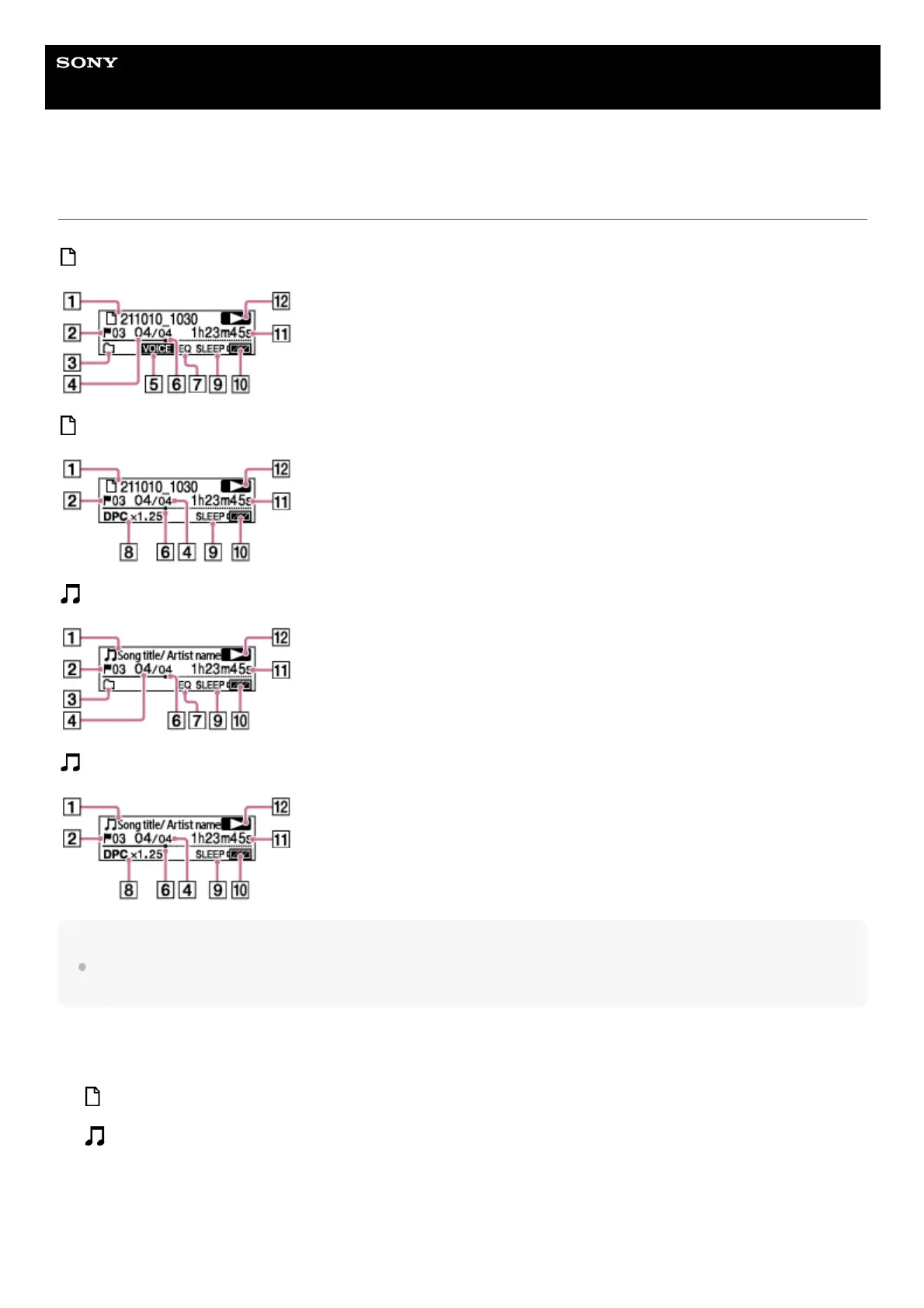
Display window while playback is in progress
The following describes the display window during playback.
Recorded Files
Recorded Files (when the DPC(Speed Control) function is active)
Music
Music (when the DPC(Speed Control) function is active)
Note
The above screens are provided for explanatory purposes. They may look different from what you actually see on your IC
recorder.
File information
Indicates information about the file you are playing.
Files recorded with your IC recorder are indicated as follows:
: File name: recording date_recording time (e.g. 211010_1010)
Music files are indicated as follows:
: Song title/Artist name
1.
Track mark number
Indicates the track mark number, if added, of the current playback point.
2.
Play Mode/Playback Range indicator
No indication: Normal (Play Mode)
3.



 To Next Page