5-025-099-11(1) Copyright 2021 Sony Corporation
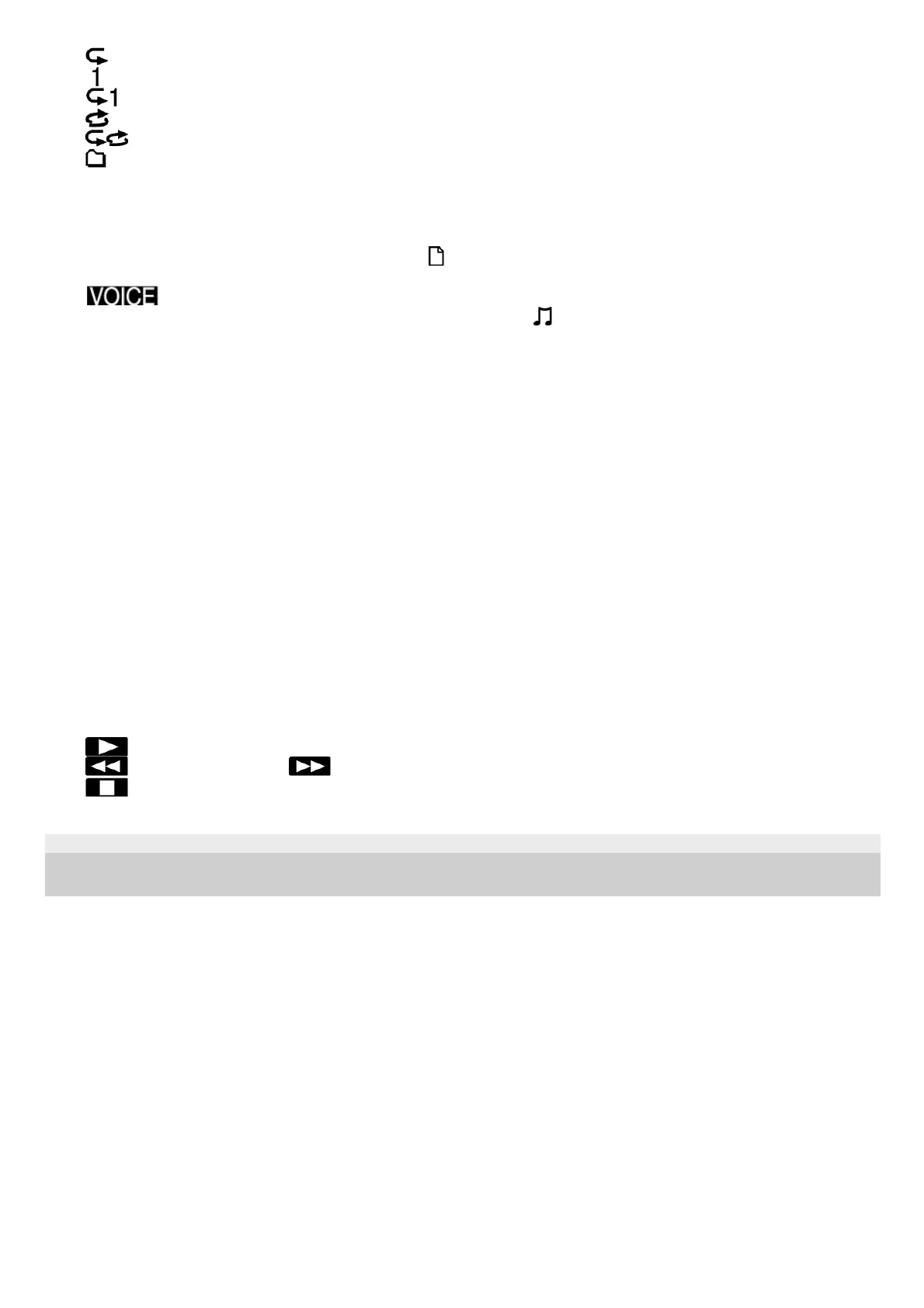
: Repeat (Play Mode)
: 1 File Play (Play Mode)
: 1 File Repeat (Play Mode)
: Shuffle (Play Mode)
: Shuffle Repeat (Play Mode)
: Selected Range (Playback Range)
File number information
Indicates the file number of the playing file in the format (current file number)/(total number of files to play).
4.
Clear Voice indicator (only indicated for the files in [
Recorded Files])
Indicates that [Clear Voice] is set to [Clear Voice 1] or [Clear Voice 2].
: Clear Voice 1, Clear Voice 2
While playback with the built-in speaker, or playback of the files in [
Music] is in progress, the Clear Voice function
does not work.
5.
Playback progress bar
Indicates how far playback of the file has progressed.
6.
Equalizer indicator
Indicates that the Equalizer function is operating.
7.
DPC(Speed Control) indicator
Indicates that the DPC(Speed Control) function is active.
8.
Sleep timer indicator
Indicates that the sleep timer function is active.
9.
Battery indicator10.
Elapsed time
Indicates the elapsed time of the current playback.
11.
Playback status indicator
Indicates the current playback status of your IC recorder.
(play): playing
(review/fast backward)/ (cue/fast forward): reviewing (fast-rewinding)/cueing (fast-forwarding)
(stop): on standby
12.



 To Next Page