EasyManua.ls Logo

Sony SLV-686HF - Timer Recording Management; Changing or Correcting Timer Settings; Daily;Weekly Recording

Sony SLV-686HF
67 pages
Print Icon
To Next Page IconTo Next Page
To Previous Page IconTo Previous Page
Loading...
Timer
Recording
To
change
or
correct
the
setting
before
completing
it
Press
<4
to
return
to
the
item
to
be
changed.
If
a
power
interruption
occurs
©
If
a
power
interruption
lasting
less
than
approximately
To
preset
another
program
three
hours
occurs
while
the
VCR
is
waiting
for
the
Move
the
cursor
to
the
second
line
after
step
11
and
repeat
preset
time,
the
VCR
will
re-enter
the
timer
recording
steps
4
to
11.
standby
mode.
©
If
a
power
interruption
lasting
more
than
approximately
To
record
video
sources
from
LINE
IN
1
or
2
jacks
three
hours
occurs
before
a
timer
recording,
the
Press
INPUT
SELECT
in
step
4
to
10
to
call
up
LINE
1
or
2
memory
clears.
Reset
the
date
and
time
for
timer
under
the
“CH”
position.
The
indication
returns
to
channel
recording.
numbers
on
the
third
press.
©
|f
a
power
interruption
lasting
less
than
approximately
three
hours
occurs
during
a
timer
recording,
the
VCR
Problems
when
TIMER
REC
(ON/OFF)
is
pressed
starts
recording
again
and
the
tape
counter
indicates
“OHOOMOCS.”
The
cassette
ejects
|
The
safety
tab
on
the
inserted
cassette
has
been
removed.
The
TIMER
indicator
|
¢
No
cassette
has
been
inserted.
does
not
appear
©
The
tape
is
at
its
end.
Daily/Weekly
Recording
You
can
preset
the
timer-activated
recording
to
the
same
program
every
day
of
the
week
(Daily
recording),
or
one
day
of
the
week
(Weekly
recording).
Follow
steps
1
through
4
in
“Setting
the
Timer”
(page
34).
You
can
select
the
following
programs.
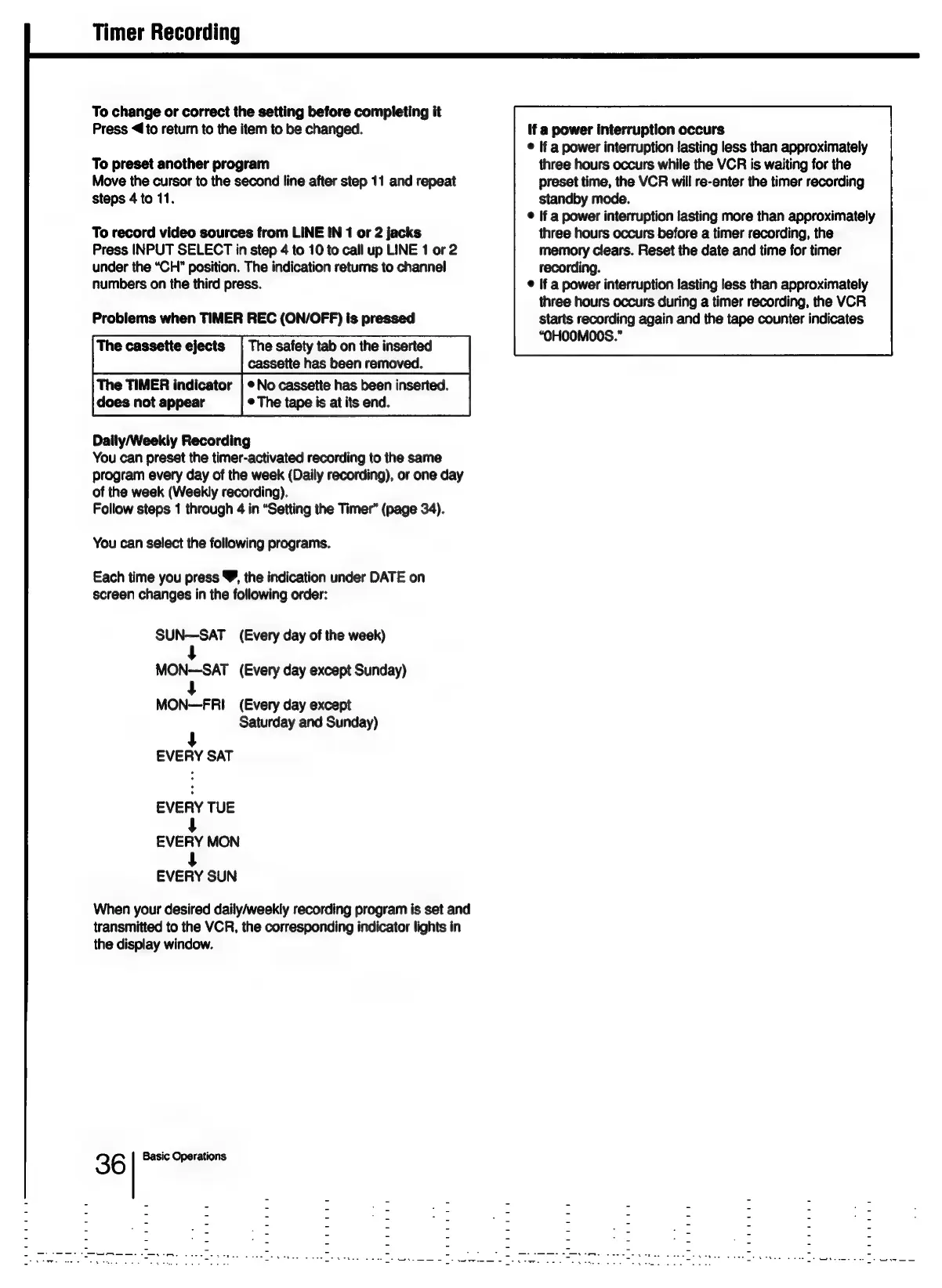
Each
time
you
press
Y,
the
indication
under
DATE
on
screen
changes
in
the
following
order:
SUN—SAT
(Every
day
of
the
week)
MON-SAT
(Every
day
except
Sunday)
MON—FRI
(Every
day
except
Saturday
and
Sunday)
4
EVERY
SAT
EVERY
TUE
eveRY
MON
every
SUN
When
your
desired
daily/weekly
recording
program
is
set
and
transmitted
to
the
VCR,
the
corresponding
indicator
lights
in
the
display
window.
3 6
Basic
Operations

Table of Contents

Related product manuals