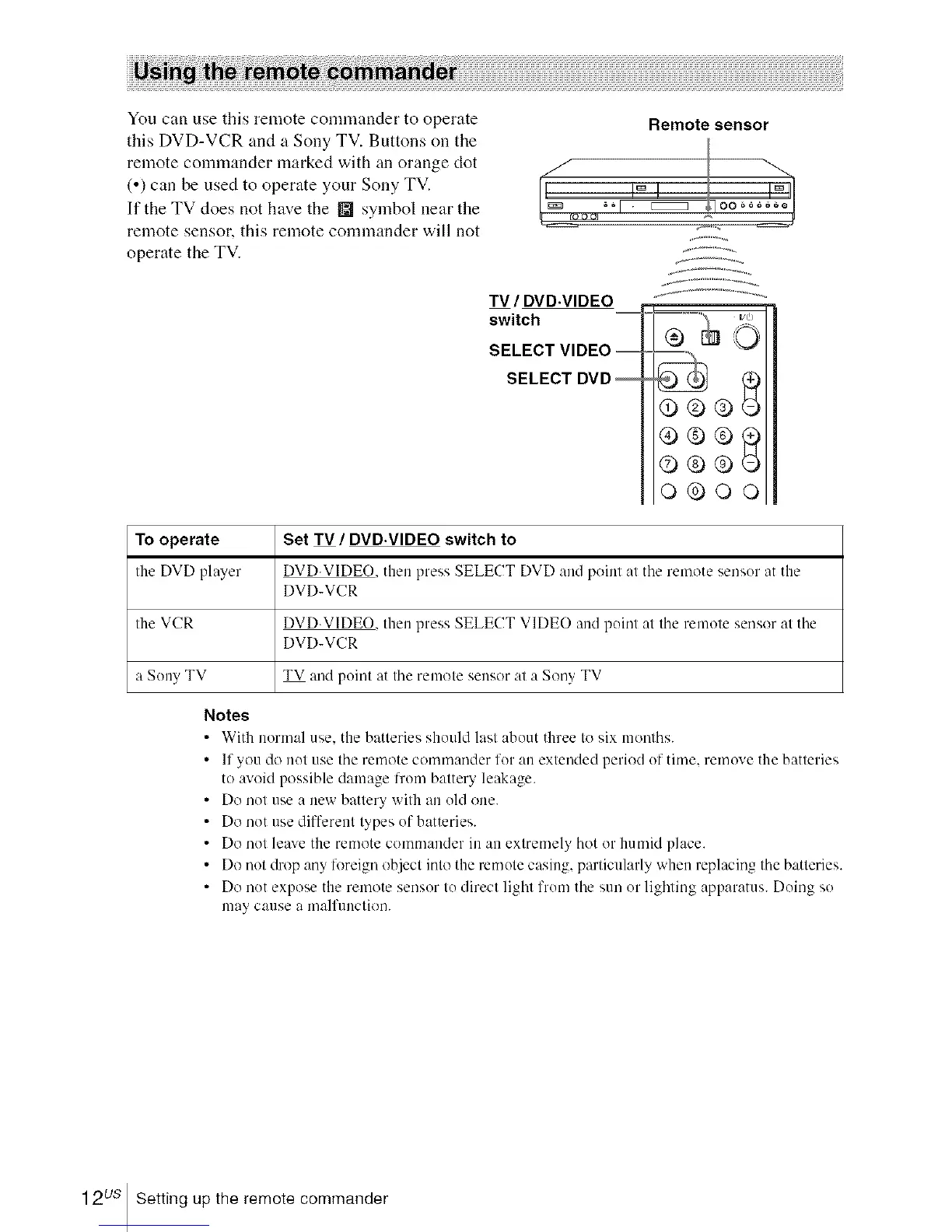
You can use this remote commander to operate
this DVD-VCR and a Sony TV. Buttons on the
remote commander marked with an orange clot
(,) can he used to operate your Sony TV.
If the TV does not have the [] symbol near the
remote sensor, this remote commander will not
operate the TV.
Remote sensor
TV / DVD.VIDEO
switch
SELECT VIDEO =
SELECT DVD
,=.,_ i/d)
O
@<b@
<9®®_
@<b@
o®oo
To operate
Ihe DVD player
the VCR
a Sony TV
Set TV / DVD.VIDEO switch to
DVD.VIDEO. then press SELECT DVD :rod point at tile remote sensor at the
DVD-VCR
DVD.VIDEO, then press SELECT VIDEO and point at the remote sensor at the
DVD-VCR
TV and point at tile remote sensor at a Sony TV
Notes
• With normal use. tile batteries shouhl last about three to six nlonths.
• If you do not use the remote commander for an extended period of time. remove the batteries
to avoid possible damage from battery leakage.
• Do not use a new battery with an old one.
• Do not use dflTerent types of batteries.
• Do not leaxe the remote commander in an extremely hot or humid place.
• Do not drop any foreign object into the remote casing, particularly when replacing the batteries.
• Do not expose the remote sensor to direct light from tile sun or lighting apparatus. Doing so
nlay cause a malfunction.
12us Setting up the remote commander














 To Next Page