Additional Information
General setup information
Before you start...
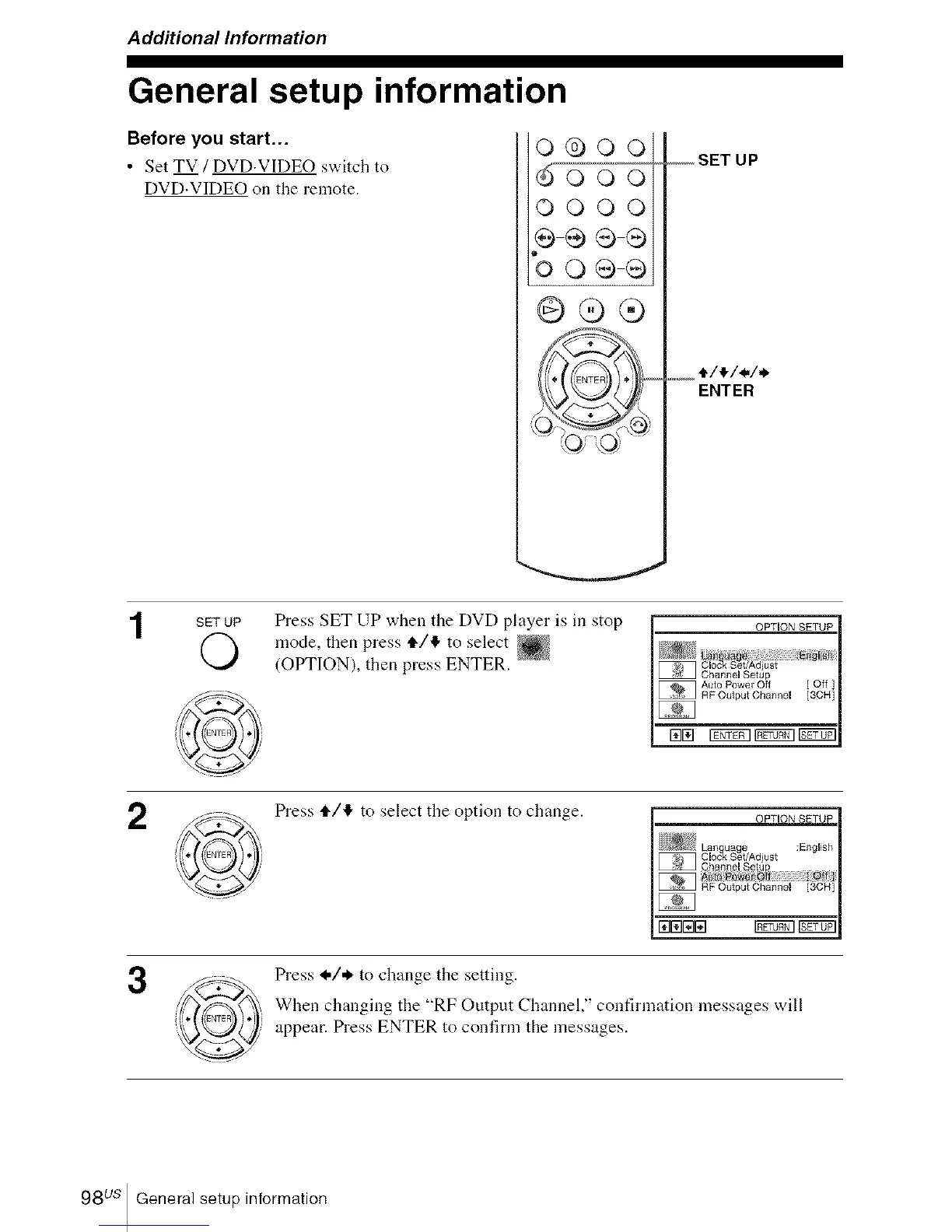
• Set TV / DVD.VIDEO switch to
DVD.VIDEO on the remote.
o®ooi
OOOOi
÷÷®®i
bo÷÷i
@@®
_,_,_oSET UP
e/_/_/_
.... ENTER
SETUP Press SET UP when the DVD player is in stop
O mode, then press t1"/4 to select
(OPTION), then press ENTER.
2
Press tl./'!" to select the option to change.
3
Press _,/,_ to change the setting.
When changiug the "RF Output Channel," confirmation messages will
appear. Press ENTER to confirm the messages.
98 us General setup information














 To Next Page