Basic Operations
Playing discs rm_ rm_a _ m mm_ rm_m
Depending on the disc, some operations may
be different or restricted. Refer to the
operating instructions supplied with your
disc.
Before you start ...
• Turn on the DVD-VCR and your TV.
• Set the TV to video input so that the signal
from the player appears on the TV screen.
©®®
0®00
OOOO
OOOO
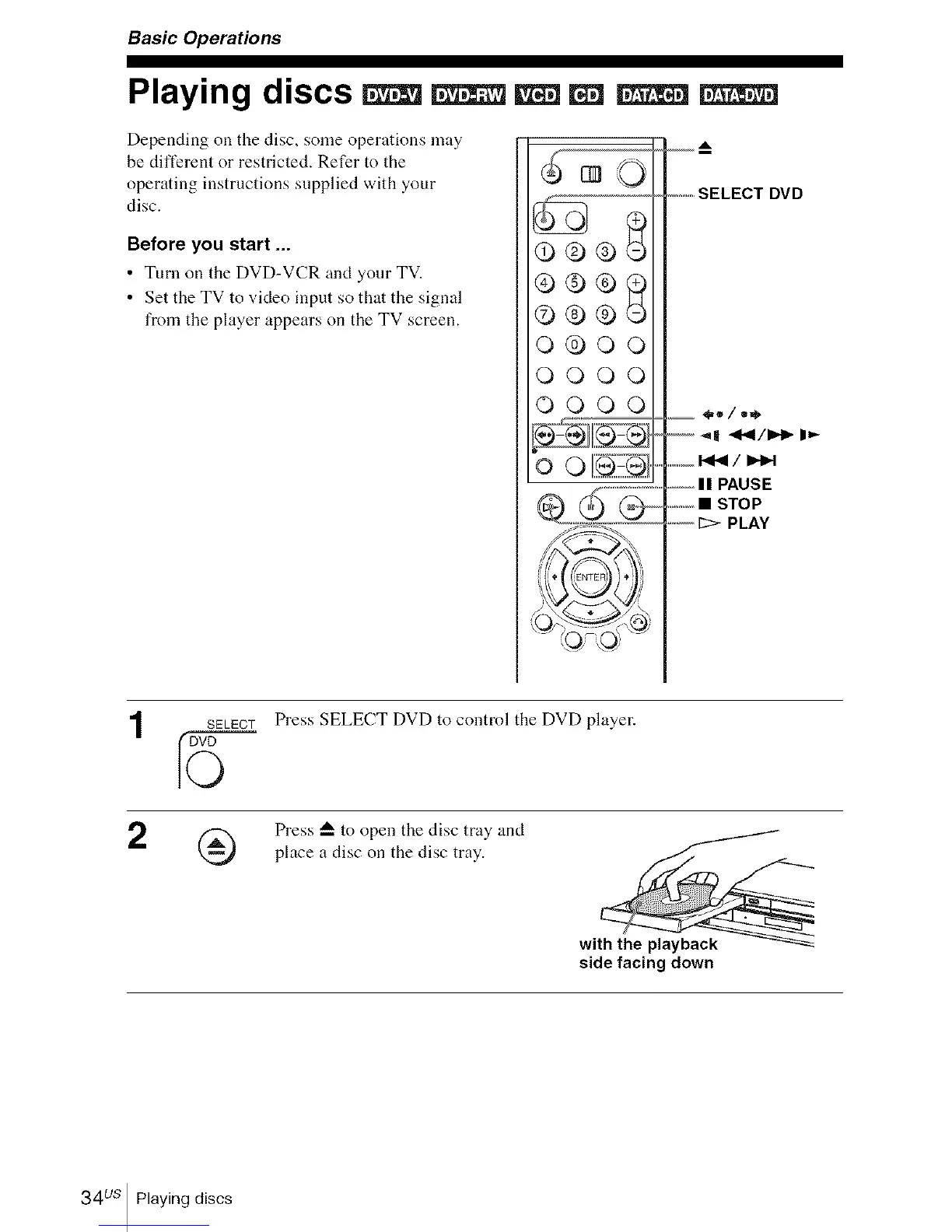
..........SELECT DVD
.........I_1_/1_
,--IIPAUSE
.............• STOP
.... [::>PLAY
2
SELECTPress SELECT DVD to control the DVD player.
Press _-- to open the disc tray and
place a disc on the disc tray.
with the playback
side facing down
34us Playing discs














 To Next Page