Recording stereo and bilingual programs
When you receive a program broadcast in stereo, press AUDIO to display "Hi-Fi" on the TV
screen. You can also select "Left," "Right," or "Mono." If there is noise in the stereo program,
select "Mono." The sound will be recorded in monaural (on both hi-fi and normal audio tracks)
but with less noise.
Press AUDIO to display "SAP" on the TV screen. When a SAP (Second Audio Program) is
received, "SAP" appears on the TV screen. When "MAIN" is selected, the VCR records only
the main sound.
During playback, press AUDIO to select the sound you want.
To listen to On-screen display Display window
Stereo Hi-Fi STEREO indicator
Left channel Left STEREO indicator
Right channel Right STEREO indicator
Monaur:d sound on the norm:d :radio track Mono No indicator
<
O
=0
o.
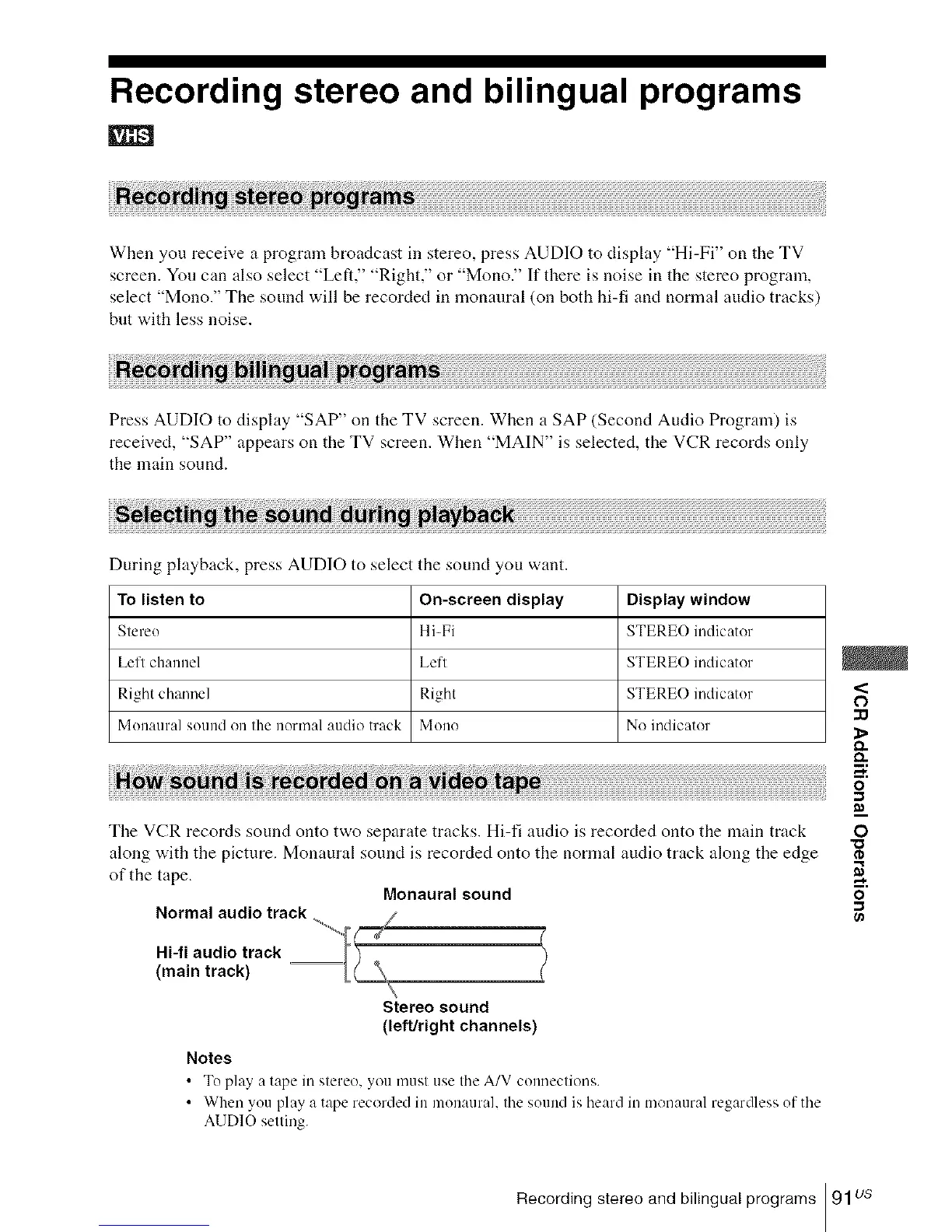
The VCR records sound onto two separate tracks. Hi-fi audio is recorded onto the main track
along with the picture. Monaural sound is recorded onto the normal audio track along the edge
of the tape.
Monaural sound
Normal audio track
(
Hi-fi audio track
(main track)
Stereo sound
(left/right channels)
Notes
• To play, a tape in stereo, you musl use the A/V connections.
• Whenyouplayataperecordedinmonaural. lllesoundislleardinmonauralregardlessofthe
AUDIO selling.
O
rD
o
-,,I
Recording stereo and bilingual programs 91us














 To Next Page