Guide to the on-screen display
You can check disc information during
playback.
The displayed contents differ according to
the type of disc being played.
Before you start...
• Set TV / DVD.VIDEO switch to
DVD.V]DEO on the remote.
®[DO
O00O
OOOO
_e@Q
%o®®
e@®
_,_,_oNumber buttons
t/4/_/*
.... ENTER
..........d'-'*RETURN
-- DISPLAY
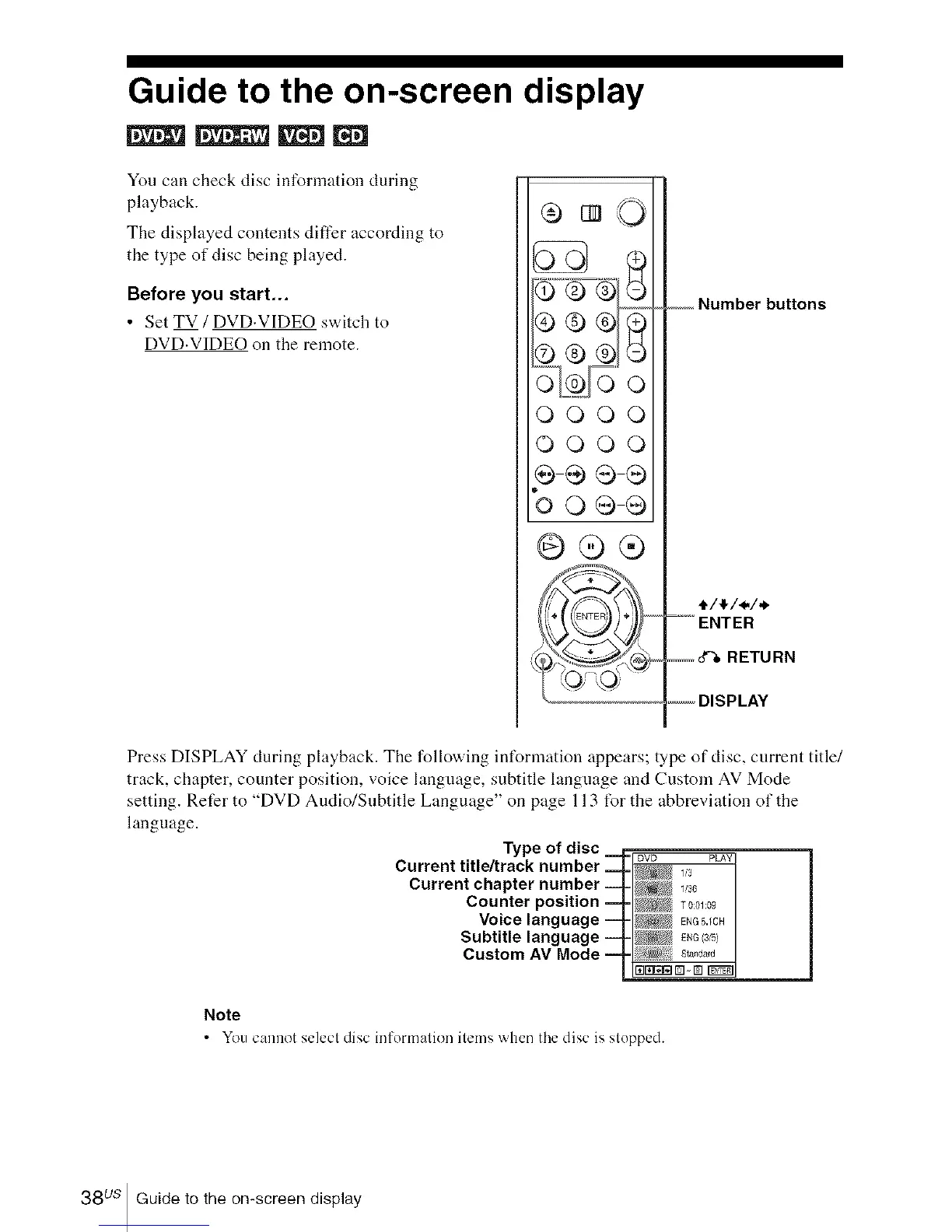
Press DISPLAY during playback. The following int%rmation appears; type of disc, current title/
track, chapter, counter position, voice language, subtitle language and Custom AV Mode
setting. Refer to "DVD Audio/Subtitle Language" on page 113 t%r the abbreviation of the
language.
Type of disc _ pro PAY
Current title/track number ==t ,_
Current chapter number ! v3_
Counter position T0:o_:09
Voice language ENG5.1CH
Subtitle language _ ENG/3S
Custom AV Mode :_,!st_,_d_,d
Note
• You cannot selecl disc information items when the disc is slopped.
38 us Guide to the on-screen display














 To Next Page