Recording TV programs _;_
Before you start ...
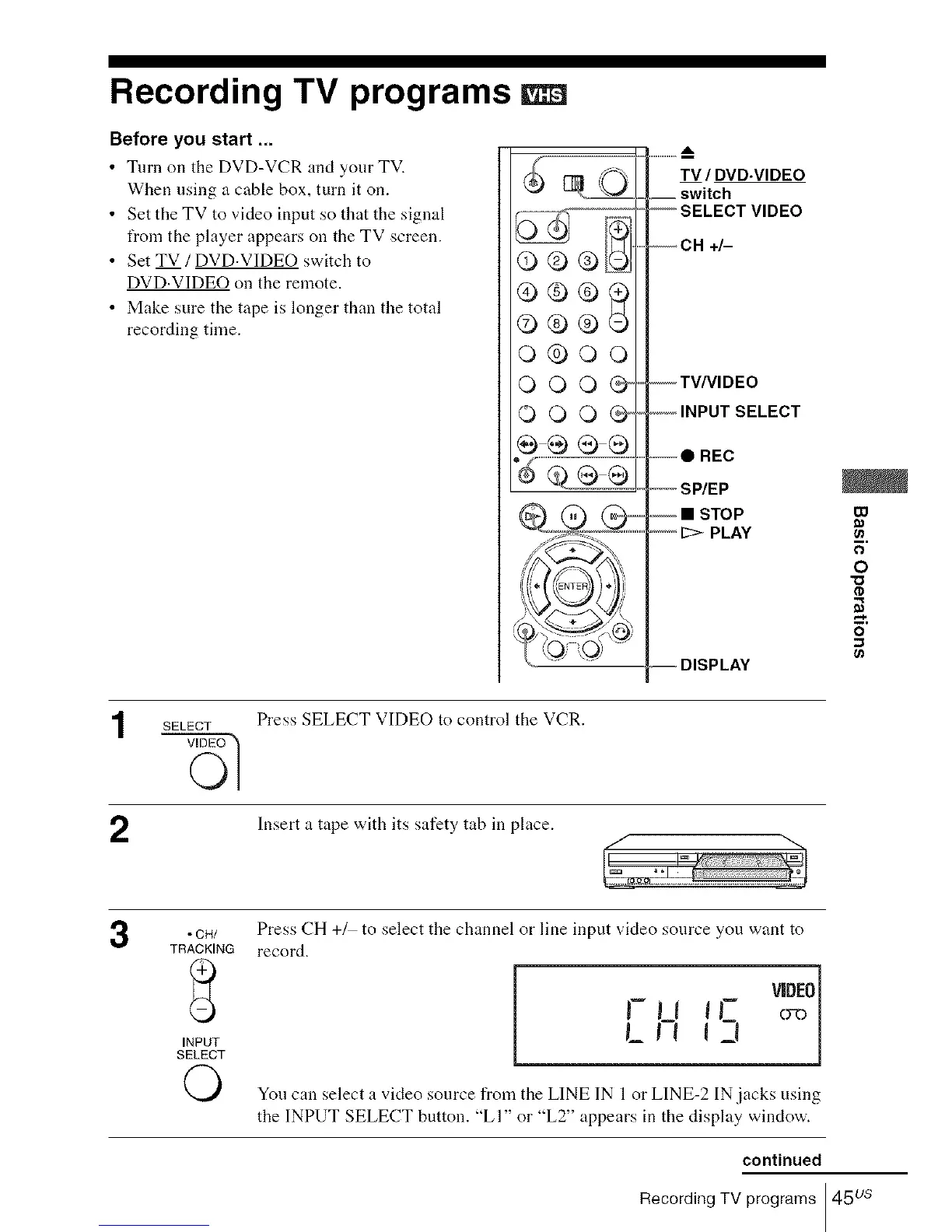
• Turn on the DVD-VCR and your TV.
When using a cable box, turn it on.
• Set the TV to video input so that the signal
from the player appears on the TV screen.
• Set TV /DVD.VIDEO switch to
DVD.VIDEO on the remote.
• Make sure the tape is longer than the total
recording time.
,/- %
0®0
o®oo
000@
©OO@
0000
TV / DVD.VIDEO
__ switch
--SELECT VIDEO
--CH +/-
--TV/VIDEO
-- INPUT SELECT
REC
-- SP/EP
""-" _>- PLAY
-- DISPLAY
00
ca
F;
O
"C;
2
SELECT
Press SELECT VIDEO to control the VCR.
Insert a tape with its safety tab in place.
3
• CH/
TRACKING
INPUT
SELECT
O
Press CH +/ to select the channel or line input video source you want to
record.
,-,_, v 0]
L,, 15
You can select a video source from the LINE IN 1or LINE-2 IN.jacks using
the INPUT SELECT button. "LI" or "L2" appears in the display window.
continued
Recording TV programs 45 us














 To Next Page