Various play mode functions (Programplay,
Shuffle play, Repeat play)
Before you start...
• Set TV / DVD.VIDEO switch to
DVD.VIDEO on the remote.
Notes
• Tile play mode is canceled when:
you open tile disc tray
the player enters standby mode by pressing
I/d
®mO
©®®
9®oo
oo9o
OOOO
@Q®
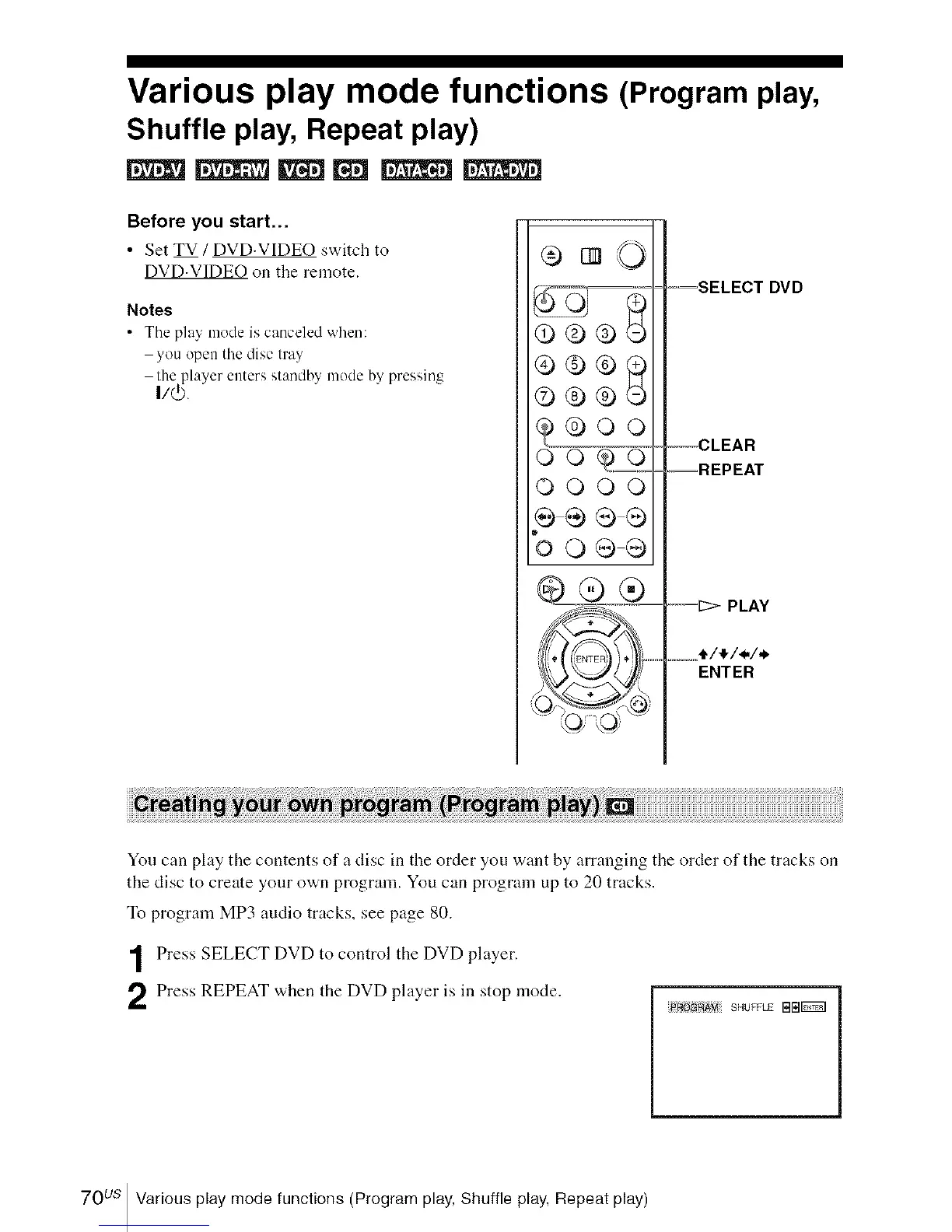
-,=SELECT DVD
---CLEAR
--REPEAT
--=_>PLAY
........I/!/i/.
ENTER
You can play the contents of a disc in the order you want by arranging the order of the tracks on
the disc to create your own program. You can program up to 20 tracks.
To program MP3 audio tracks, see page 80.
Press SELECT DVD to control the DVD player.
Press REPEAT when the DVD player is in stop mode.
_71 SHUFFLE NIB_
70us Various play mode functions (Program play, Shuffle play, Repeat play)














 To Next Page