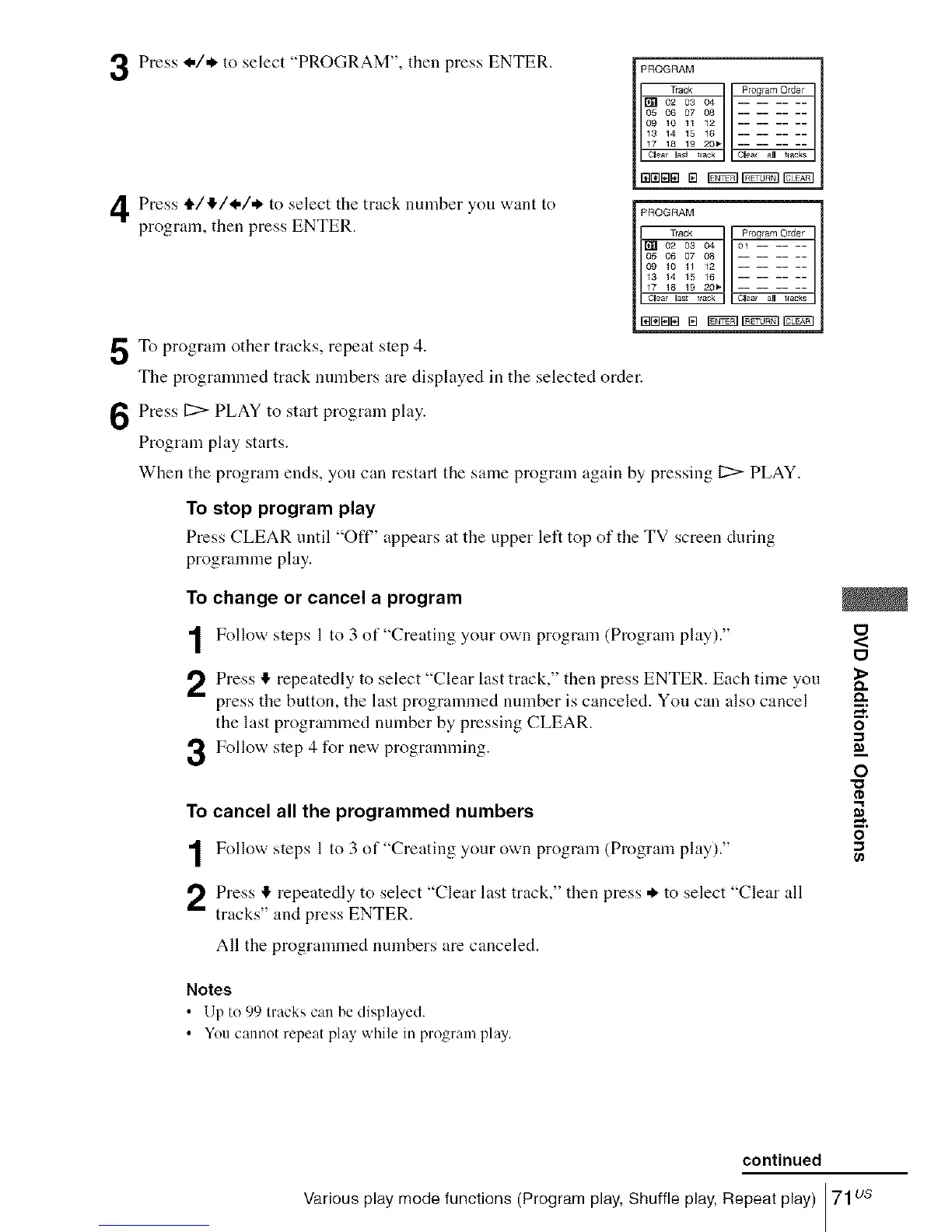
Press I./* to select "PROGRAM", then press ENTER.
Press t1,/,I,/I-/* to select the track number you want to
program, then press ENTER.
5To program other tracks, repeat step 4.
The programmed track numbers are displayed in the selected order.
Press 11:> PLAY to start program play.
Program play starts.
PROGRAM
Track Pro# am Older
[] 02 03 04
05 06 07 08
09 10 11 12
13 14 15 16
17 18 19 20_
Olea la_i tack Clea_ all t_acks
PROGRAM
Track Program Order
[] 02 03 04 01 ......
05 06 07 08
09 10 11 12
13 14 15 16
17 18 19 20b
Clea las_ track Clea all trades
When the program ends, you can restart the same program again by pressing 11:>PLAY.
To stop program play
Press CLEAR until "Oft" appears at the upper left top of the TV screen during
programme play.
To change or cancel a program
Follow steps 1to 3 of"Creating your own program (Program play)."
Press !_ repeatedly to select "Clear last track," then press ENTER. Each time you
press the button, the last programmed number is canceled. You can also cancel
the last programmed number by pressing CLEAR.
3 Follow step 4 for new programming.
To cancel all the programmed numbers
Follow steps 1 to 3 of"Creating your own program (Program play)."
Press I!, repeatedly to select "Clear last track," then press * to select "Clear all
tracks" and press ENTER.
All the programmed numbers are canceled.
Notes
• lJp to 99 U'acks call be displayed.
• You cannot repeat play while ill program play.
0
<
0
_>
Q.
o
0
"0
o
continued
Various play mode functions (Program play, Shuffle play, Repeat play) 71us














 To Next Page