Zooming into a scene _ _
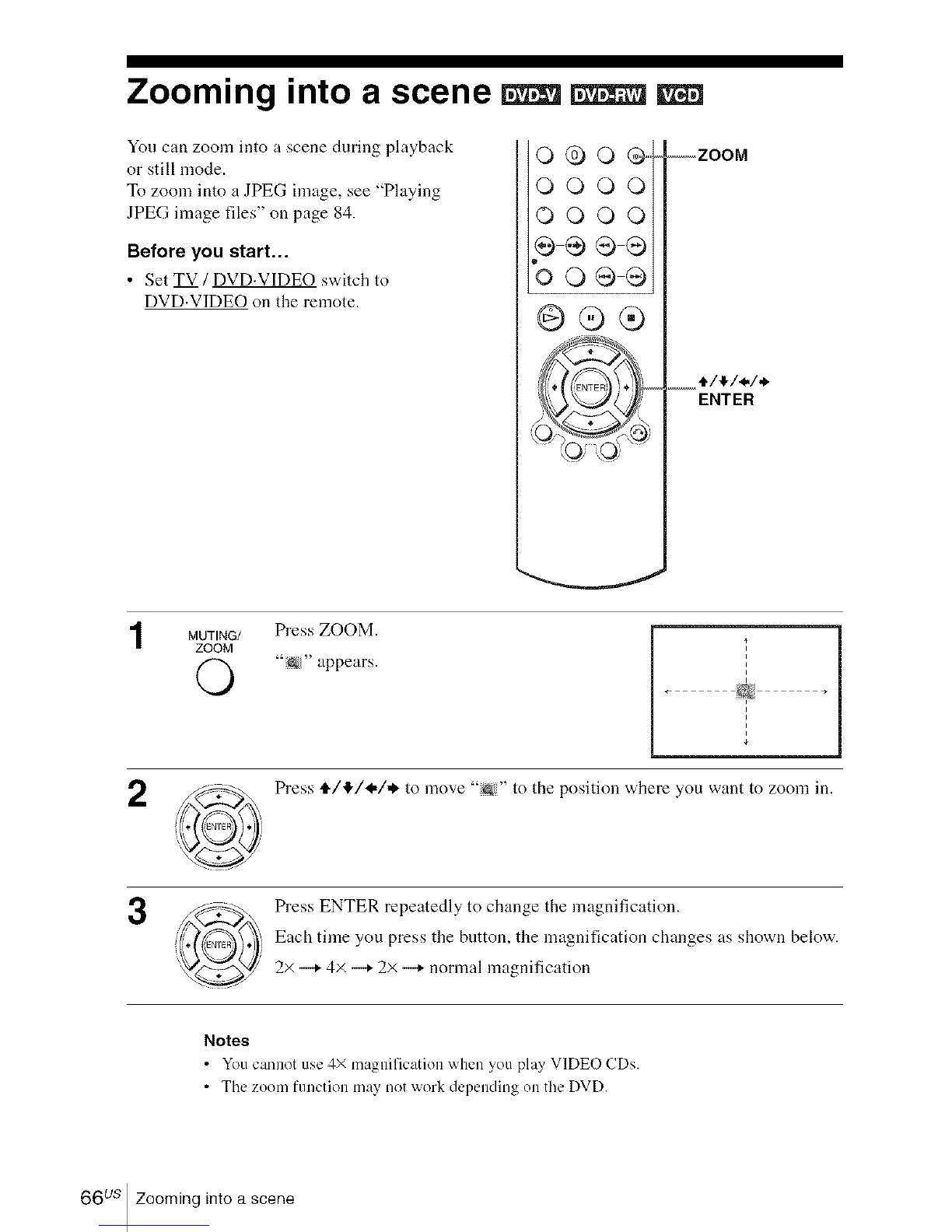
You can zoom into a scene during playback
or still mode.
To zoom into a JPEG image, see "Playing
JPEG image files" on page 84.
Before you start...
• Set TV / DVD.VIDEO switch to
DVD.VIDEO on the remote.
0@o@,,,,4
OOOOi
OOOOi
e÷®®
%0®®
@®®
--ZOOM
4/4/_,/,*"
MUTING/ Press ZOOM.
ZOOM
'to&" appears.
I
i
i
2
Press ,i./!1,/I-/.I, to move "N" to the position where you want to zoom in.
Press ENTER repeatedly to change the magnification.
Each time you press the button, the magnification changes as shown below.
2x --+ 4x --+ 2× --+ normal magnification
Notes
• You cannot ue 4 mac,nihcatlon when you play VIDEO CDs.
• Tile zoom function may not work depending on tile DVD.
66 us Zooming into a scene














 To Next Page