Changing menu options
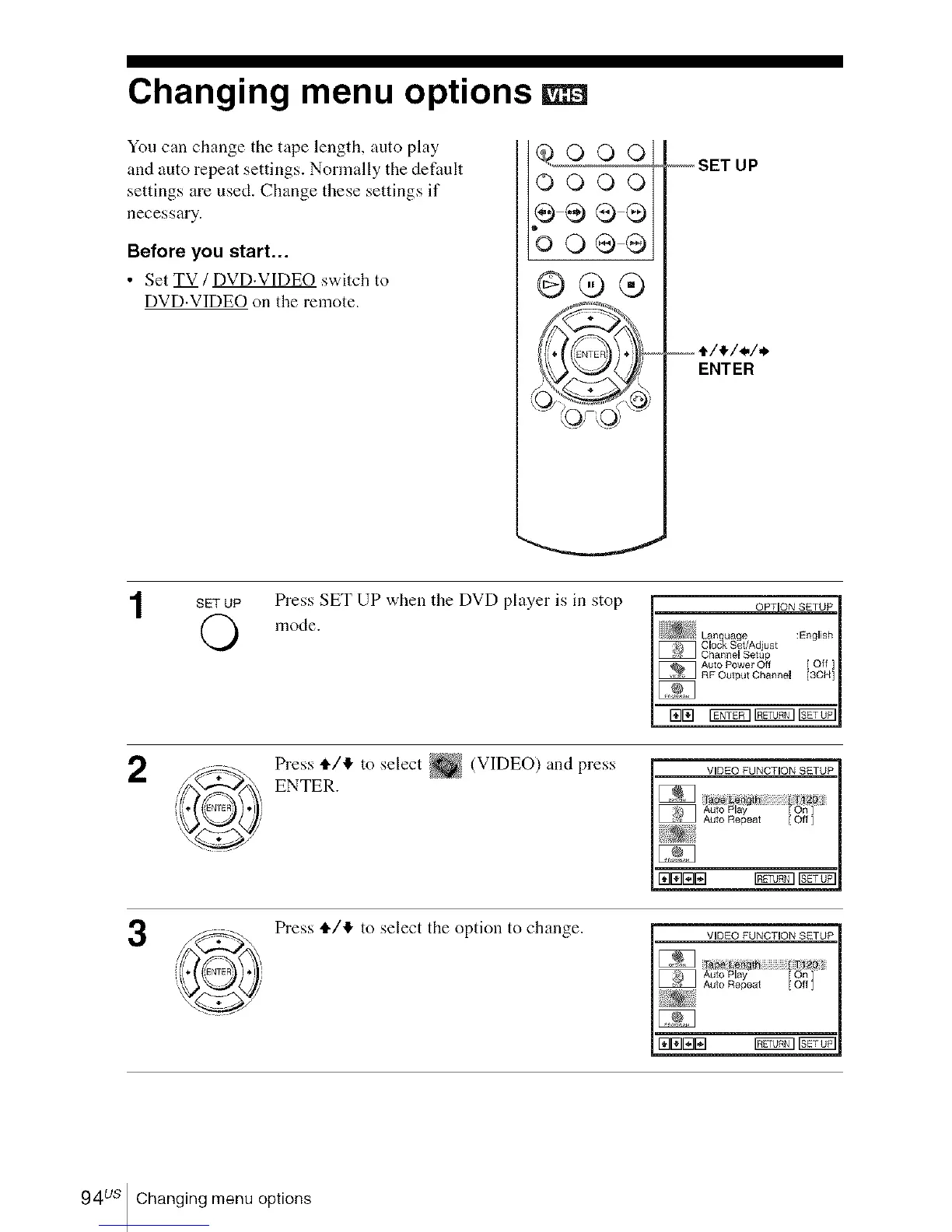
You can change the tape length, auto play
and auto repeat settings. Normally the defimlt
settings are used. Change these settings if
necessary.
Before you start...
• Set TV / DVD.VIDEO switch to
DVD.VIDEO on the remote.
O00O
_QQ
'oo®
@®®
-_,_ SET UP
--t/_/./.
ENTER
SET UP
O
Press SET UP when the DVD player is in stop
mode.
2
3
Press tt/4 to select _ (VIDEO) and press
ENTER.
VIDEO FUNCTON SETUP
_uio Play [ On ]
Auto Repeat [ Off ]
171KIININ INNN3IN_
Press 4,/1!, to select the option to change.
VIDEO FUNCTION SETUP
Auto Play On
171rillZllN _
94us Changing menu options














 To Next Page