Checking/changing/canceling timer
settings _T_
Before you start...
• Check that the DVD-VCR clock is set to
the correct time.
• Turn on the DVD-VCR and your TV.
When using a cable box or a decoder, turn
it on.
• Set the TV to video input so that the signal
from the player appears on the TV screen.
• Set TV/DVD.VIDEO switch to
DVD.VIDEO on the remote.
• Insert a tape with its safety tab in place.
Make sure the tape is longer than the total
recording time.
• If the DVD player is in play mode, you
cannot display the setup menu. Stop the
DVD playback.
® m O
o0®
9Qoo
OOOO
0900
_QQ
%0®0
@@®
--SELECT VIDEO
,,CLEAR
--TIMER
--t/_/./.
ENTER
--o%RETURN
00
g}
O
"O
2
SELECT
SUBTITLE/
TIMER
O
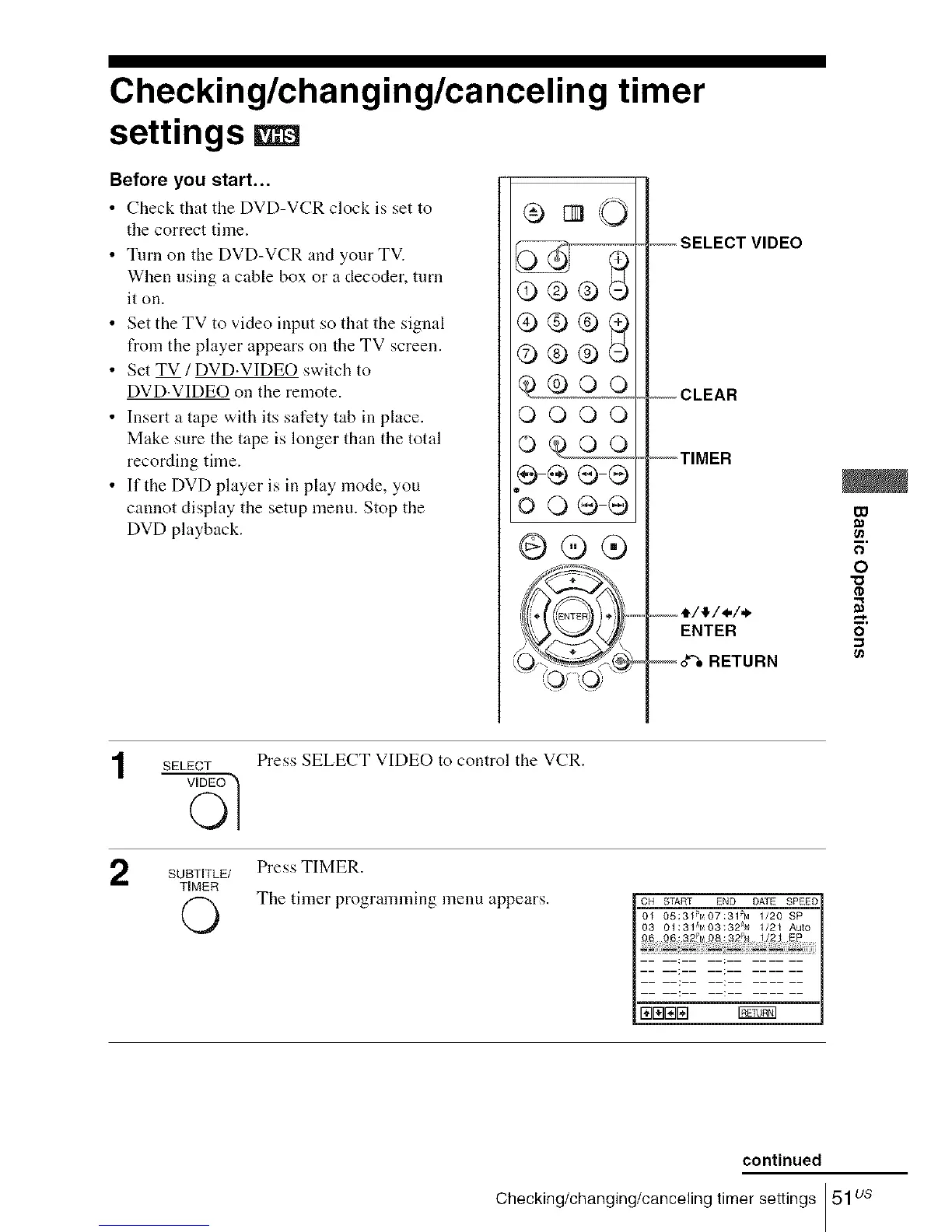
Press SELECT VIDEO to control the VCR.
Press TIMER.
The timer programming menu appears.
CH START END DATE SPEED[
O_ 05:31_tt07:31PM 1/20 SP
0S 01:319_03132@_ 1/21 Auto
continued
Checking/changing/canceling timer settings 51us














 To Next Page