Virtual surround setting _ _ rr_ m
When you connect a stere(> TV or 2 front
speakers, SURROUND lets you enjoy surround
sound effects by using sound imaging to create
virtual rear speakers l]'om the sound of the l]'ont
speakers without using actual rear speakers.
ooooi
OOOOi
oo9_.
0000
o÷÷i
oo®
--SURROUND
__ 1=/,,.
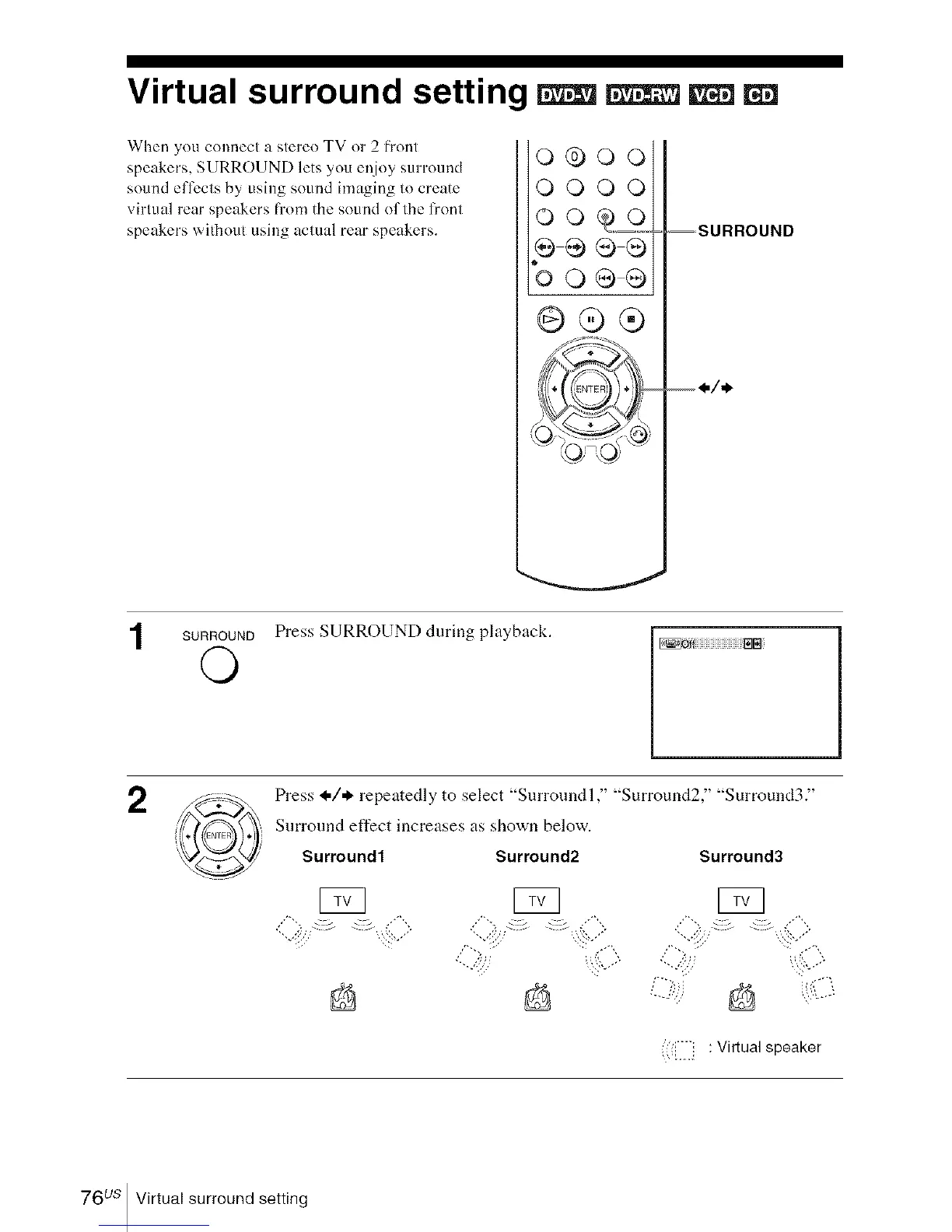
SURROUND Press SURROUND during playback.
o
2
Press @/* repeatedly to select "Surround l," "Surround2," "Surround3."
Surround effect increases as shown below.
Surround1 Surround2 Surround3
/',,
pq
<.0""-:,` . ,,,-'"-
:!,/
< ['].']i : Virtual speaker
76us Virtual surround setting














 To Next Page