Playing a tape
Before you start ...
• Turn on the DVD-VCR and your TV.
• Set the TV to video input so that the signal
from the player appears on the TV screen.
• Set TV /DVD.VIDEO switch to
DVD.VIDEO on the remote.
QOO
0000
OOOO
"oo_
--o=u/O
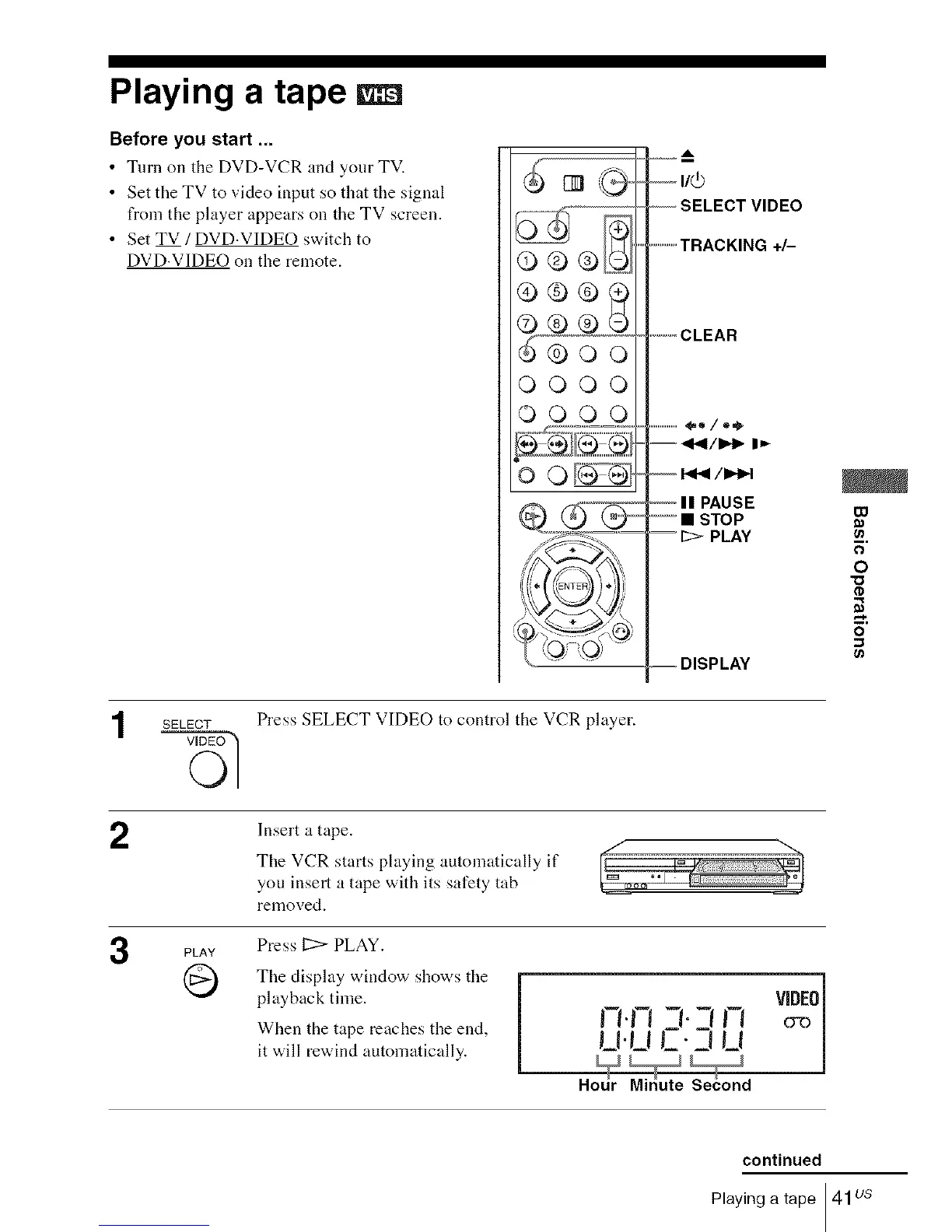
-- SELECT VIDEO
..............TRACKING +/-
.............CLEAR
...................Oo/o_
= "9141/1_- I_
'--- II PAUSE
• STOP
= It> PLAY
=DISPLAY
00
E
O
"O
tD
2
3
SELECT
PLAY
Q
Press SELECT VIDEO to control the VCR player.
Insert a tape.
The VCR starts playing automatically if
you insert a tape with its safety tab
removed.
Press 12> PLAY.
The display window shows the
playback time.
When the tape reaches the end,
it will rewind automatically.
n.n-t.-,n ?2
u.uC.Zuu
Hodr Midute SeCond
continued
Playing a tape 41us














 To Next Page