Notes
• Tile display may nut change as operated depending oil the disc.
• Tile display windo'_ cuntinue indicatiug tile playing time even when tile counter position
informatiun on the on-screen display is being changed.
To adjust the playback picture (Custom AV Mode)
You can adjust the video signal of the DVD or VIDEO CD (with PBC function off)
from the player to obtain the picture quality yon want. Choose the setting that best
suits the program yon are watching.
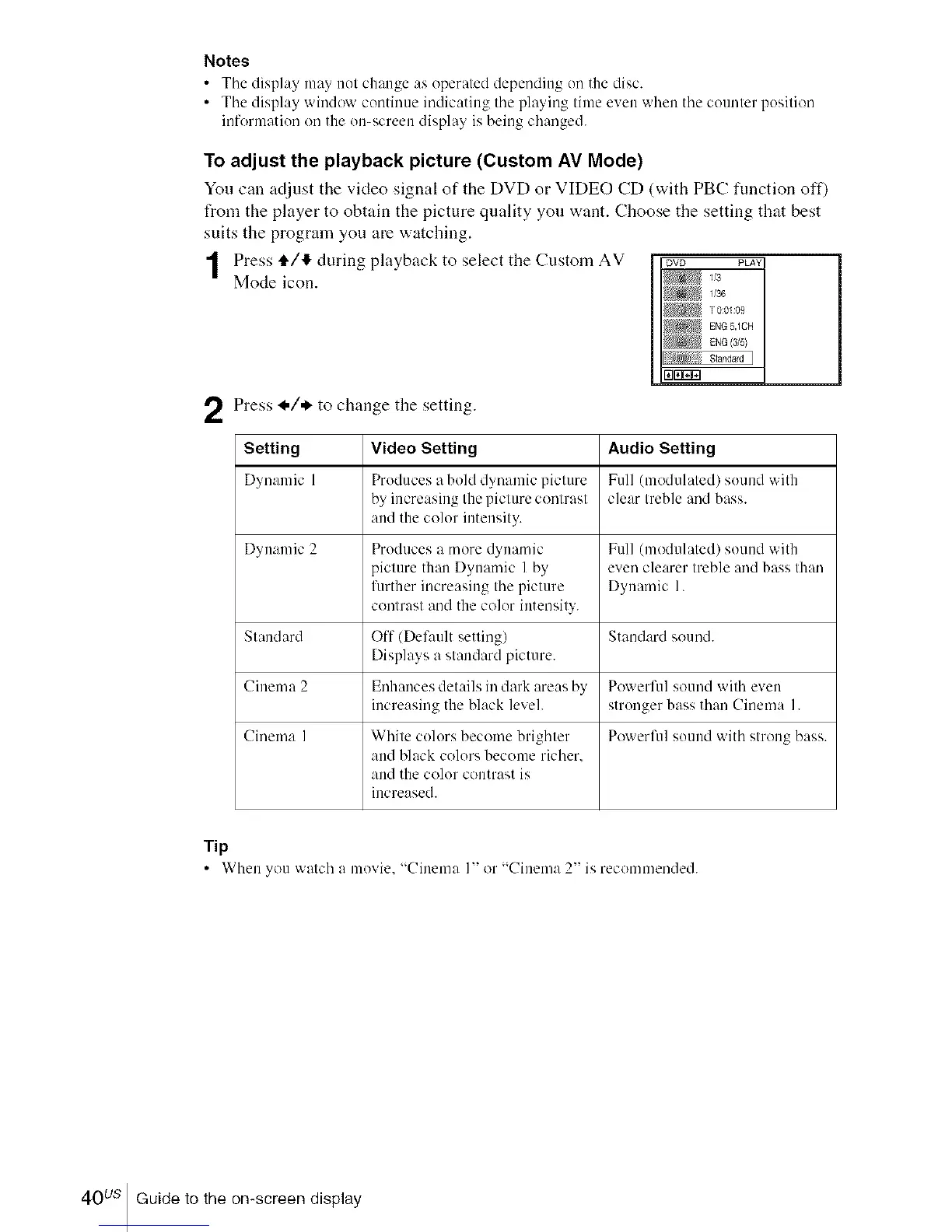
Press tl,/I_, during playback to select the Custom AV ovD PLAY
Mode icon. v3
1/36
T 0:0IU9
[NG (315}
fi[lWr,_
Press I,/* to change the setting.
Setting Video Setting Audio Setting
Dynamic 1 Pruduces u bold d_numic picture Full (modulated) suund with
by increasing the picture contrast clear treble mid bass.
and the color intensity.
Dynamic 2 Produces a more dynamic Full (modulated) sound with
picture than Dynamic I by even clearer treble mid bass than
fimher increasing the picture Dynamic 1.
contrast and the color intensity.
Standard Off (Def:mlt setting) Standard sound.
Displays a standard picture.
Cinema 2 Enhances details in dark areas by Powerfifl sound with even
increasing the black level, strunger bass than Cinema I.
Cinema I White culors become brighter Powerfill souud with strong bass.
and black colurs become richer.
and the color contrast is
increased.
Tip
• When you watch a muvie, "Cinema I" or "Cinema 2" is recommended.
40us Guide to the on-screen display














 To Next Page