3
PLAY
Q
Tip
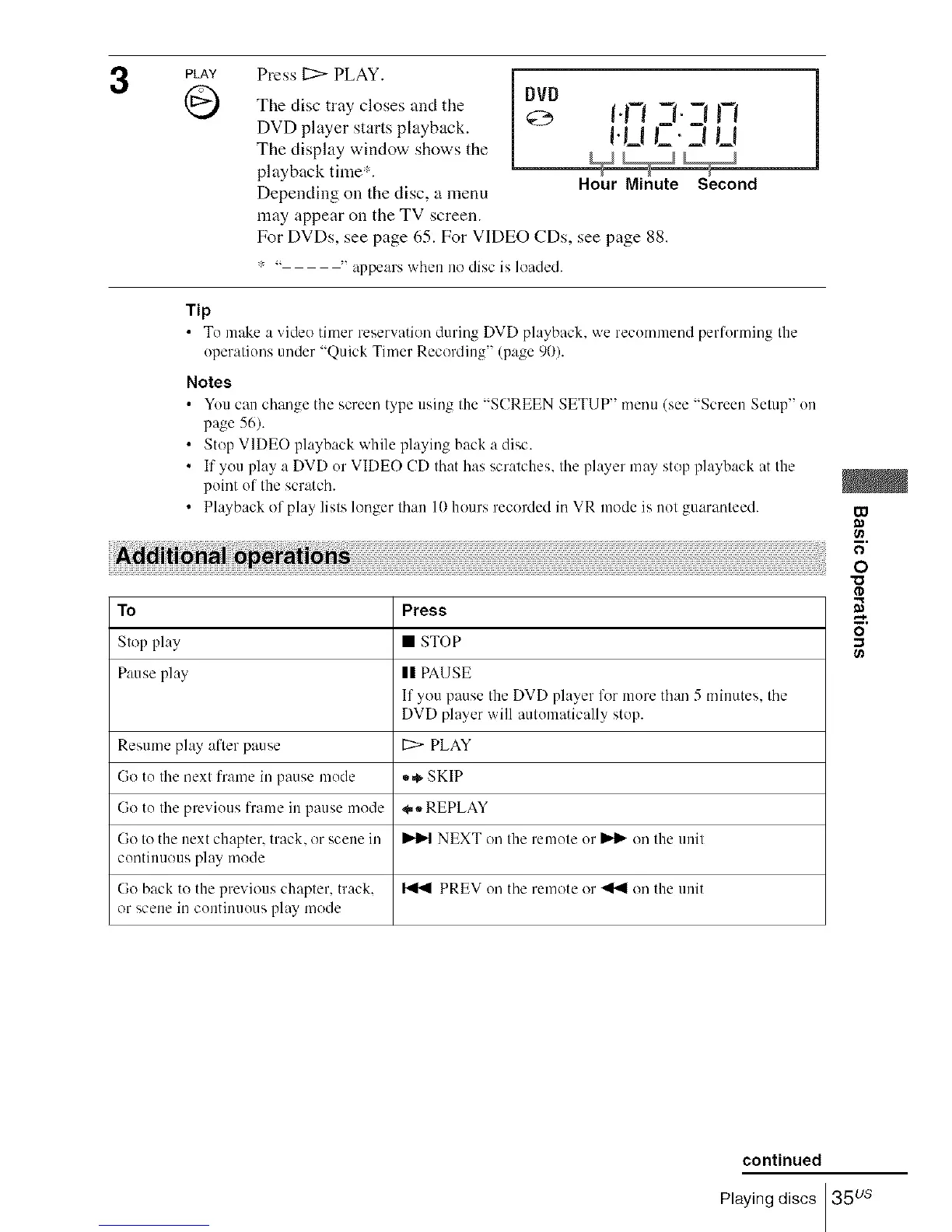
Press 11::>PLAY.
The disc tray closes and the
DVD player starts playback.
The display window shows the
playback time:.
Depending on the disc, a menu
may appear on the TV screen.
DVD
I.FI q. ;I
!.!_1I_. _1 U
Hour Minute Second
For DVDs, see page 65. For VIDEO CDs, see page 88.
..... appears when no disc is loaded.
• Tu make a video timer reservation during DVD playback, we recommend performing the
operations under "Quick Timer Recording" (page 90).
Notes
• You can change the screen type using the "SCREEN SETUP" menu (see "Screen Setup" on
page 56).
• Stop VIDEO playback while playing back a disc.
• If you play a DVD or VIDEO CD that has scratches, the player may stop playback at the
point of the scratch.
• Playback of play lists longer lhau 10 hours recorded in VR mode is not guaranteed.
To Press
Stop play • STOP
Pause play II PAUSE
If you pause the DVD player lk_rmore than 5 minutes, the
DVD player will automatically stop.
Resume play after pause L:>- PLAY
Go to the next frame in pause mode _,,,_SKIP
Go to the previous frame in pause mode _,,,_REPLAY
Go to the next chapter, track, or scene in _ NEXT on the remote or _ on the unit
continuous play mode
Go back to the previous chapter, track, _ PREV on the remote or _ on the unit
or scene in continuous play mode
W
O
rD
continued
Playing discs 35 us














 To Next Page