To Press
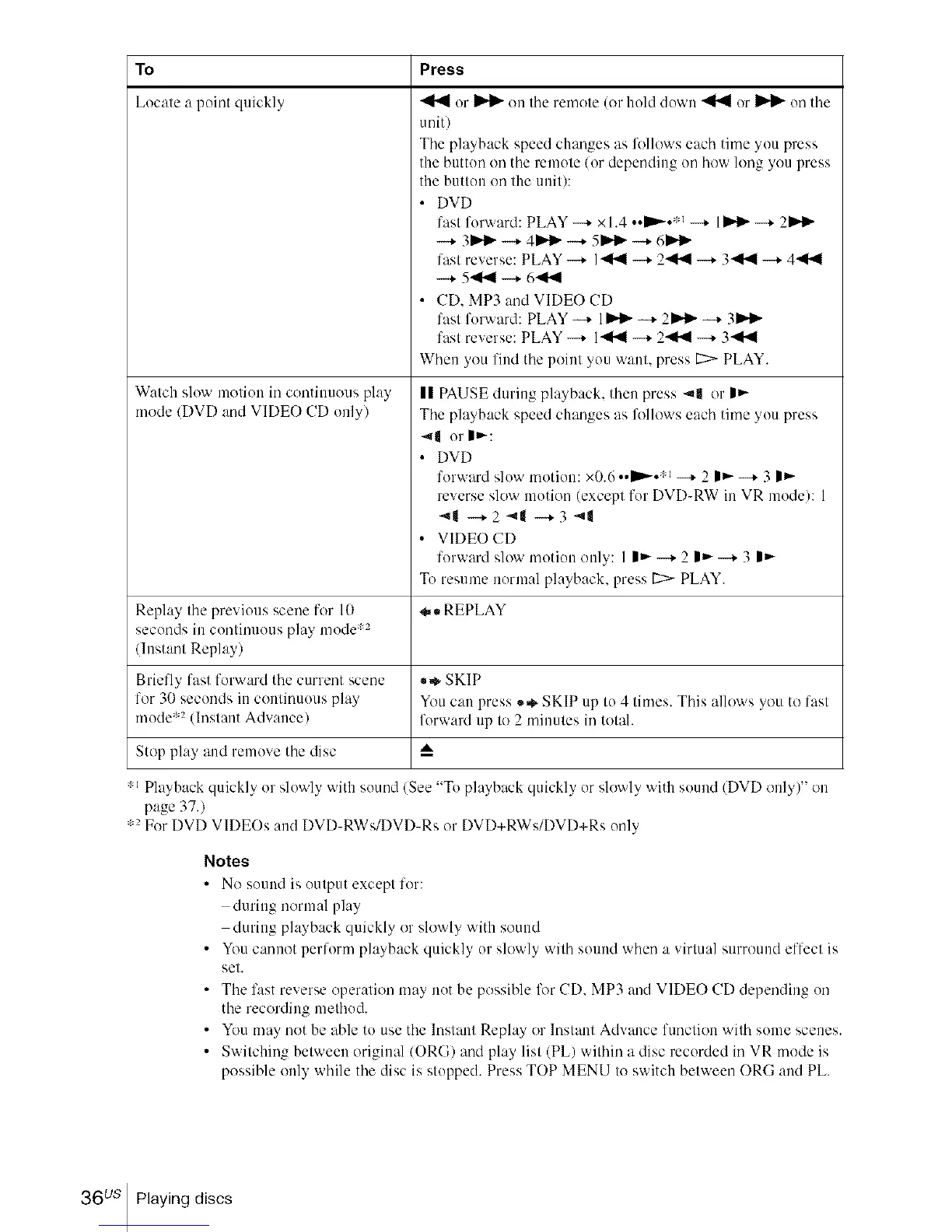
Locate a point quickly
Watch slow motion in continuous play
mode/DVD and VIDEO CD only/
or _ on the remote (or hold down _ or _ on tile
unit)
Tile playback speed changes as Mlows each time you press
the button on tile remote/or depending on how long you press
the button on the unit):
• DVD
fast forward: PLAY --+ x 1.4 ••DD,.-•:-_---+ 1_ ---+2Jt,_l_
-....+3J_l_ -....+4 J_l_ -...+5J_l_ -...+6J_l_
fast reverse: PLAY --+ 141.,4--+ 2.,41.41--+ 341.,4 --+ 441.,4
-+ 541.41-+ 641.41
• CD. MP3 and VIDEO CD
fast forward: PLAY --,- 1_ --,- 2 Jt,,._--,- 3Jt,,._
fast reverse: PLAY --+ 141.,4--+ 2.,41.41--+ 341.,4
When you find tile point you want, press _ PLAY.
|| PAUSE during playback, then press 4| or |_-
Tile playback speed changes as Mlows each time you press
-,11 or I_-:
• DVD
forward slow motion: x0.6 .._." --+ 2 |_- --+ 3 |_-
reverse slow motion (except for DVD-RW in VR mode): 1
"11-+2 _1 -+3 _|
• VIDEO CD
forward slo'_ motion only: I I_--* 2 I_--* 3 l_-
To resume normal playback, press 1::>-PLAY.
Replay tile previous scene for 10 *,, REPLAY
seconds in continuous play mode :'2
/lnstant Replay)
Briefly fast forward tile current scene *,* SKIP
for 30 seconds in cominuous play You can press .*, SKIP up I(! 4 times. This allows you to fasl
mode '2 (Inslant Advance/ forward up to 2 minules in tolah
Stop play and remove tile disc A
" Playback quickly or slowly with sound (See "To playback quickly orslowly with sound (DVD only)" on
page 37.)
:2 For DVD VIDEOs and DVD-RWs/DVD-Rs or DVD+RWs/DVD+Rs only
Notes
• No sound is output except for:
during normal play
during playback quickly or slowly with sound
• You cannot perform playback quickly or slowly with sound when a virtual surround effect is
set.
• Tile fast reverse operation may not be possible lk_rCD. MP3 and VIDEO CD depending on
tile recording method.
• You may not be able to use tile Instant Replay or lnstant Advance function with some scenes.
• Switching between original/ORG/and play list (PL) within a disc recorded in VR mode is
possible only while tile disc is stopped. Press TOP MENU to switch between ORG and PL
36 us Playing discs














 To Next Page