20 Listening to CDs
Listening to CDs
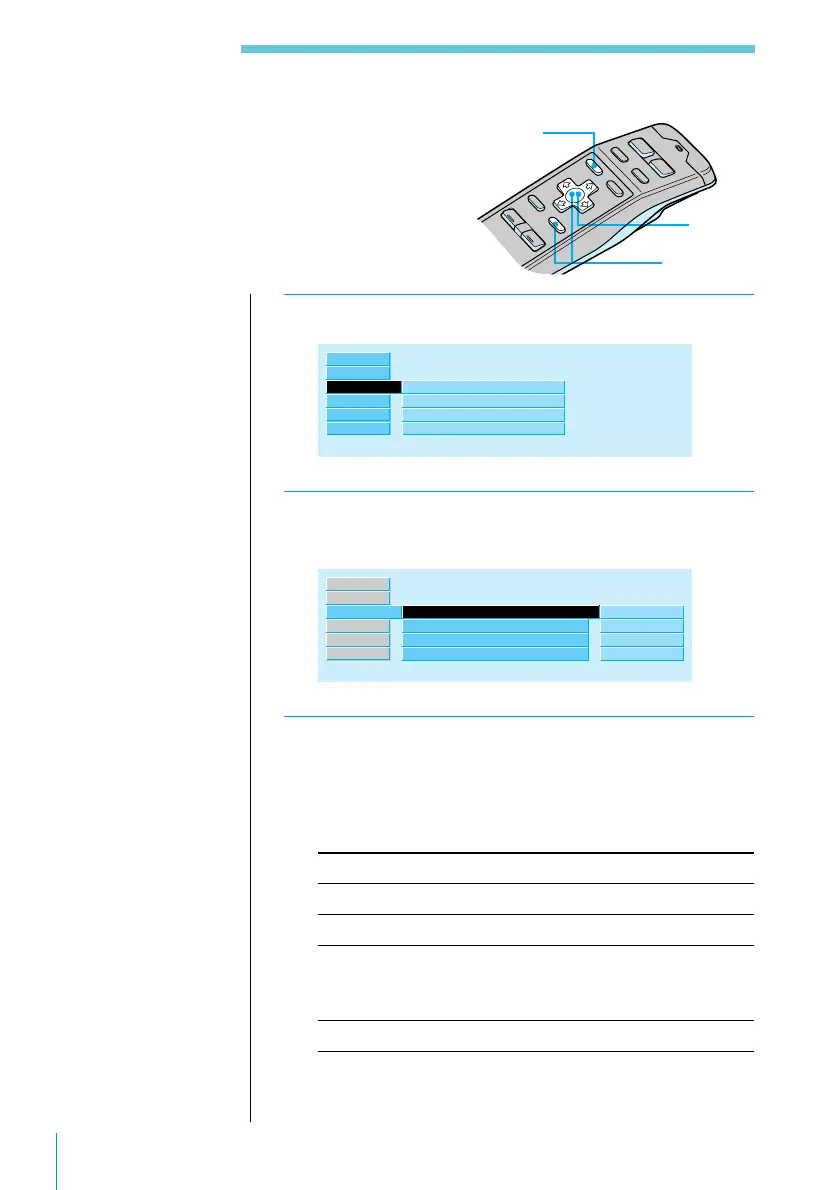
1 While playing a CD, press MENU.
P.Mode ”
Repeat
Shuffle
Bank
off
off
off
Disc Sound Memory
Source
Name
Exit
Set up
RDS
2 Select “P.Mode” and press / to move to the
sub menu, then select “Repeat” using > or ..
P.Mode ”
Repeat
Shuffle
Bank
off
off”
off
Disc Sound Memory
1:1track
2:disc
3:changer
off
Source
Name
Exit
Set up
RDS
3 Press / then > or . to select the repeat
mode, then press ENTER.
The selected repeat mode appears to the right of
“Repeat” in the display.
Indication Operation
1:1track Repeats the current track only
2:disc Repeats all tracks on the current disc
3:changer Repeats all the discs in the current CD
changer (in case one or more CD changers are
connected)
off Normal playback
Playing Tracks Repeatedly
(Repeat Play)
The Repeat Play function allows you to play a
track, a disc, or all the discs in the CD changer
repeatedly.
3
2
1
Useful tips
To return to previous
steps (one at a time)
Press the ? button.
To return to the
normal display
Press the MENU
button.



 To Next Page