Listening to CDs
25
Listening to CDs
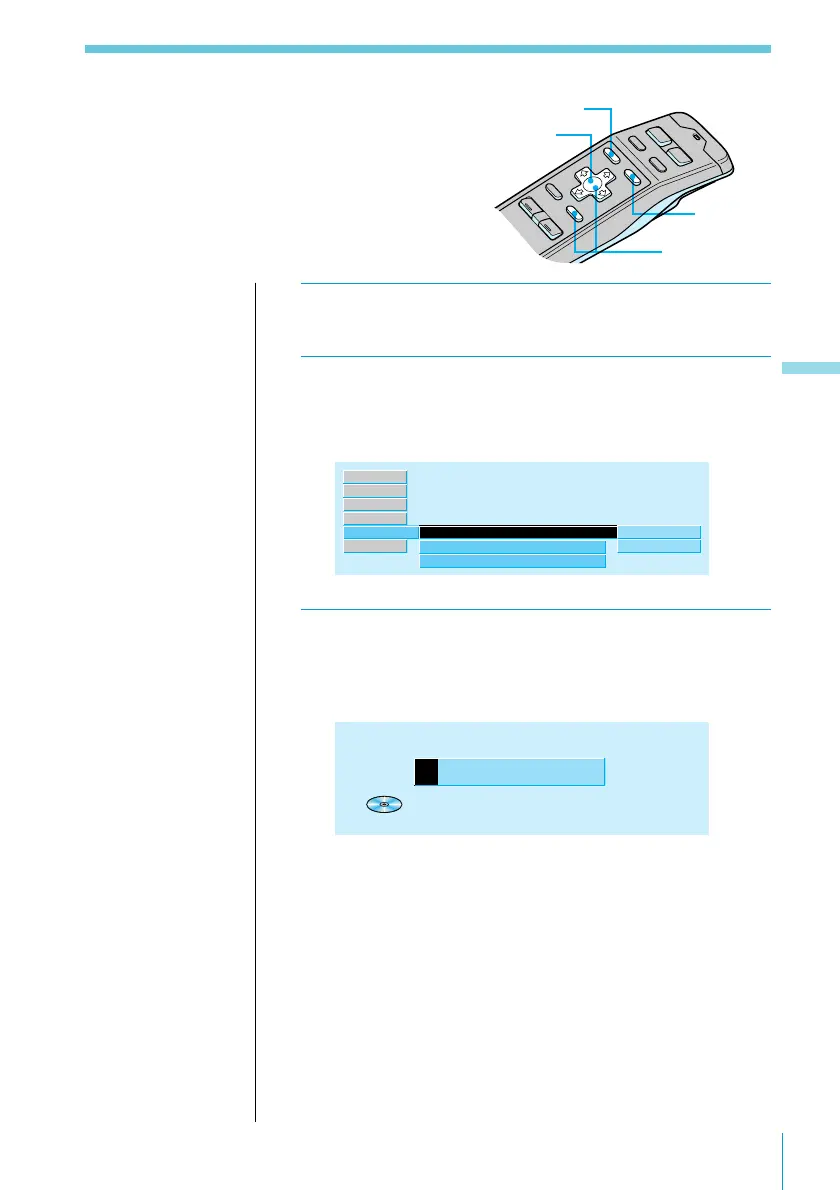
Labelling a CD (Disc Memo)
You can record a title of up to 8 characters for
each disc. The disc title appears in the display
whenever you insert the disc and play it.
1 While playing a CD, press MENU.
2 Select “Name” and press / to move to the
sub menu, then select “Disc Memo” using >
or ..
Disc Memo
Disc Name
”
Auto Scroll
write
delete
off
TEXT
Name ”
Source
P.Mode
Exit
Set up
RDS
3 Press / then > or . to select “write,” then
press ENTER.
The Disc Memo Write indication appears.
CD
Disc
M
emo
W
rite
1 1 3.45
3,5
2,4
1
Useful tips
Hold down the LIST
button for 2 seconds
or more to display the
Disc Memo Write
indication directly.
Useful tips
To return to previous
steps (one at a time)
Press the ? button.
To return to the
normal display
Press the MENU
button.
LIST button



 To Next Page