28 Listening to CDs
Listening to CDs
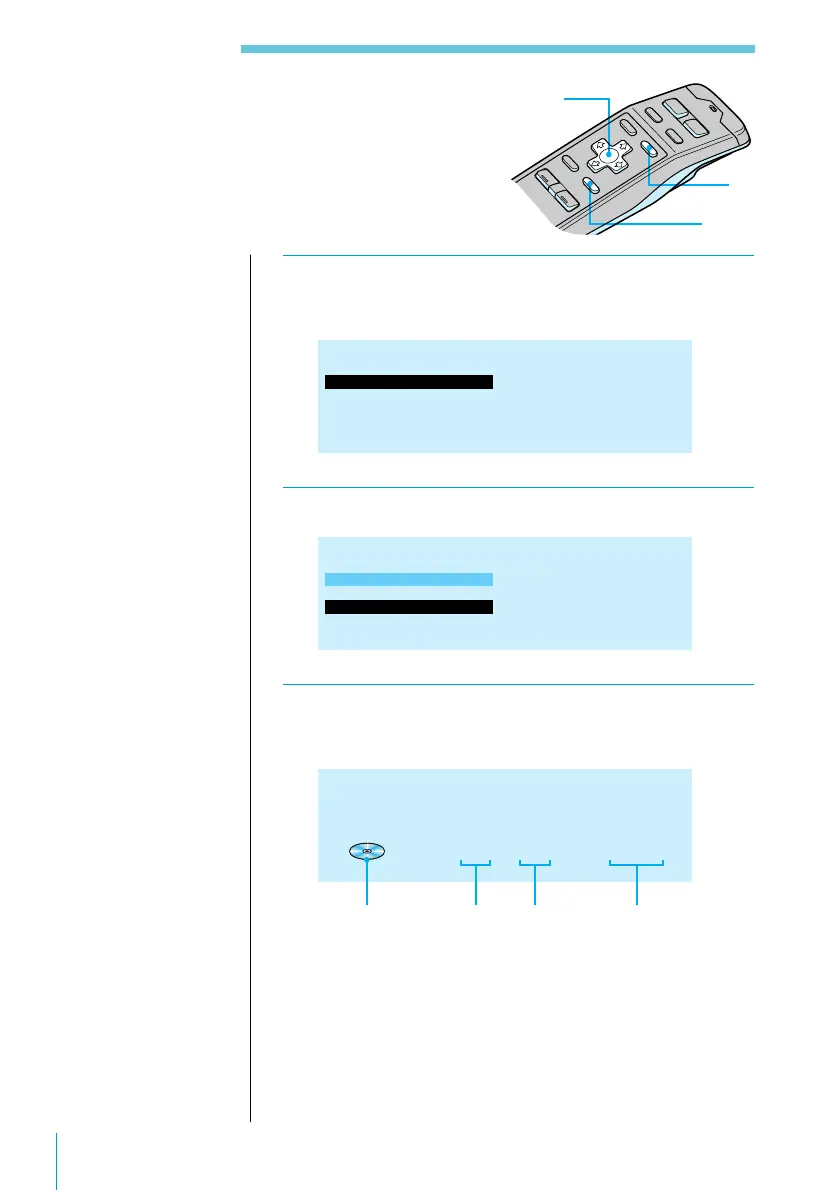
1 Press LIST.
DISC NAME LIST appears.
1.CLASSIC
2.FUSION
3.POPS HIT
4.JAZZ
5.GREAT HIT
6.EURO BEAT
7.DRIVING
8.LIVE HIT
9.SUNSET.M
10.HIGHWAY*
DISC NAME LIST CD 1 6 1.30
2 Press >, ., /, or ? to select the disc.
1.CLASSIC
2.FUSION
3.POPS HIT
4.JAZZ
5.GREAT HIT
6.EURO BEAT
7.DRIVING
8.LIVE HIT
9.SUNSET.M
10.HIGHWAY*
DISC NAME LIST CD 1 6 1.30
3 Press ENTER.
Playback starts from the first track of the disc.
CD 3 1 3.45
POPS HIT
DISC NAME
Locating a Disc by Title
Use this function to locate a disc by its title. To
add titles to discs, see page 25.
CD indication Disc number Track
number
Playing time of
the current track
3
1
2
Useful tips
To cancel the selection
Press the LIST button
twice or the BACK
button once.
You can also use the
SEEK/AMS control on
the rotary remote to
select an item in the list
(see page 52).
Note
The following
indications appear in
DISC NAME LIST.
• “NO DISC” : There
is no disc in the
given disc magazine
slot.
•“********”: The
disc is not labelled.
• “?”: The system has
not verified the disc
information.



 To Next Page