38 Listening to the Radio
Listening to the Radio
Specifying the Station Frequency
(Manual Preset Memory)
Useful tips
To return to previous
steps (one at a time)
Press the ? button.
To return to the
normal display
Press the MENU
button.
Useful tips
Keep the SEEK/AMS
control on the rotary
remote rotated to
continue searching,
then release the control
when the frequency
you want appears.
Note
If you selected MW or
LW in Step 1, the
“Mono/Stereo” sub
menu will not appear
in the display.
5,6
2,4
3
1
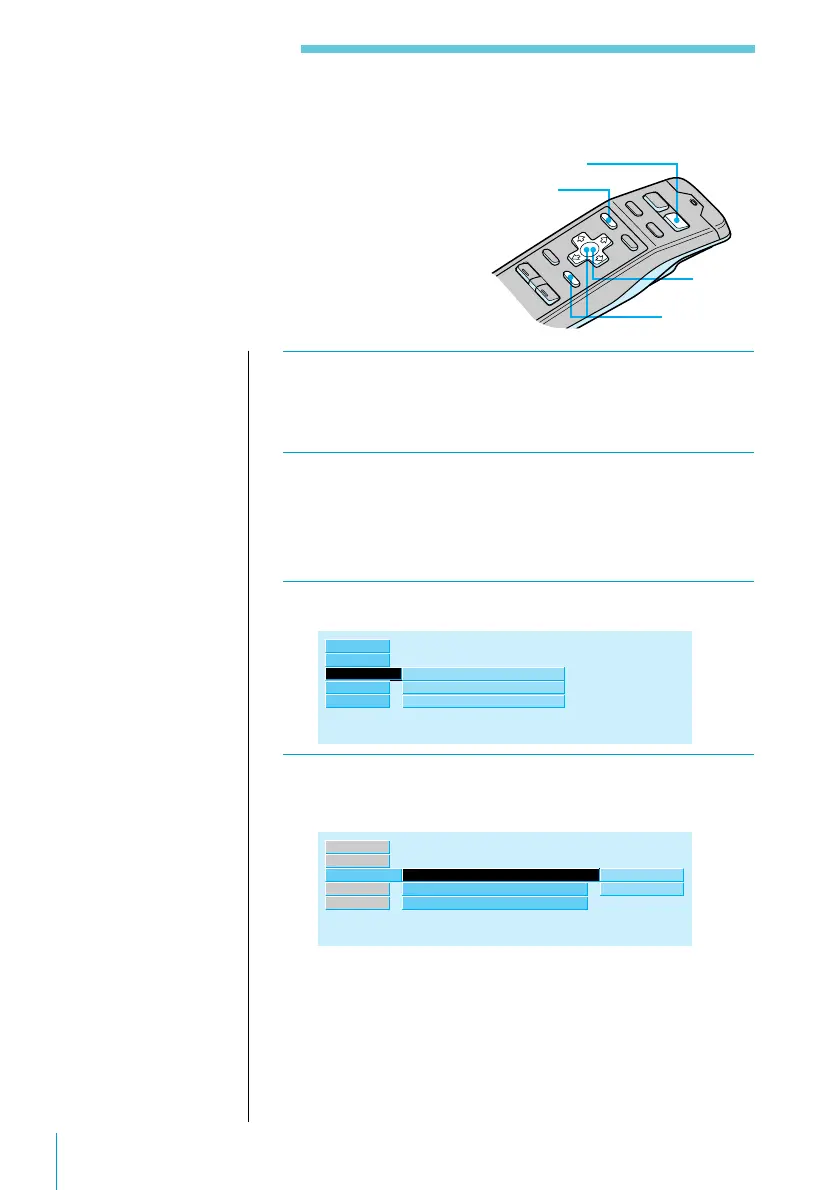
1 Press SOURCE repeatedly to select FM, MW,
or LW.
2 Hold down ? or / until the frequency you
want appears in the display, then release the
button.
3 Press MENU.
R.Mode ”
Preset
Local
Mono/Stereo
off
stereo
Set up
Source
Exit
RDS
4 Select “R.Mode”and press / to move to the
sub menu, then select “Preset” using > or ..
R.Mode ”
Local
off
”
manual
Set up
Source
Exit
RDS
Mono/Stereo
Preset
stereo
BTM



 To Next Page