Listening to the Radio
43
Listening to the Radio
Receiving Only the Strongest
Signals
(Local On/Off)
The Automatic Tuning function may stop
frequently when there are many radio stations in
the area. If this happens, you can reduce the
sensitivity of the tuner so that only the strongest
signals are tuned in.
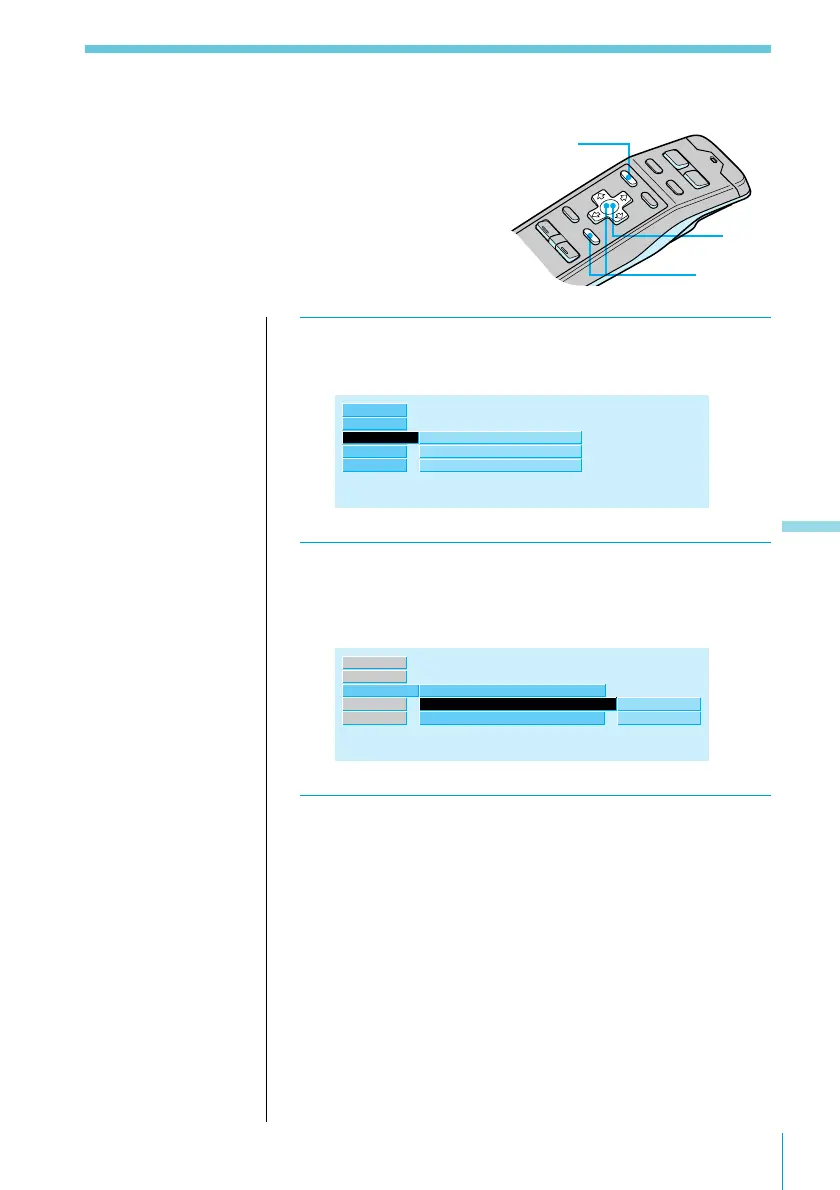
1 While listening to an FM, MW, or LW
broadcast, press MENU.
R.Mode ”
Preset
Local
Mono/Stereo
off
stereo
Set up
Source
Exit
RDS
2 Select “R.Mode,” then press / to move to
the sub menu, then select “Local” using > or
..
stereo
Preset
on
off
Local
off”
Mono/Stereo
R.Mode ”
Set up
Source
Exit
RDS
3 Press /, then > or . to select “on,” then
ENTER.
The selected mode appears to the right of “Local” in
the display.
3
2
1
Useful tips
To return to previous
steps (one at a time)
Press the ? button.
To return to the
normal display
Press the MENU
button.



 To Next Page