14 Getting Started
Getting Started
Setting the Clock
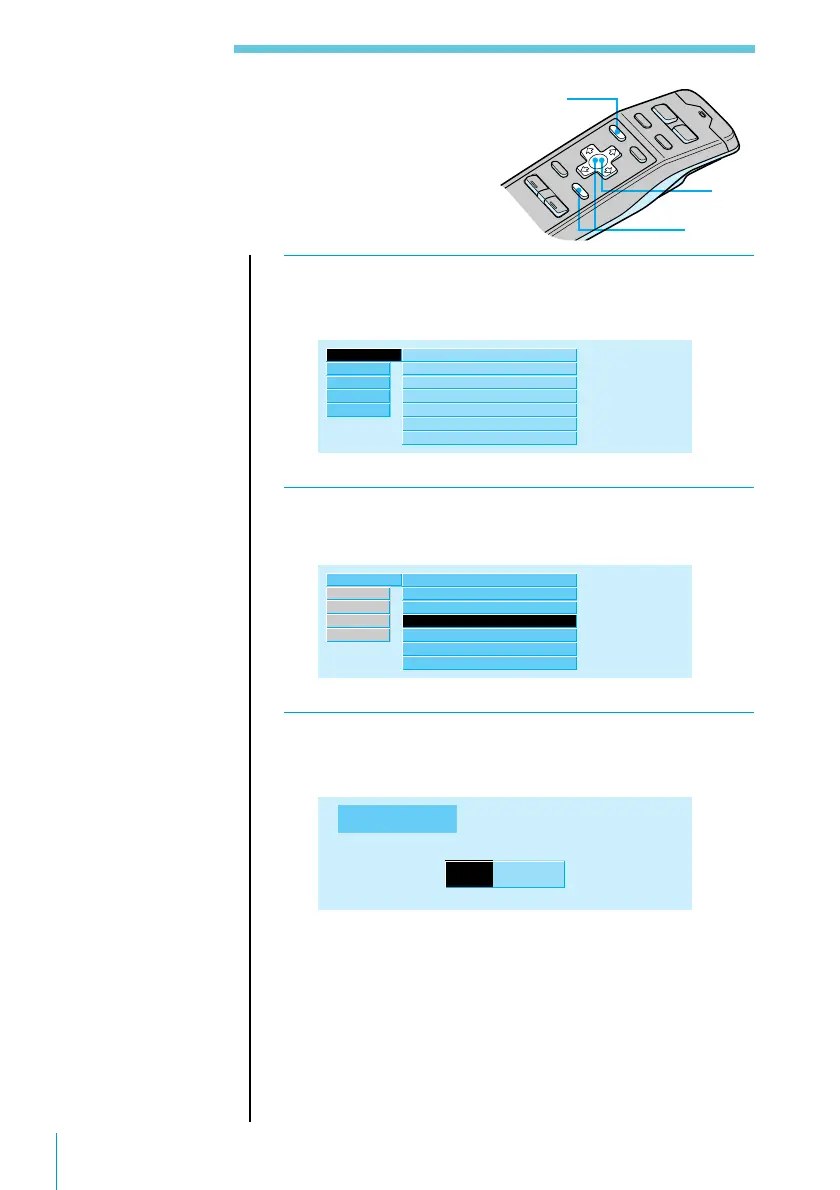
Set the clock with the wireless remote.
Turn the system on before setting the clock.
1 Press MENU.
The menu display appears.
Set up ”
Contrast 8
Time Set
Beep
off
Display
Font Style
on
Bold
Rotary Remote
RDS
Source
Exit
R.Mode
norm
SEEK/AMS
SEEK/AMS
2 Select “Set up” and press / to move to the
sub menu, then select “Time Set.”
Set up ”
RDS
Source
Exit
R.Mode
Contrast 8
Time Set
Beep
off
Display
Font Style
on
Bold
Rotary Remote
norm
SEEK/AMS
SEEK/AMS
3 Press ENTER.
The Time Set indication appears.
Time Set
9 33
:
Press > or . to set the hour.
Then press / to move to minutes and press > or . to
set the minutes.
Pressing . lowers the number and > raises the
number.
3,4
2
1



 To Next Page