34 Installation and set-up manual 208668
3. Installing the unit CRANEX Novus e
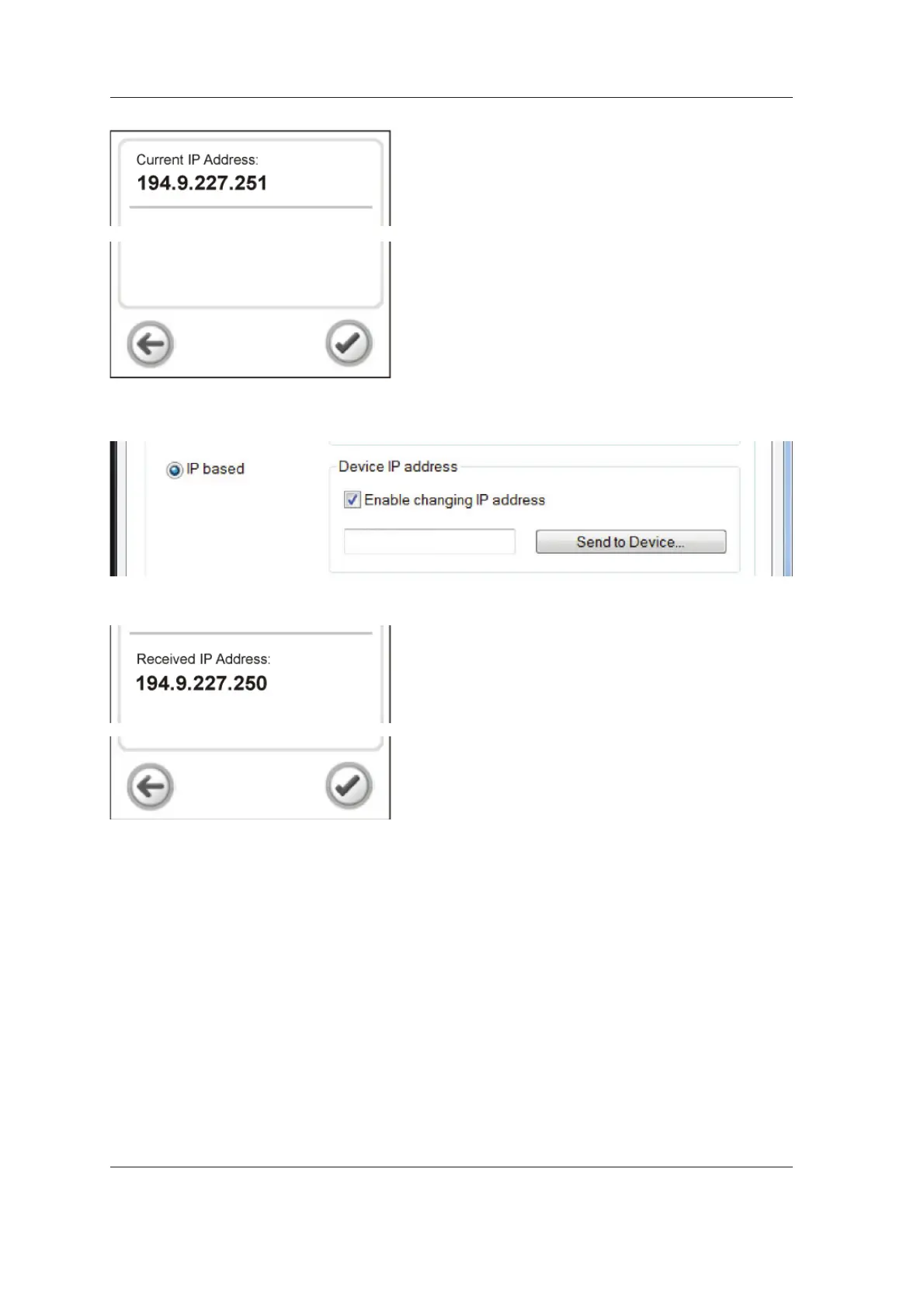
9. The IP address screen will appear, which
shows the current IP address of the unit.
10. PC: Press the Send to Device… button.
11. The new IP address will appear on the display.
Touch the OK (tick) key to accept the IP-
address and then the Arrow key to return to
the main screen.
12. PC: Click the OK button to close the settings
window.
NOTE:
If the remote IP address setting fails, use
the manual method. See section Manually
changing the IP address.
194.9.227.250



 To Next Page