Installation and set-up manual 208668 49
CRANEX Novus e 4. Checking the alignment and fi nishing the installation
9. PC: Visually evaluate the result using the dental
imaging software.
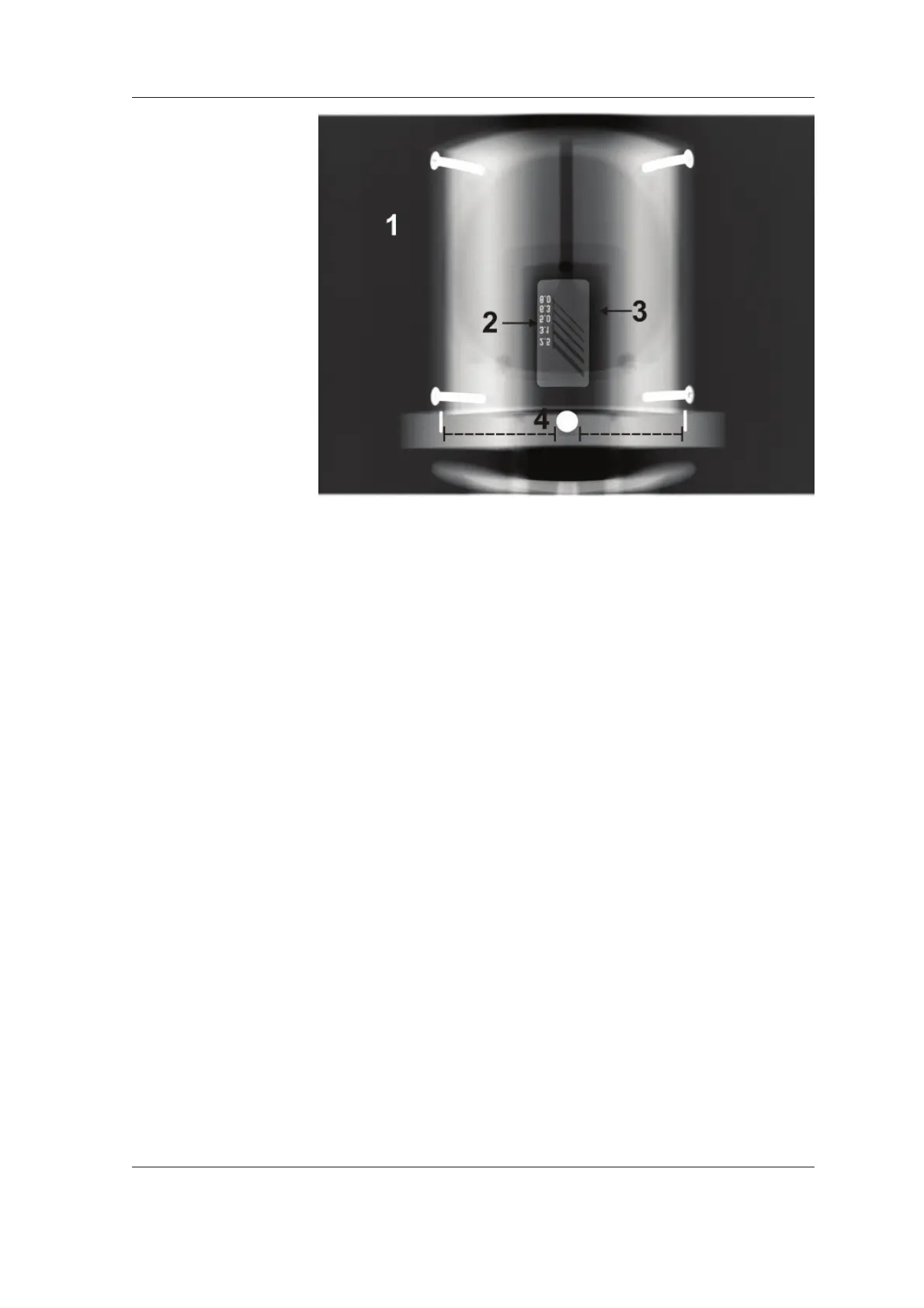
Subjects to be evaluated:
1. Exposed area; Smoothness of the exposed
area. Non-exposed area surrounds the whole
image.
2. Line Pair Resolution; minimum 2.5 LP/ mm
must be distinguishable.
3. Low contrast resolution; Minimum two low
contrast resolution holes must be visible.
4. Overall image geometry; Roundness of the
center ball and equal distances to the pins. See
4.2 Checking the image geometry (Ball (and
Pin) Phantom test).
NOTE:
Some adjustments may be required to be made
to the default image processing settings in the
dental imaging software, when evaluating the
QA image. Write down the used settings, so that
the same settings can be used when taking the
control images later on.



 To Next Page