4 Setup
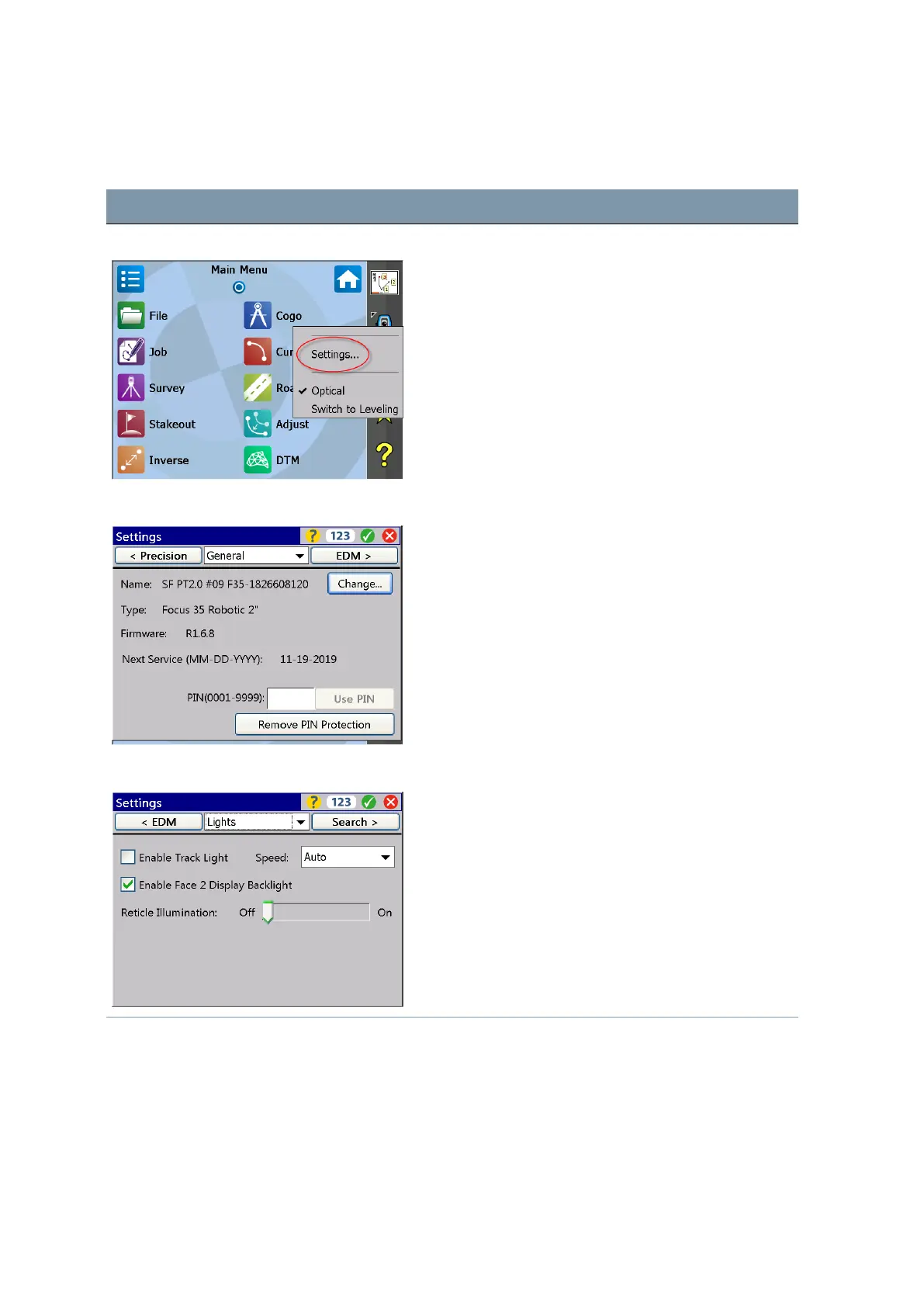
Settings Face2 Display Backlight, Reticle Illumination and Tracklight
Screen Actions and Comments
Main Menu Survey Pro Select instrument Settings by tapping on this icon.
Menu for Settings Navigate to Lights via drop down menu or toggle through
the submenus with D key left or right.
Menu for Lights Settings Make selections and confirm the settings.
FOCUS 35 Total Station User Guide | 53



 To Next Page