4 Setup
The prism target must be very still during the test (Spectra Geospatial recommends that you use a tripod
or bipod mount for the target) and must be in clear line of sight without any obstructing traffic. The
instrument is calibrated to accurately point at the center of the target in both horizontal and vertical
axes. The calibration is used to correct the positions of all points measured using the LockNGo Tracker
function.
Adjustment Routines in Survey Pro software (if available)
Start the Survey Pro software. During the process the instrument should be on a stable platform.
Screen Actions and Comments
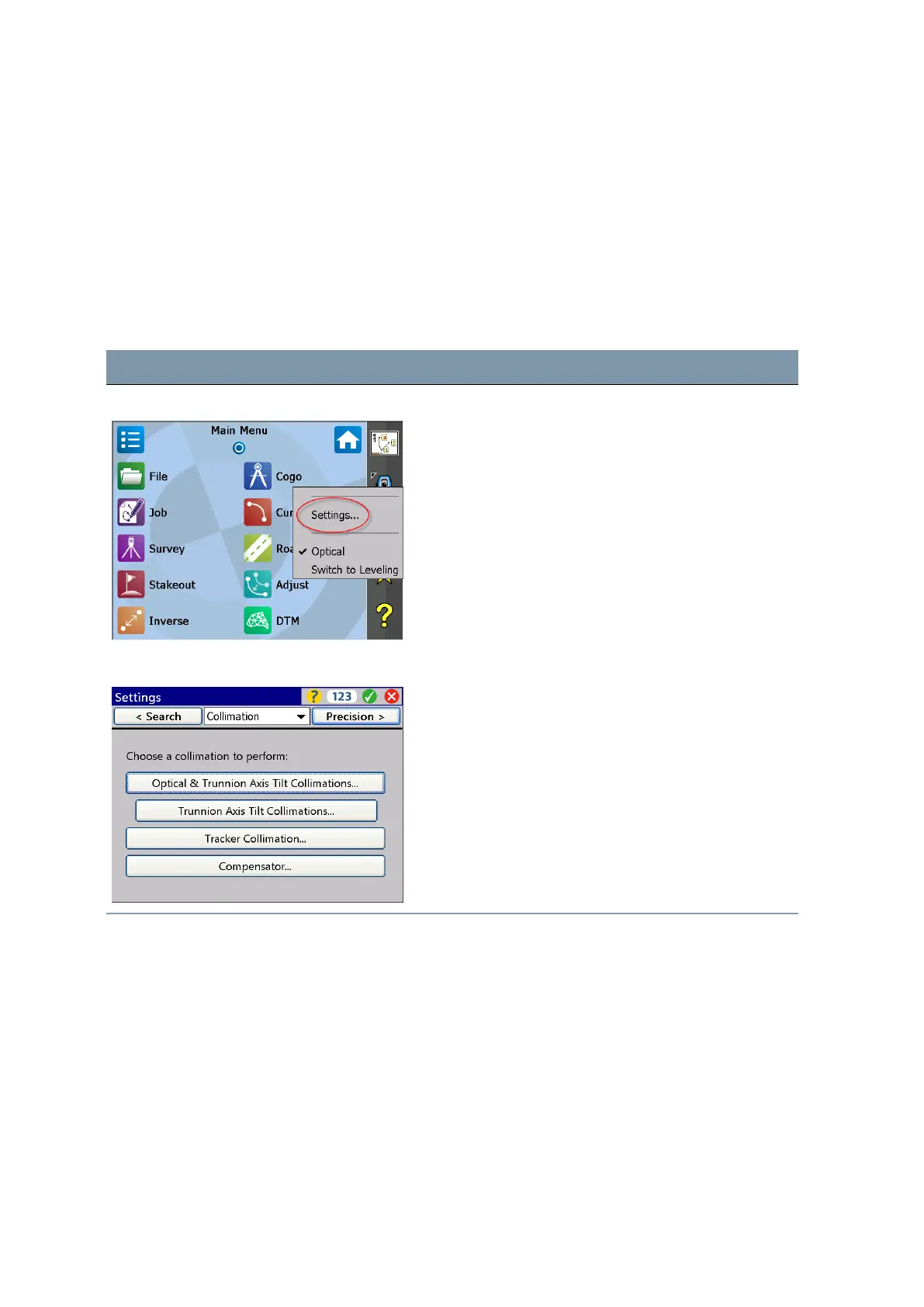
Main Menu Survey Pro Select instrument Settings by tapping on this icon.
Settings Collimation Navigate to Collimation via drop down menu or toggle
through the submenus with
D
key left or right. Select
the appropriate adjustment.
FOCUS 35 Total Station User Guide | 70



 To Next Page