Chapter 3: Multiple Users Accessing a Chassis
How Does the Multi-User Feature Work?
34 SmartBits System Reference
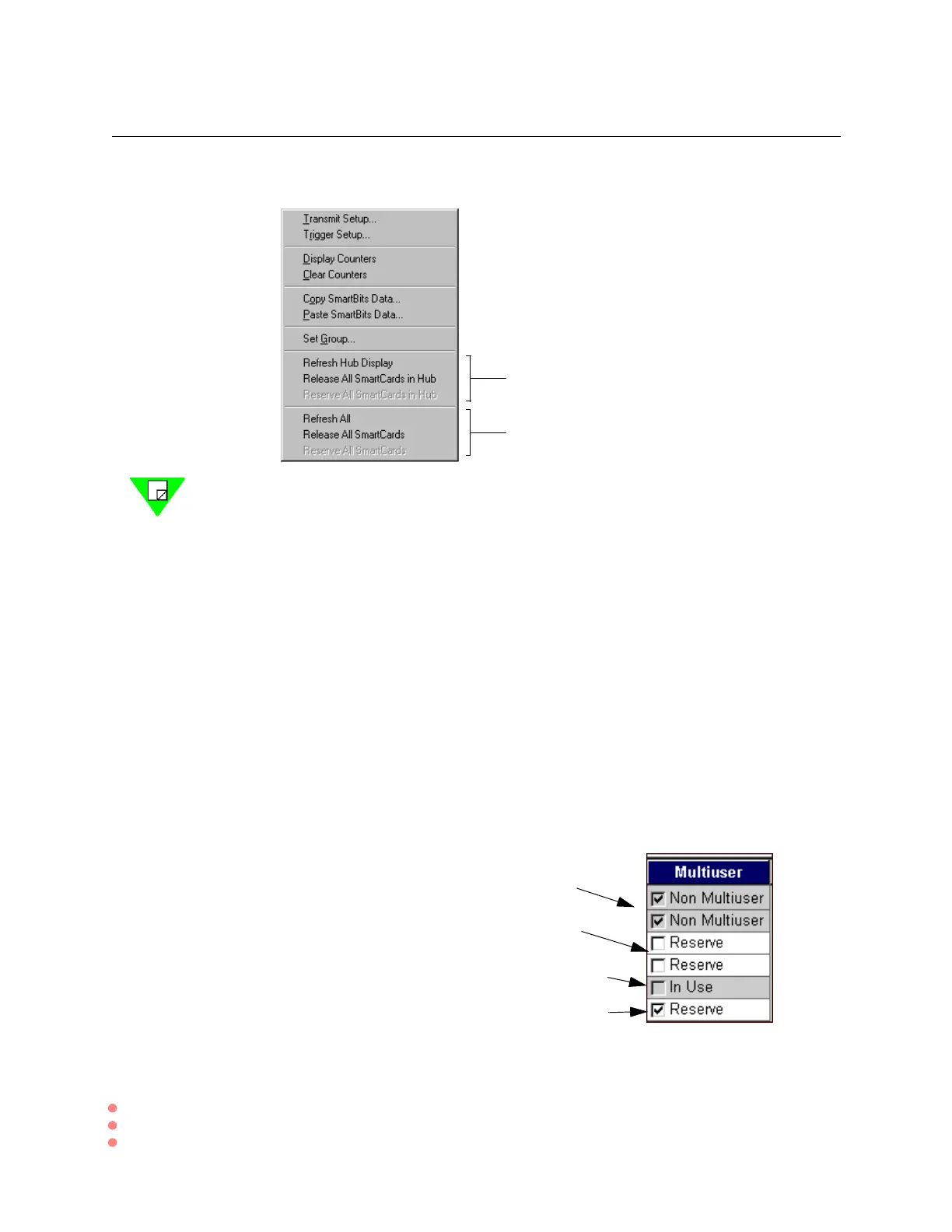
2 To reserve all cards, right-click the SMB Group panel. You will see this dialog box.
Note: You cannot group cards or configure them until you have reserved them.
(Right-clicking on an unreserved card displays no configuration options; the card
must first be reserved.) Cards reserved by other users are released on disconnect.
In SmartFlow
When you connect SmartFlow to chassis, it displays only the cards available and not
reserved (in use) by another user. Available ports appear on the Card Setup tab that you
use to configure and reserve the ports. When you first connect to a chassis with multi-user
capabilities enabled (SMB-2000 or SMB-600/6000B) only the ports not reserved by
anyone else and are available to you appear in the list.
Display Available Ports
When you connect to a multi-user chassis, only cards available (not in use by another user)
will be displayed in the Card Setup tab, the Group Wizard,andtheSmartFlows > Traffic
tab. The following illustrates the possible states of a port in a multi-user chassis, as shown
in the Card Setup tab:
For reserving cards on a single chassis
when you are connected to only one
Forreservingcardsonuptofourchassis
whenyouareconnectedtomorethanone
{
Ports in chassis that are not multi-user enable
Available for you or someone else to reserve
Someone else reserved this port since you connected
You reserved this port. It is not available to anyone else
until you release it



 To Next Page