Chapter 3: Multiple Users Accessing a Chassis
How Does the Multi-User Feature Work?
SmartBits System Reference 33
In SmartWindow, with SMB-2000
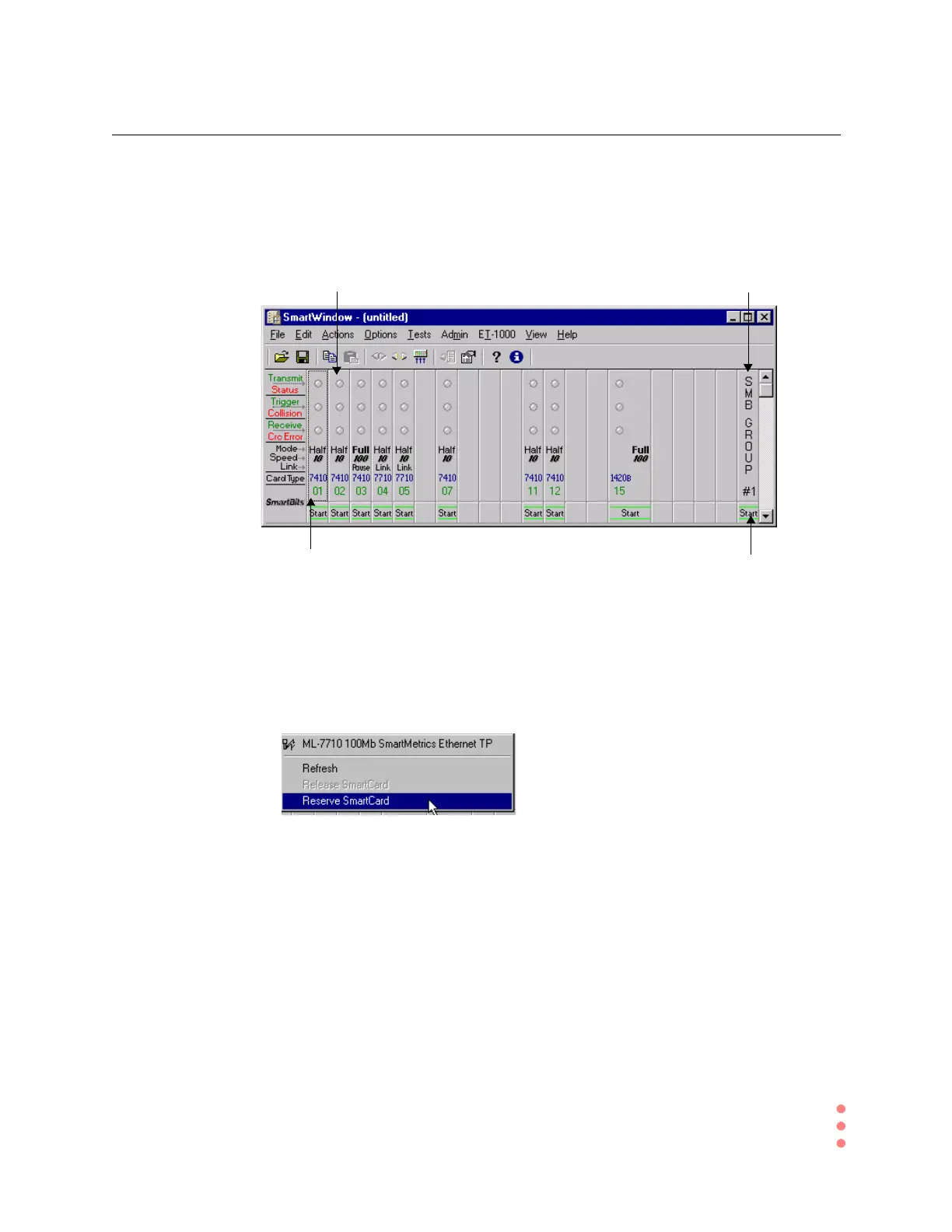
Refer to Figure 3-3 and follow the steps below to access SmartWindow with SMB-2000.
Figure 3-3. Multi-user Compliant SMB-2000 Main Menu
ß Follow these steps to access SmartWindow using a SMB-2000:
1 To refresh, release, or reserve a single SmartCard, right-click on it. You will see this
dialog box.
Click SMB Group to access the
menu selections that control the
SmartCards as a group.
To access multi-user options,
right-click
onaSmartCard
To st ar t S m a r tC ar d s a s a
group, Click SMB Group Start
Multi-user LED will light up after multi-
user chassis upgrades are performed



 To Next Page