Installation and Reference Manual
Working with Voicemail
218
Installation and Reference Manual v3.2/0410/6
Recording a daily greeting directly via a Dial Plan entry
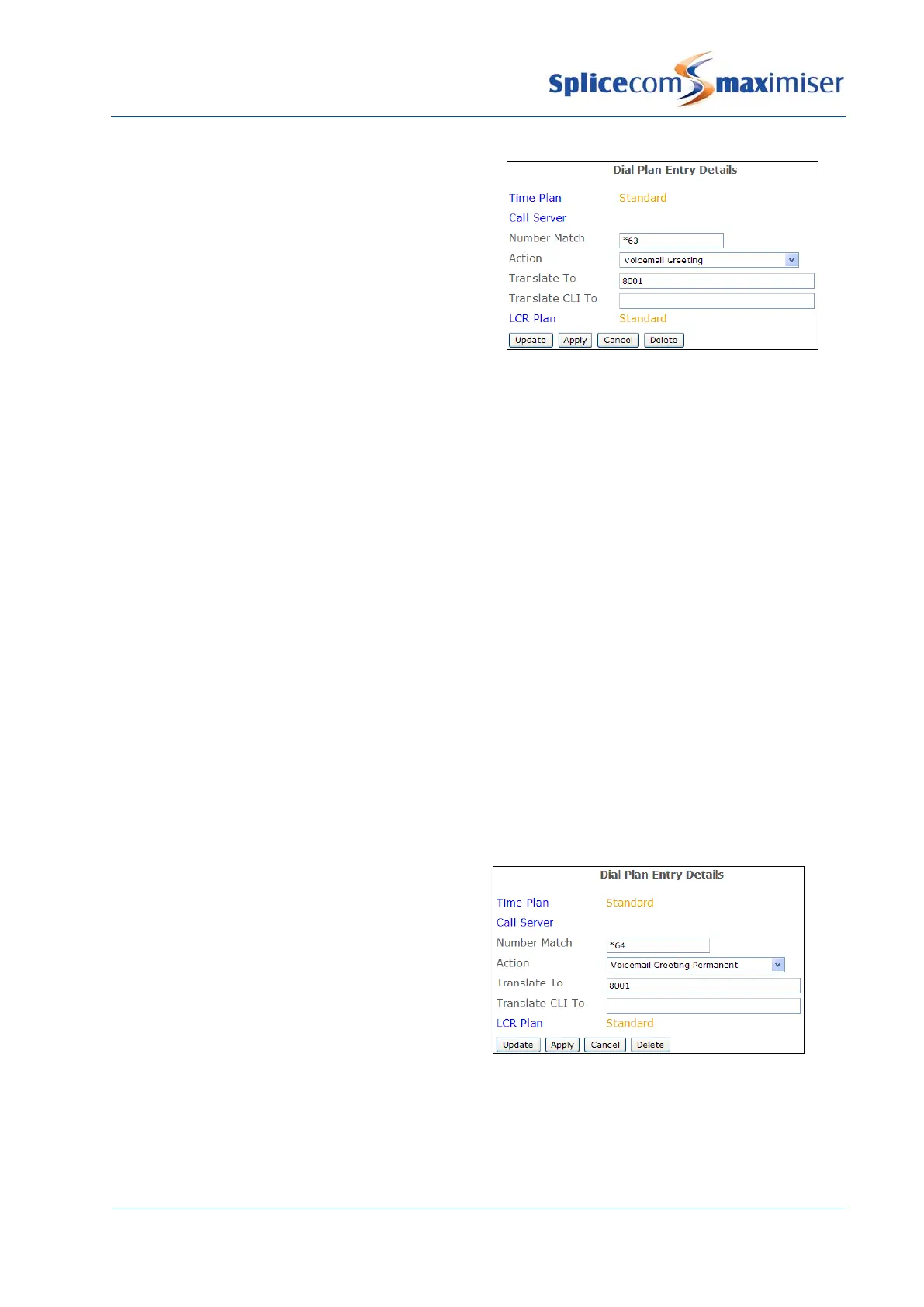
A Department’s daily greeting can be recorded via
Settings as described above. Alternatively, a Dial Plan
entry can be used similar to this example.
The Translate To field contains the Department’s
extension number or name.
1 On dialling the short code the current greeting will be played.
2 “Speak greeting after the tone” will be played
3 Record the new greeting and press # when finished
4 The new greeting will be played back
5 The following options can then be used to save or re-record the greeting:
2 Re-record the new greeting
3 Delete the new greeting and restore the previous greeting
7 Save the new greeting (or hang up)
0 Do not save new greeting
Please note: If a permanent greeting is recorded a Department’s daily greeting will be deleted at
midnight and its permanent greeting will be used until a new daily greeting is recorded. Please refer to
page 218 for further details.
Recording a permanent greeting
Each Department can record two voicemail greetings. Firstly, the daily greeting which can be recorded
via Settings or via a Dial Plan entry as described above and may inform a caller of a Department’s status
on a particular day, for example – “The Accounts Department is closed today. Please leave a message
and we will call you as soon as possible.” The second greeting, the permanent greeting, can be used to
give a message that can be used on any day, for example – “Thank you for calling the Accounts
Department. Sorry we are unable to take your call. Please leave a message and we will get back to you as
soon as possible.” If a permanent greeting is recorded the daily greeting is deleted at midnight and the
permanent greeting is then used until a new daily greeting is recorded.
To create a Permanent greeting a Dial Plan entry
similar to this example can be used.
The Translate To field contains the Department’s
extension number or name
.
1 On dialling the short code the current greeting will be played.
2 “Speak greeting after the tone” will be played
3 Record the new greeting and press # when finished
4 The new greeting will be played back
5 The following options can then be used to save or re-record the greeting:



 To Next Page