Installation and Reference Manual
Configuring PBX functionality
Installation and Reference Manual v3.2/0410/6 81
When a 5100 or 5108 Call Server, 4140 Remote Call Server or Phone Module is connected to the system 4,
8, 15, 16 or 30 Users are automatically created and named, for example, Extn2017, Extn 2018 etc. Each
User is assigned to an extension port, for example, Port01, Port02 etc, and given an extension number
within the next available extension range, for example, 2017, 2018 etc.
When a PCS 60 (IP Phone), PCS 50 (IP Phone), PCS 100, PCS 410/400 or PCS 570/560 is installed a new User
is automatically created and named, for example, Extn2031 and given the next available extension
number, for example, 2031.
New Users can also be created manually, as follows, when a User is required but does not need to be
assigned to a physical phone.
1 In Manager select Users
2 Select the Add button
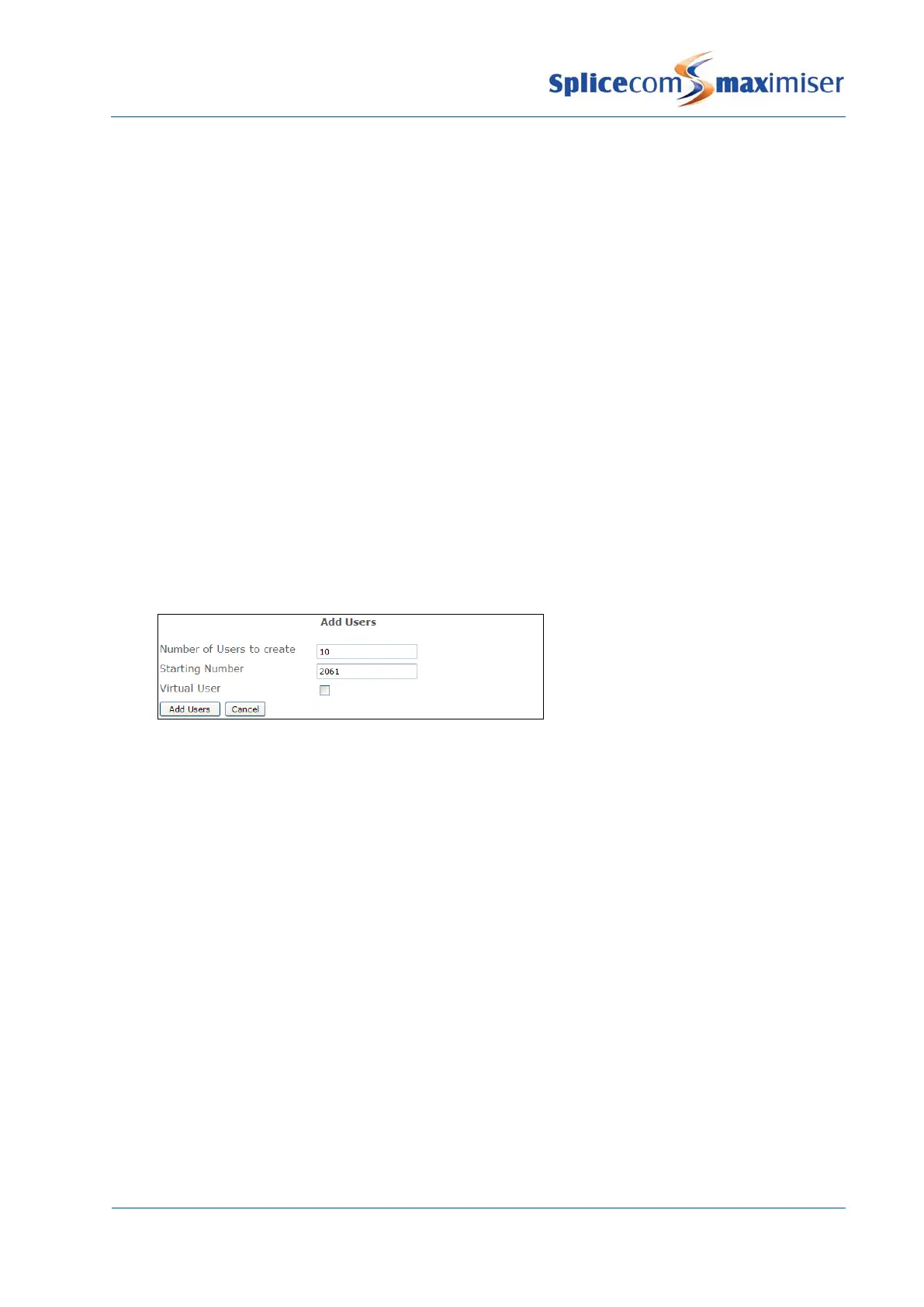
3 In the Number of Users to Create field enter the number of Users you wish to create.
4 In the Starting Number field enter the extension number you wish to give the first User and any
remaining Users will be given the next number within the range. For example, if you wish to
create 10 Users with an extension range of 2061-2070 enter 2061 in this field.
5 Un-tick the Virtual User field unless you wish these Users to be virtual Users and the relevant
licences have been installed (please refer to page 96 for further details on virtual Users).
6 Select Add Users
7 You will be returned to the Users List and the new Users created will be listed at the top and
named, for example, Extn2061, Extn2062 etc.
8 Each User can be selected and configured as describe below.
1 In Manager select Users
2 Click on the relevant User name to view the configuration of each specific User.



 To Next Page