Installation and Reference Manual
Configuring PBX functionality
82
Installation and Reference Manual v3.2/0410/6
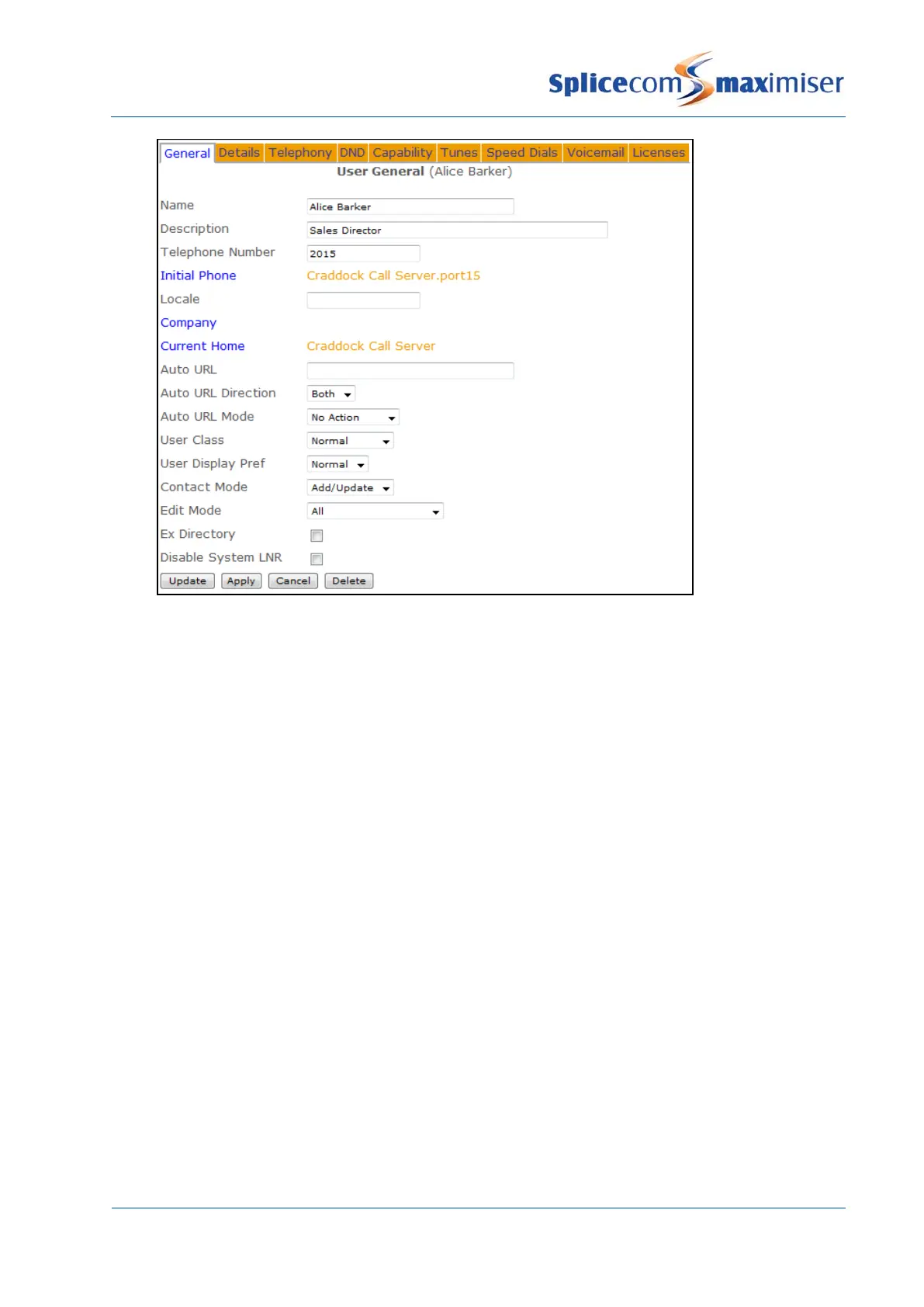
Each User is assigned a Name which is used to identify them on the system, for example, when calls to
and from this User are made the name will appear in Caller Display. It is recommended that this be
changed to a unique, relevant name. The name should consist of alphanumerical characters only, not
contain any punctuation and begin with a letter.
Each User is identified on the database by a GUID (Global Unique Identifier). This unique identifier can
be displayed by selecting Utilities and then Voicemail GUIDs.
The Description field is a text field which can be used to further assist with identification of the User in
Manager and via the Users directory accessed on the PCS 580/570/560/410/400/60/50, eg Personnel
Director, Security, Reception etc
The Telephone Number field determines the internal number of the User’s telephone.
The Initial Phone field indicates the physical analogue port or IP phone that is assigned to this User.
Leave this field blank if the User is to log on to an available phone (please refer to the Hot Desking
section on page 93 for further information).
The User’s Locale specifies the language to be displayed on their IP phones. If left blank the System
Locale will be used.
The Company field determines the Company to which this User is assigned. Please refer to the Working
with Companies section from page 155 for further information.
The Current Home field determines which Call Server is providing the User with a voicemail service.
Please refer to the Working with Voicemail section from page 187 for further information.



 To Next Page