(NOTE: If your voicemail has been secured you may be requested to enter your Voicemail Access
Code followed by hash (#) then the message will be played. Please refer to your System
Administrator for further details.)
Press accept to play the message.
Press accept to Stop playing the message and to return to the message details.
!
!
!
!
!
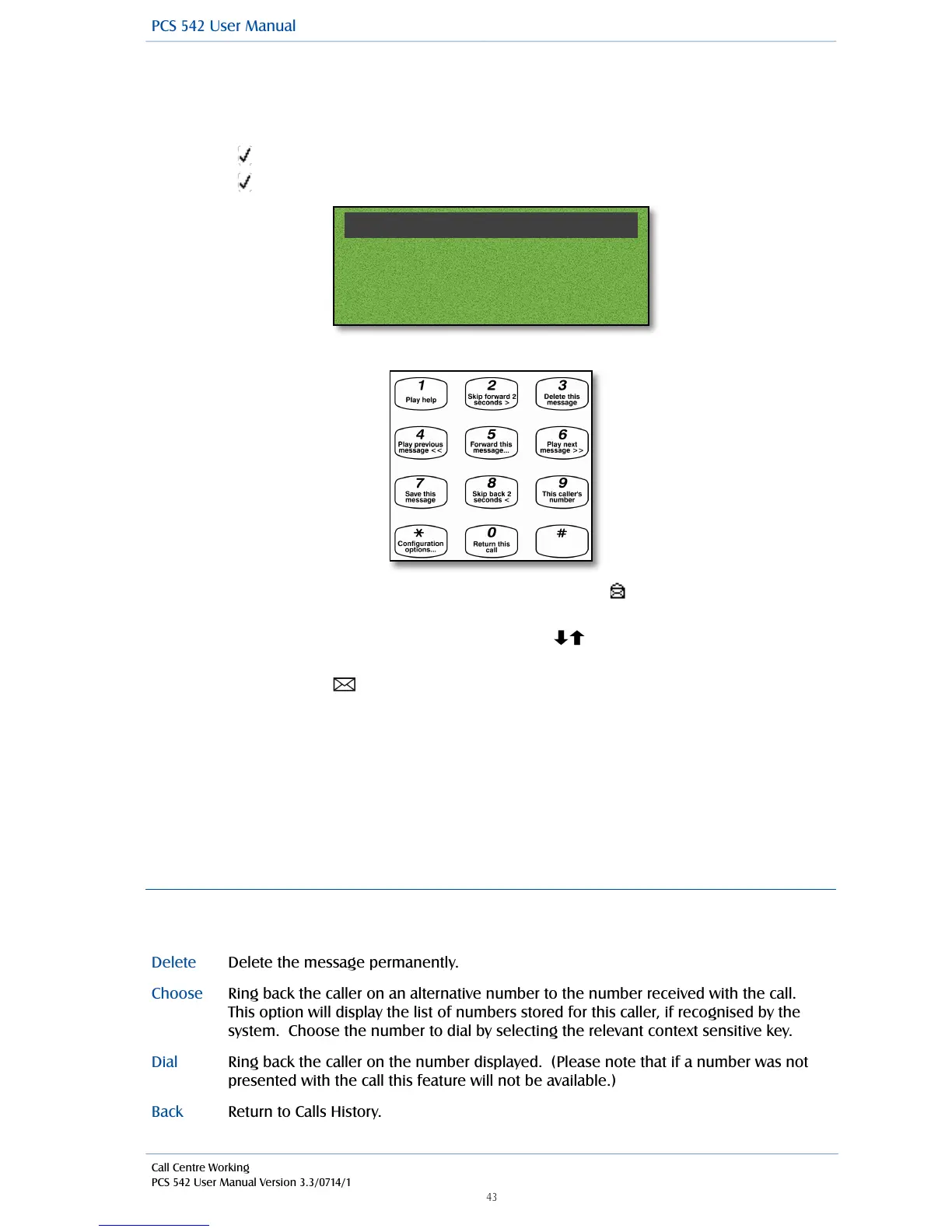
Whilst the message is being played the following options are available by pressing the appropriate
key on the numeric keypad.
!
!
!
!
!
!
The message will now be displayed with an open envelope symbol as this is now an old
message and will be deleted after 7 days unless manually saved.
If you wish to listen to another message use the navigation keys to select the message
required.
Press the Message button to return to your home page.
!
Due to your role in your company you may also be required to handle voicemail messages for a
colleague, such as your manager. Your System Administrator can set this up for you if not already
available. Your colleague’s name will be displayed, instead of your own, with each message so that
you distinguish between your messages and your colleague’s.
!
You may also be required to handle messages for a Department. Please refer to the Voicemail for
Departments section from page 47 for further details.
!
Message Handling
When a message is selected the following options are available:
!
Ring back the caller on an alternative number to the number received with the call.
This option will display the list of numbers stored for this caller, if recognised by the
system. Choose the number to dial by selecting the relevant context sensitive key.



 To Next Page