33
Technical data are subject to change without notice.
ISO 9001 certified. © Copyright SPM 1996-9. 71416.B
SPM Instrument AB • Box 4 • S-645 21 Strängnäs • Sweden
Tel +46 152 22500 • Fax +46 152 15075 • info@spminstrument.se • www.spminstrument.se
The Earphone
When in doubt about the source or the cause of a
shock pulse signal, use the earphone to investigate. It
works only in Manual mode, but even when using the
A2011 as a data logger, you should investigate high
or abnormal readings with the earphone. In such a
case, go to the Bearing test menu and then connect
the earphone.
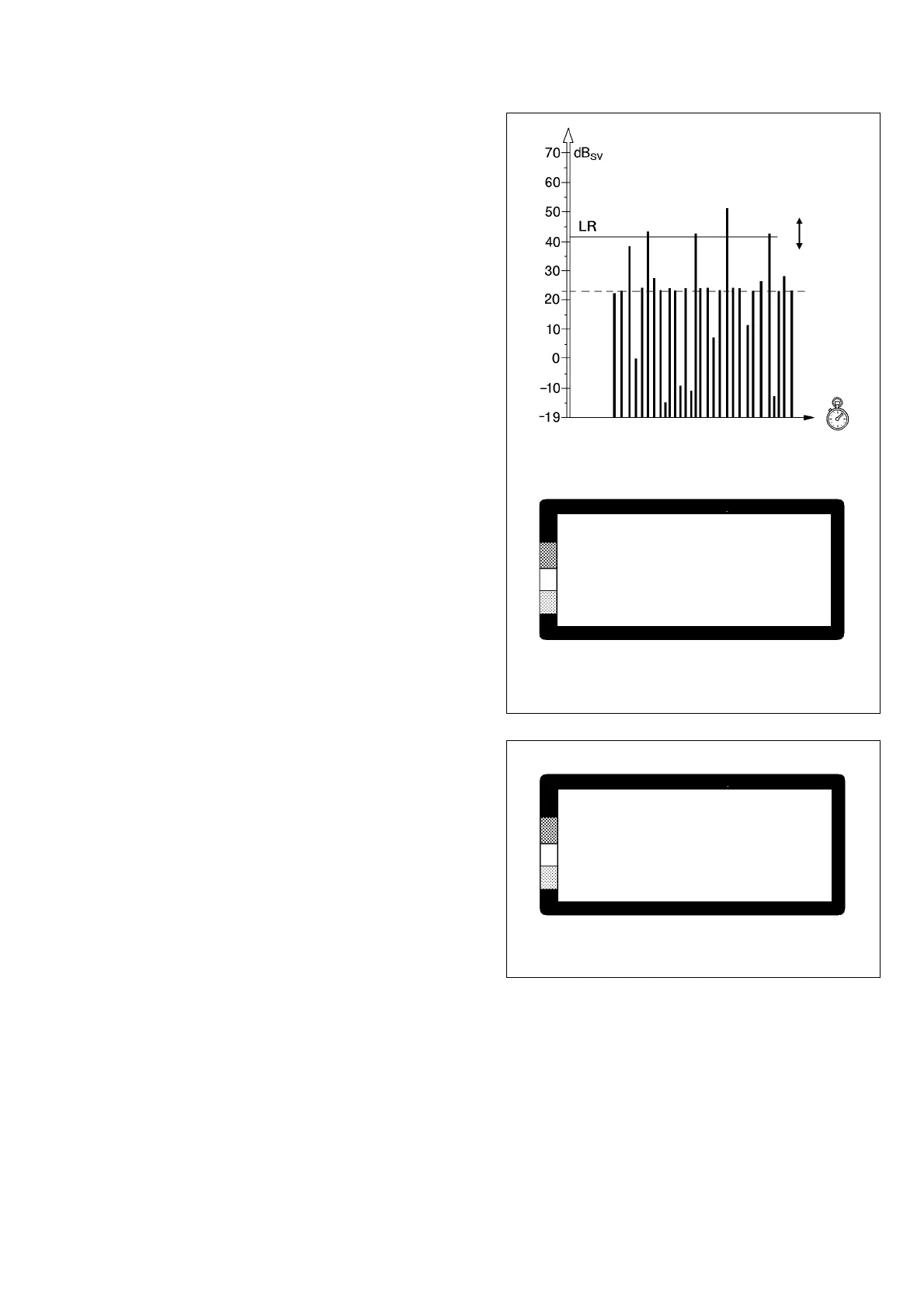
In the earphone, every shock pulse with a shock value
higher than the measuring level is heard as a single
sound pulse. This allows you to compare the sound
pattern with the typical shock pulse patterns for bear-
ing damage, dry running and various types of distur-
bances.
When the earphone is connected following a shock
pulse reading, the measuring level is automatically set
to the LR level. The measuring level is increased in
steps of 1 dBsv by pressing the UP key, and de-
creased by pressing the DOWN key.
The sound pulses stop when the measuring threshold
is higher than the shock value of the strongest pulse.
They become more frequent when the level is low-
ered, and change to a continuous tone near the HR
level.
Use the earphone as follows:
• Keep the shock pulse transducer connected to
the measuring point and the A2011. Connect the
earphone to the A2011. The screen changes to
the earphone menu (fig. 17).
• Press the UP until only a few pulses can be heard.
Note the dBsv level. Determine whether the
sequence of pulses is random (typical for a
bearing signal) or regular (typical for disturbance).
• Press the DOWN key until you hear a continuous
tone. Note the dBsv level.
• To leave the earphone mode, disconnect the
cable from the A2011.
Volume Adjustment
To adjust the sound volume, press SET while the
earphone is connected. The volume is changed with
UP/DOWN, in steps from 1 to 10. Press ENT to return
to the earphone mode. The chosen volume is kept
until changed.
Changing earphone volume
Fig. 18
Fig. 17
DOWN
UP
BEARING TEST
PROBE
EARPHONE
VOLUME 7
BEARING TEST
PROBE
EARPHONE
LEVEL 30 dBsv
Earphone menu



 To Next Page