186/317
7 - Debugger and PROM Programmer Tutorial for ST72251
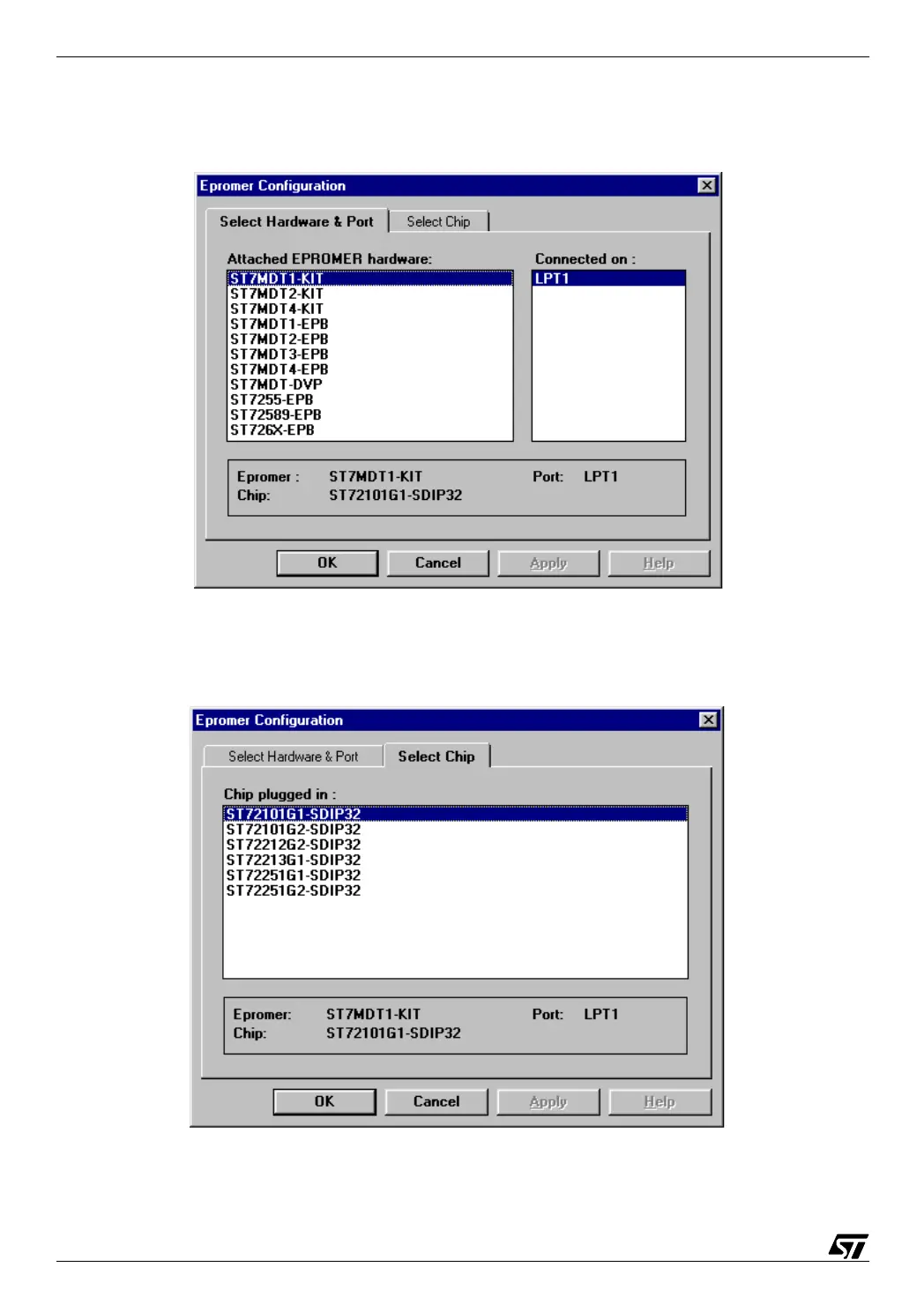
Select the option Configure/Configure EPROMER, then the following window pops up. It is
made of two tabs, Select hardware and port, and Select Chip. Let us start with the first one:
07-prog2.bmp
In the left-hand box, select the type of board; in the right-hand one, select the port number.
Next switch to the second tab:
07-prog3.bmp



 To Next Page