223/317
8 - C Language and the C Compiler
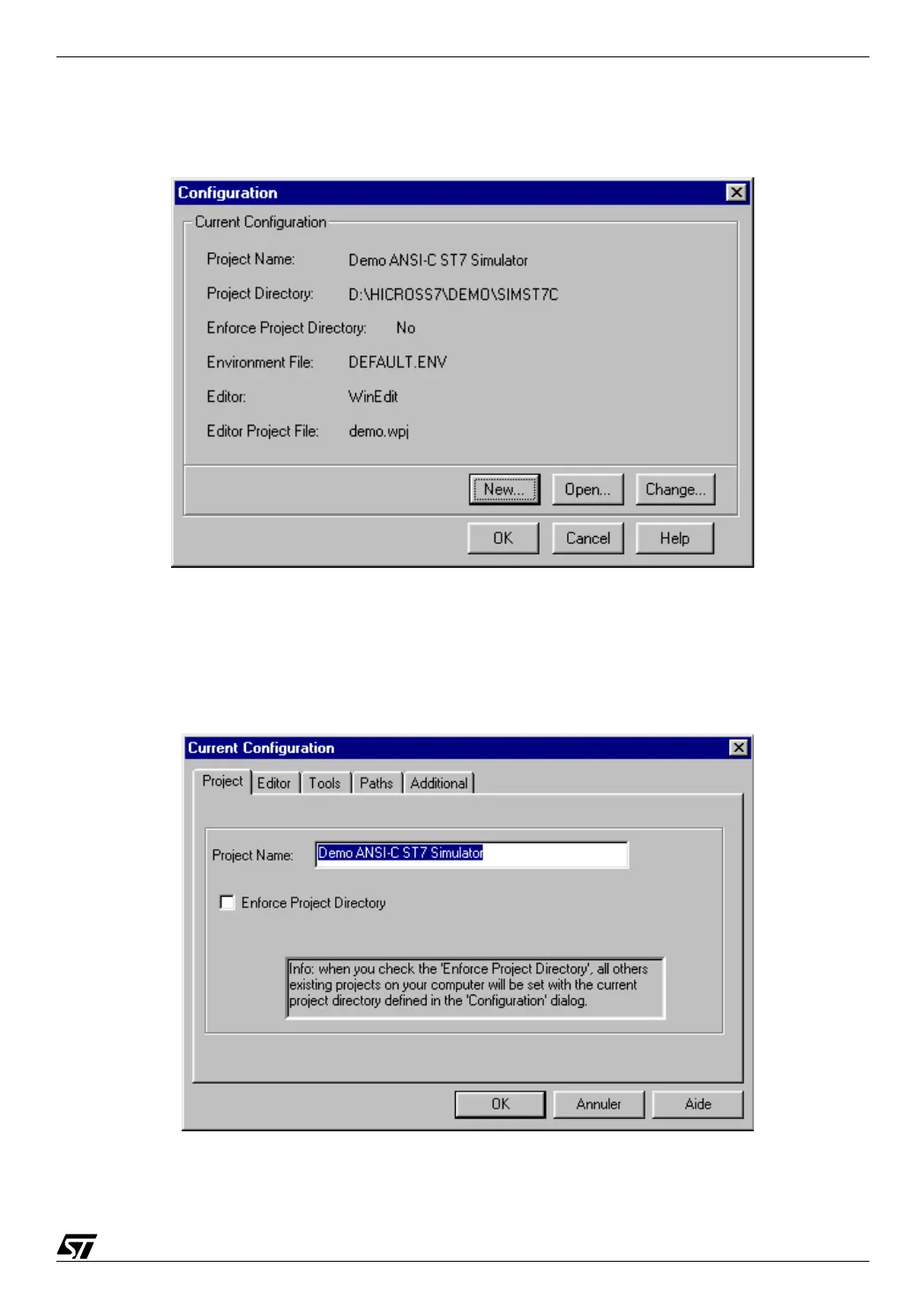
To do this, press the left-hand button which is the configuration button. The following window
opens:
08-HWTO2.BMP
This box allows you to create a project configuration, open an existing one, or change the cur-
rently open configuration. For the time being, press Change.
08-HWTO3.BMP



 To Next Page