9.4 FOD tuning
The aim of this tuning is to provide instructions and a step-by-step example of how to fine-tune STWLC38
parameters to comply with Qi requirements regarding foreign object detection.
Note: In the final product FOD tuning procedure requires a calibrated, Qi-compliant transmitter (like Nok9 system,
GRL, etc.) capable of reporting both the transmitted power and received power (sent back from the receiver
under test) without terminating the power transfer in case a FOD condition is detected.
9.4.1 BPP
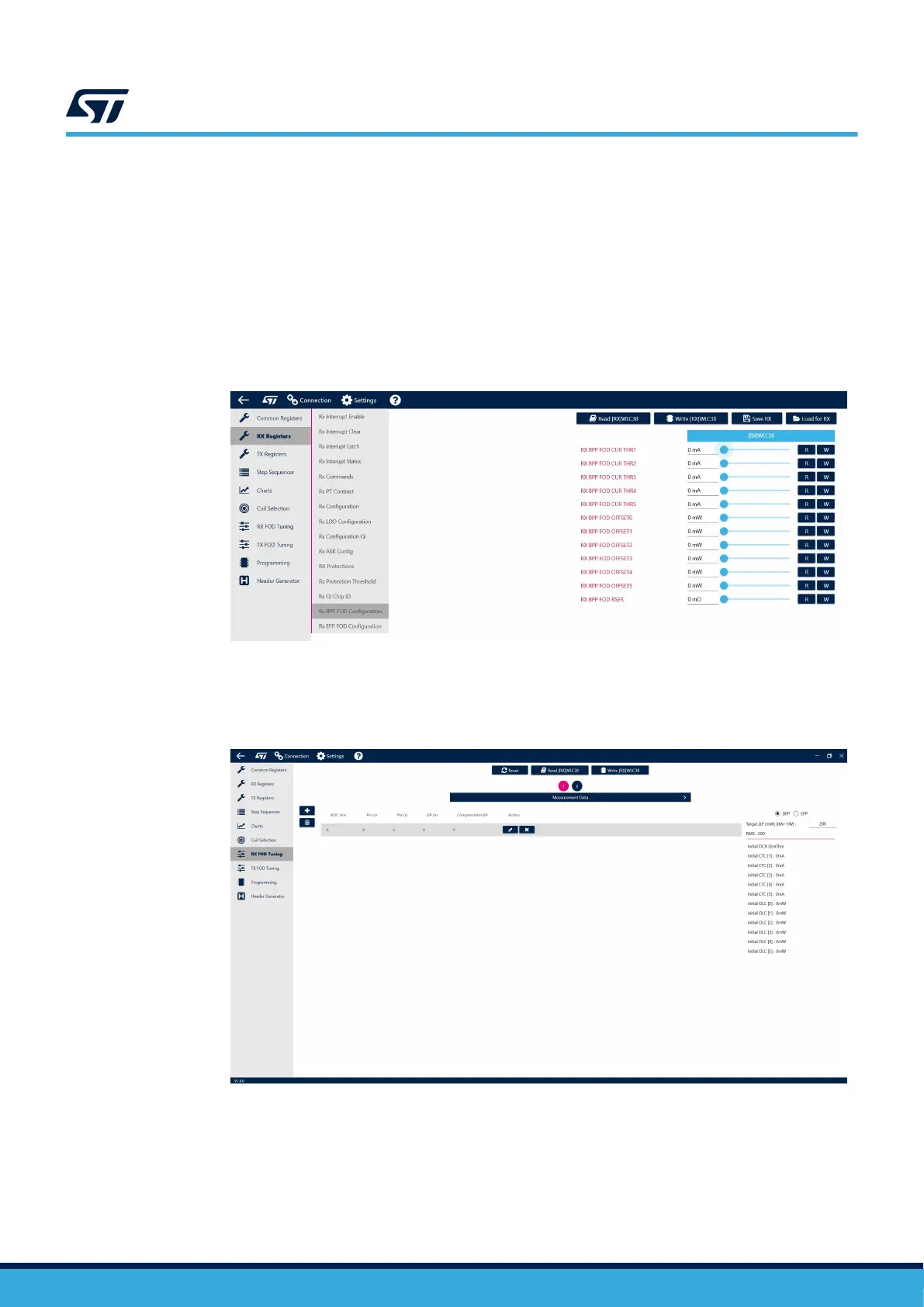
Step 1. Begin by setting all FOD tuning registers to zero and generating a new Configuration file for STWLC38.
Figure 67. Cleared Rx FOD tuning registers
Step 2. Load the new (cleared) Configuration file into STWLC38.
Step 3. Open the FOD tuning tool by navigating to the FOD Tuning tab.
Figure 68. FOD Tuning tab
Step 4. Place STWLC38 onto a Qi-compliant power transmitter.
Step 5. Connect an electronic load to STWLC38 output (VOUT) and read Prx (RX Received power) and Ptx
(Tx Transmitted power) from the transmitter registers. If the Transmitter is STEVAL-WBC86TX, the
reading of Ptx and Prx is automatically done click on [+] and [Read From RAM]. As transmitter may be
used reference Qi compliant transmitter and then the Prx and Ptx shall be manually written to the table.
UM3154
FOD tuning
UM3154 - Rev 2
page 60/81


 To Next Page