1656 & 1657 Battery Element Tester Owner’s Manual
STS Instruments Page 26 of 88
5 Operation
This chapter describes the various front panel controls, menu’s, settings and readouts that are
used to interface with the operator. It is strongly recommended that the user familiarizes him /
her with the contents of this chapter before attempting to operate this equipment. Front panel
operation of the 1656 and 1657 models is identical so only the 1656 is used in this section. The
1657 use the same controls and menus.
5.1 Controls, Indicators and Connectors
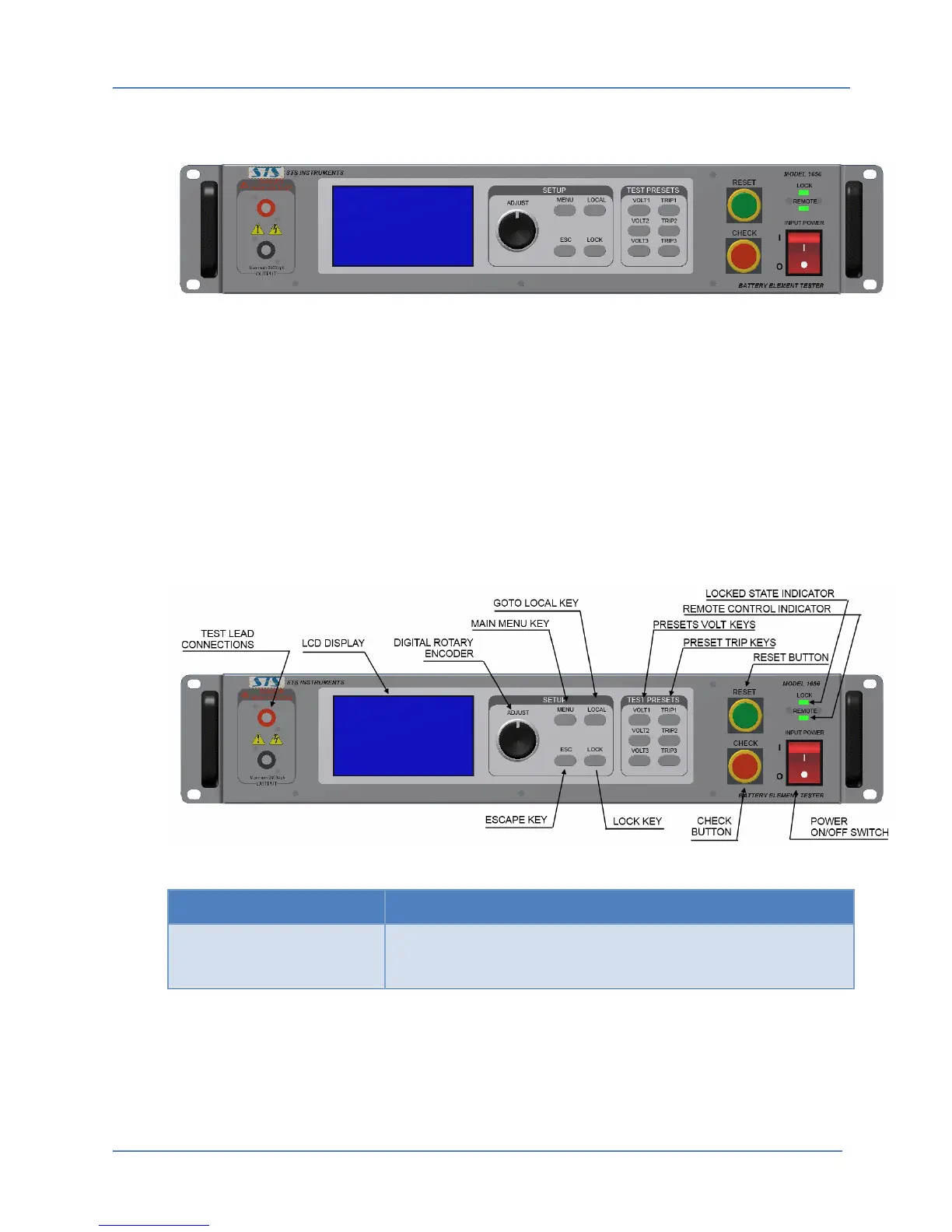
Functions of the various controls and indicators found on the front panel of the 1656 Battery
Element Tester are explained in the table below. Figure 5-2 shows call-outs to the various
controls and indicators to help familiarize the operator with the front panel layout.
Figure 5-2: Control and Indicator Locations
Controls Description
The Power On/Off rocker switch is used to turn the instrument
on or off. Press the switch bottom (O symbol) to turn the unit
OFF. Press the switch top half ( I symbol) to turn the unit ON.
Figure 5-1: 1656 Front Panel View



 To Next Page