1656 & 1657 Battery Element Tester Owner’s Manual
STS Instruments Page 29 of 88
5.3 Menu Operation Information
Setting changes are made by navigating through a series of on screen menus and data screens.
Each menu may have one or more fields containing the set values of parameters such as test
voltage, trip level, Interface selection, LCD contrast settings etc. Some sub menus are used to
drill down into specific setups that may need more parameters than what is shown on at the top
level menu.
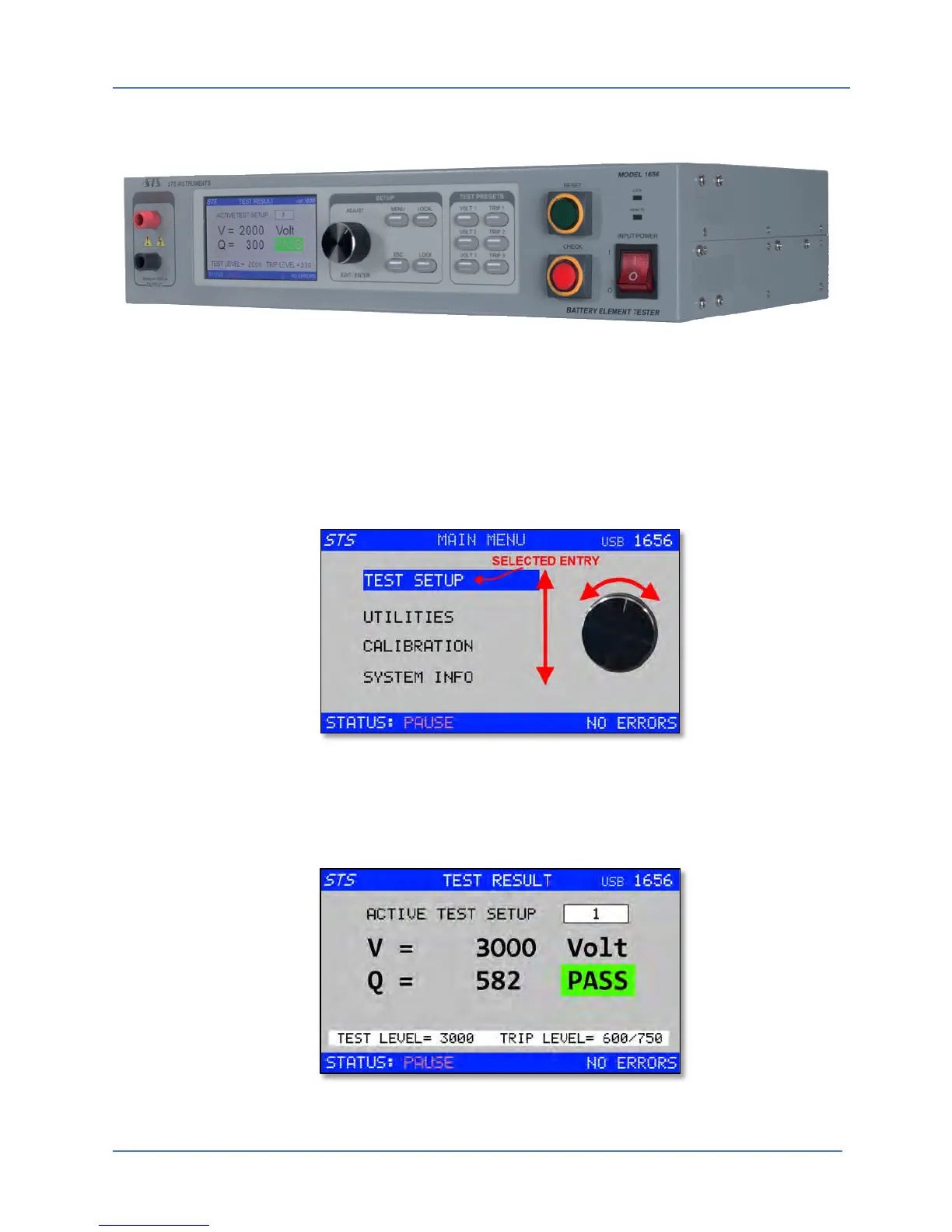
MENU SCREEN: A menu screen consists of a simple list of choices that can be selected by
turning the shuttle to the right (scroll down) or to the left (scroll up). Once you reach the end of
a list, the selection bar wraps around to the top or bottom as illustrated in the screen below.
Figure 5-4: Navigating through a Menu Screen
TEST RESULT SCREEN: A data display screen is used to provide feedback to the operator on test
results for the unit under test. This screen also contains reference information of test settings
and a pass or fail indication.
Figure 5-5: Test Result Screen Example



 To Next Page