1656 & 1657 Battery Element Tester Owner’s Manual
STS Instruments Page 34 of 88
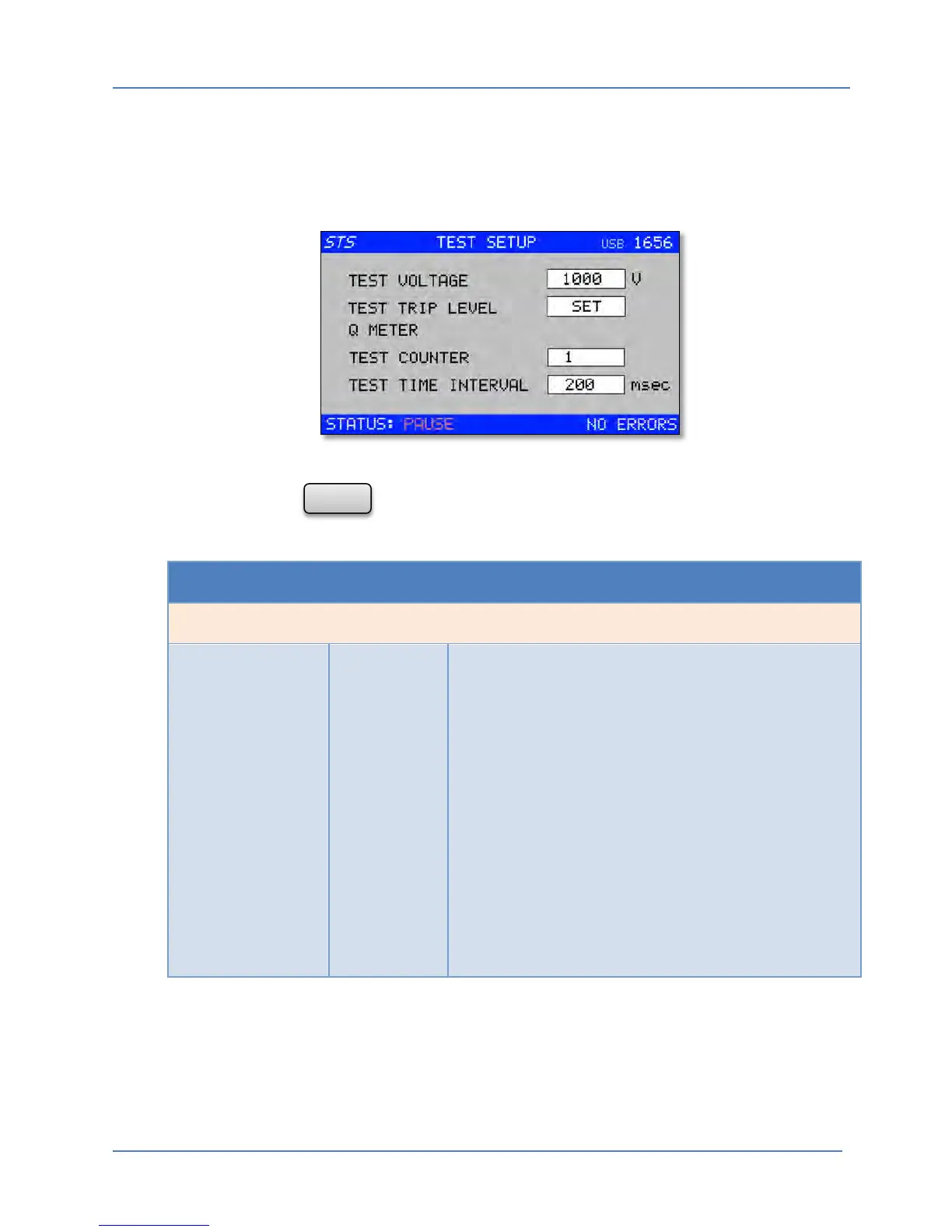
5.5 Test Setup Menu
The Test Setup menu is used to program the 9 pre-stored test level and trip level settings for the
tester. This allows up to nine battery types or models to be preprogrammed for immediate
recall.
The screen shown above displays settings for setup number 1. To select a different setup
number, press the key to return to the Test Result screen and change the active test
setup selection to the desired number.
TEST SETUP <n> MENU
Entry Type Description
TEST VOLTAGE Parameter
Sets the test voltage level for the selected test setup. For
most battery types, a test voltage between 1500 V and
2000 V should be sufficient. Setting the test voltage too
low may not allow possible defects to be found. Setting
it too high could result in damage to the unit under test.
To change the voltage level, mode the selector bar to
the Voltage field and press the Shuttle to enter the EDIT
mode. The Edit mode is indicated by a flashing cursor in
the selected parameter box. Once in edit mode, turn the
shuttle left or right to decrement or increment the test
level. Once the desired level is displayed, press the
Shuttle again (ENTER) to accept the new value. This
accepts the new value and exits out of the EDIT mode.
The selector bar can now be move to the next
parameter field or menu entry using the Shuttle.



 To Next Page