1656 & 1657 Battery Element Tester Owner’s Manual
STS Instruments Page 39 of 88
5.7.1 Q Meter Calibration Menu
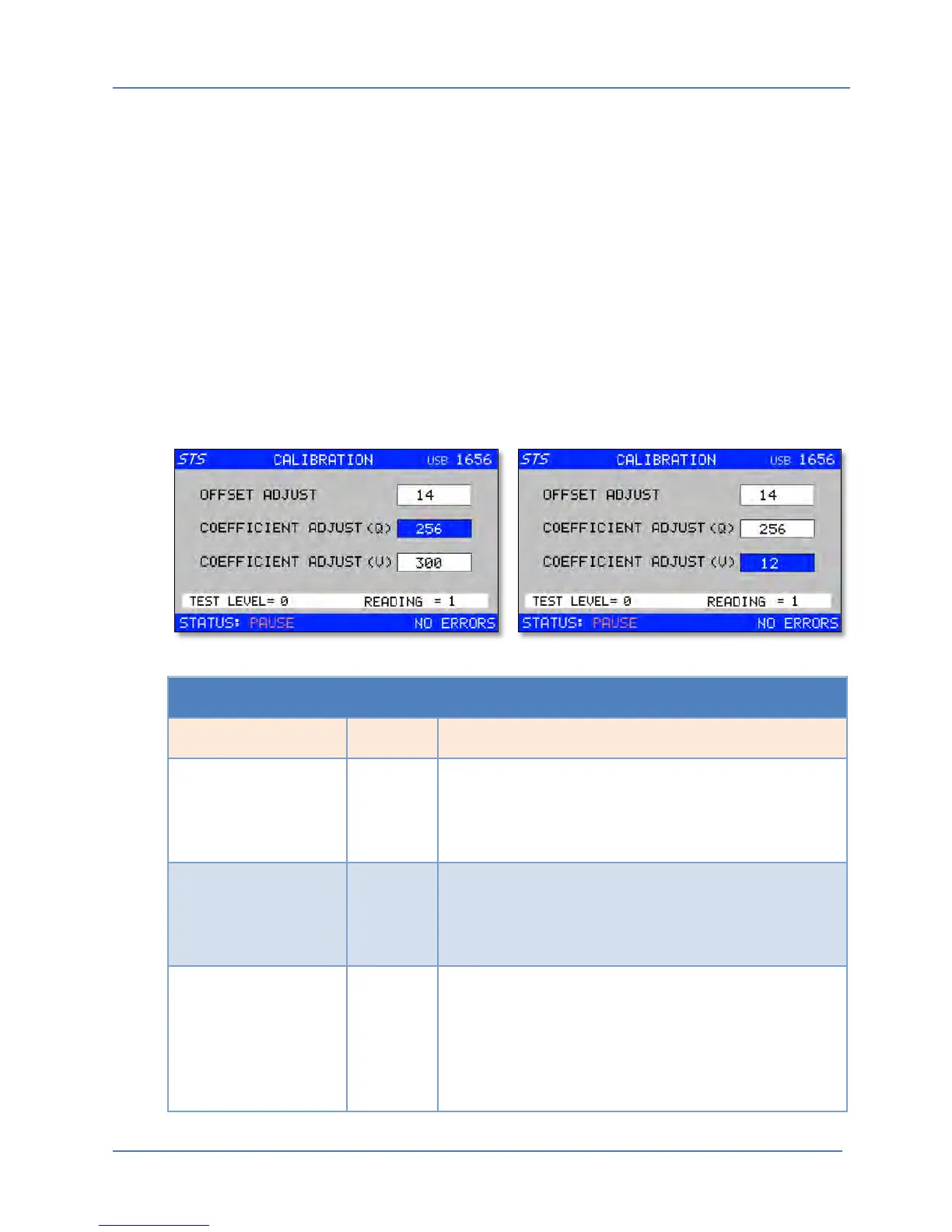
The Q Meter Calibration menu is used to adjust the Q read back measurement value. There are
two coefficients for this purpose:
• Offset adjustment performed with no test voltage output
• Full scale adjustment, performed at a specific test voltage
Offset Adjustment
The offset calibration is used to zero out any DC offset from the measurement circuits of the
battery element tester.
Full Scale Adjustment
The full scale adjustment allows the Q reading at the programmed test voltage to be adjusted to
a known good EUT reading. This known good value should be determined using a sample of
good EUT’s as a reference.
Q METER CAL MENU
Entry Type Description
OFFSET ADJUST Parameter With no load connected to the BET, adjust this
coefficient in EDIT Mode using the shuttle until the Q
readout in the lower right corner of the screen reads
zero.
COEFFICIENT ADJUST
(Q)
Parameter With a known load connected to the instrument, adjust
this coefficient in EDIT Mode using the shuttle until the
Q readout in the lower right corner of the screen reads
the desired target value.
COEFFICIENT ADJUST
(V)
Parameter With NO load connected to the instrument, adjust this
coefficient in EDIT Mode using the shuttle until the
Voltage readout in the lower right corner of the screen
reads the desired target value. Repeat this for 1000V,
2000V and 3000V settings. You can use the VOLT1,
VOLT2, VOLT3.



 To Next Page