1656 & 1657 Battery Element Tester Owner’s Manual
STS Instruments Page 33 of 88
5.4 Main Menu
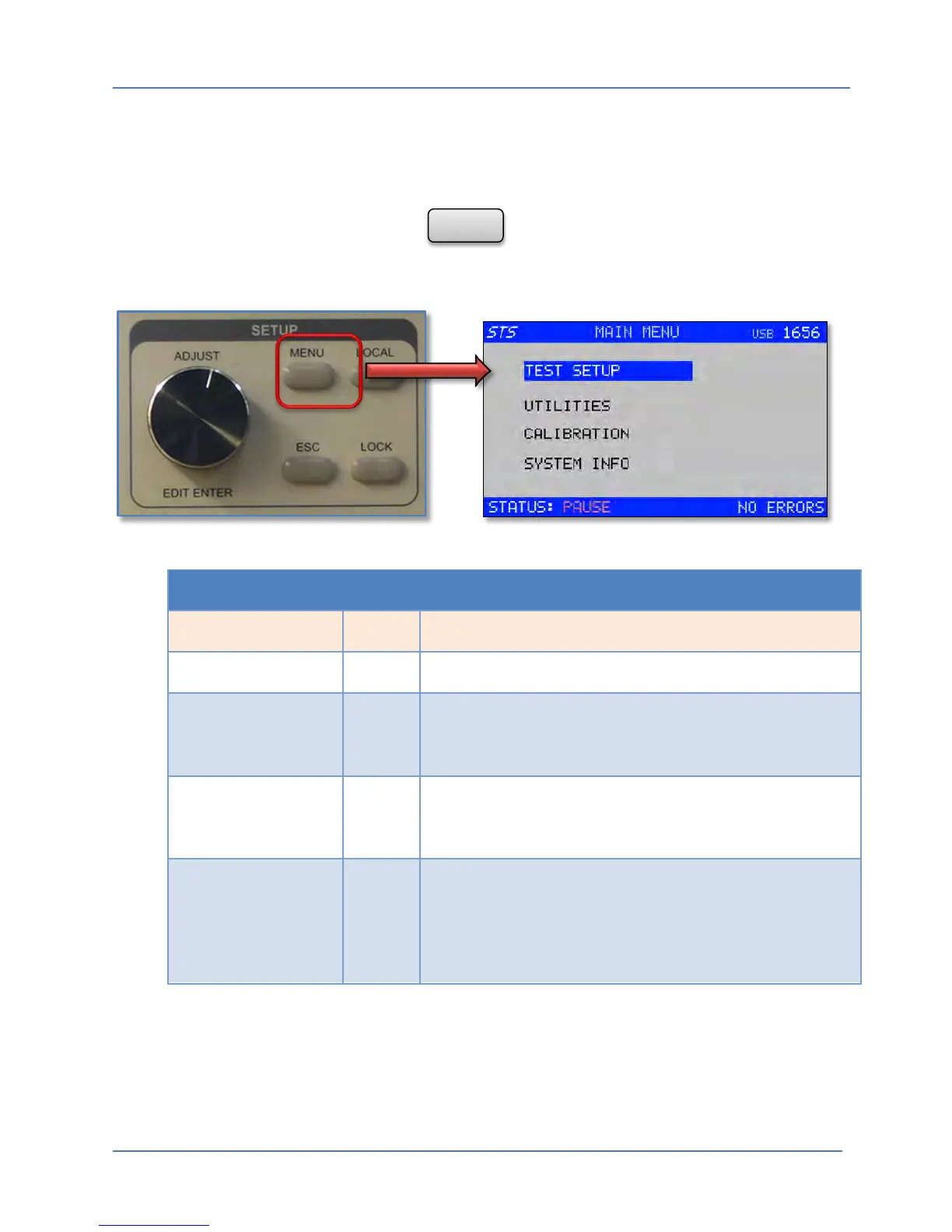
The main menu is at the top of the menu tree. From here, all other lower level menus can be
accessed by scrolling the selection bar to one of the available entries using the shuttle and
pressing on it (ENTER) key.
To display the main menu, press the button on the front panel. All lower level
menus are accessed through on screen selection of a menu entry item using the Shuttle.
MAIN MENU
Entry Type Description
TEST SETUP Menu Selects the main Test Setup Screen.
UTILITIES Menu Selects the Utilities menu. In this menu you will find remote
control interface settings, LCD contrast control and Buzzer
settings.
CALIBRATION Menu Selects the Calibration Menu. This menu is only needed if
you have to perform a routine calibration of the Battery
Element Tester.
SYSTEM INFO Menu Selects an information screen showing, model, serial
number, hardware and software revision and the Real Time
Clock settings. The only user changeable information in the
SYSTEM INFO screen is the date and time for the real-time
clock. All other data is for information purposes only.



 To Next Page