4-5
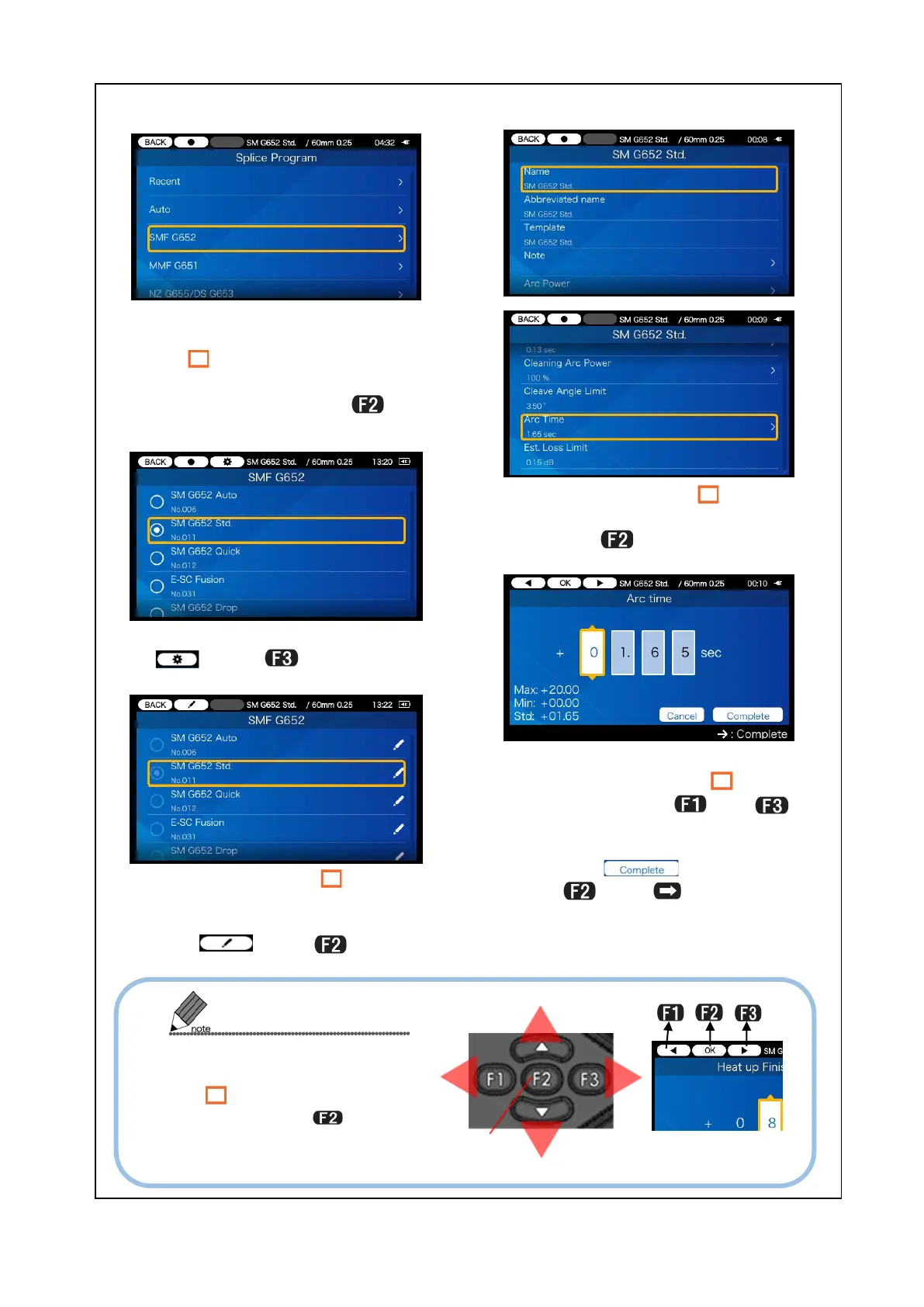
<Modify splice program parameter>
3) Move the cursor “ ” to the
splice program where you would
like to modify the settings and
select (press
key).
5) Adjust the value using▼▲
keys. Move the cursor “
” to left
and right using
and
keys.
After adjustment, move the cur-
sor to
press
or SET
key
.
1) In the fiber profile category
screen (page 4-1), move the cur-
sor “ ”
would like to modify splice pro-
gram settings and press
key.
2) Select the setup mode icon
. (Press key.)
4) Move the cursor “ ” to the
item you would like to modify
and press
key.
The left-hand keys are some-
times used to move the cur-
sor “ ” up and down, and to
left and right.
pressed to enter the selected


 To Next Page
 Loading...