Detailed Operation 4-1
4 Detailed Operation
4.1 Introduction
This section is a detailed list of all parameters that can be changed and tests that can be
initiated from the control panel.
Section 1 and 2 of this manual describe in detail the most commonly used touch screen
manipulation.
This section may be used as a reference for locating a certain parameter setting or test. The
less frequently used parameters are also explained in this section.
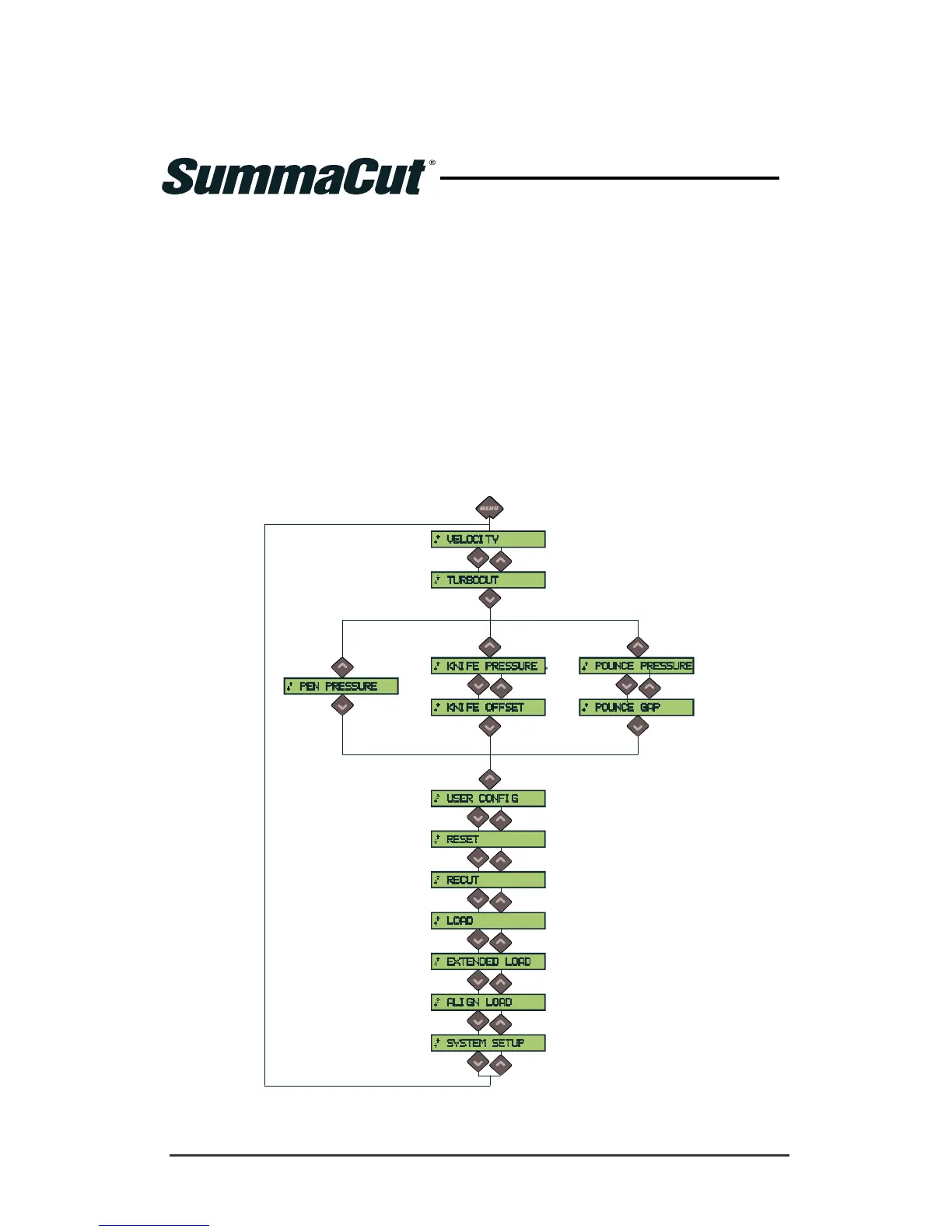
There are two menus, the main menu and the system setup menu.
4.2 Main Menu
(1) (2) (3)
FIG 4-1
4-1 MAIN MENU
Menu differs according to the selected
tool
(1) If the PEN is the default tool
(2) If the KNIFE is the default tool
(3) If the POUNCER is the default tool





 To Next Page