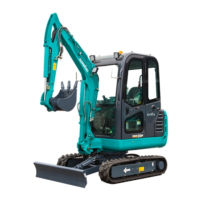
SWE90UF-2PB Operation & Maintenance Manual
B a s s b o o s t / a t t e n u a t i o n … … … … … … … … … … … … … … … … … … … … … … … … … … … … . + / - 9 d B
H i g h p i t c h b o o s t / a t t e n u a t i o n … … … … … … … … … … … … … … … … … … … … … … … … … . + / - 9 d B
Comprehensive parameter
W o r k p r e s s u r e … … … … … … … … … … … … … … … … d i r e c t c u r r e n t 1 2 V ~ 2 4 V , n e g a t i v e e a r t h
O u t p u t w i r e … … … … … … … … … … … … … … … … … … … … H i g h p o w e r o u t p u t o f t w o c h a n n e l
H o r n r e s i s t a n c e … … … … … … … … … … … … … … … … … … … … … … … … … … … … 4 ~ 8 O h m
F u s e … … … … … … … … … … … … … … … … … … … … … … … … … … … … … … … … … … … 3 A
3.5.3 Operation Instructions
(1) Power ON/OFF:
Power button , short press to power on or off.
(2) Sound mode(
AMS
):
Short press to select among BAS, TRE and VOL.
(3)
Select:
Upward select ( ), short press it to search radio station frequency automatically in the order of
descending frequency. On the play mode, press it to switch to previous one. Long press it to
search radio station frequency manually. Descend one frequency step by each short pressing.
Downward select ( ), short press it to search radio station frequency automatically in the order
of increasing frequency. On the play mode, press it to switch to next one. Long press it to search
radio station frequency manually. Increase one frequency step by each short pressing.
(4)
Band selection
(
BAND
):
Radio mode, press this button repeatedly to recycle band selection:
FM1—FM2—FM3—AM1—AM2.
(5)
Mute
(
MUTE
):
Short press to mute on/off.
(6)
Volume adjustment
( ):
Tone or volume +/-.
(7)
Play/Pause
( ):
Radio mode: short press to broadcast radio station which is stored on number 1; long press to
store the currently playing station into number 1.
Play mode: short press to pause / play.



 To Next Page