vi
X10SLV/-Q Motherboard User’s Manual
Table of Contents
Preface
About This Manual ........................................................................................................ iii
About This Motherboard ................................................................................................ iii
Manual Organization .....................................................................................................iii
Conventions Used in the Manual: .................................................................................iv
Contacting Supermicro ...................................................................................................v
Chapter 1
Introduction
1-1 Overview ......................................................................................................... 1-1
Checklist .......................................................................................................... 1-1
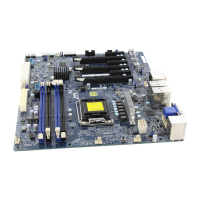
X10SLV/-Q Image ....................................................................... 1-2
X10SLV/-Q Motherboard Layout ..................................................................... 1-3
X10SLV/-Q Quick Reference .......................................................................... 1-4
Ports, LEDs, and Connectors ......................................................................... 1-5
Jumper Descriptions ....................................................................................... 1-5
Motherboard Features ..................................................................................... 1-6
X10SLV/-Q Motherboard Block Diagram ........................................................ 1-8
1-2 Chipset Overview ........................................................................................... 1-9
1-3 PC Health Monitoring .................................................................................... 1-10
Recovery from AC Power Loss ..................................................................... 1-10
Onboard Voltage Monitoring ........................................................................ 1-10
Fan Status Monitor with Software ................................................................. 1-10
1-4 PowerCongurationSettings.........................................................................1-11
Slow Blinking LED for Suspend-State Indicator ............................................1-11
BIOS Support for USB Keyboard...................................................................1-11
Main Switch Override Mechanism .................................................................1-11
1-5 Power Supply .................................................................................................1-11
1-6 Super I/O ....................................................................................................... 1-12
Chapter 2
Installation
2-1 Standardized Warning Statements ................................................................. 2-1
Battery Handling .............................................................................................. 2-1
Product Disposal ............................................................................................. 2-3
2-2 Static-Sensitive Devices .................................................................................. 2-4
Precautions ..................................................................................................... 2-4



 To Next Page