EasyManua.ls Logo

suprema BioLite Net - User Management; 2.1 Enrolling a user

suprema BioLite Net
74 pages
Print Icon
To Next Page IconTo Next Page
To Previous Page IconTo Previous Page
Loading...
25
PIN entry after identifying user card
1.5.5 Card Only
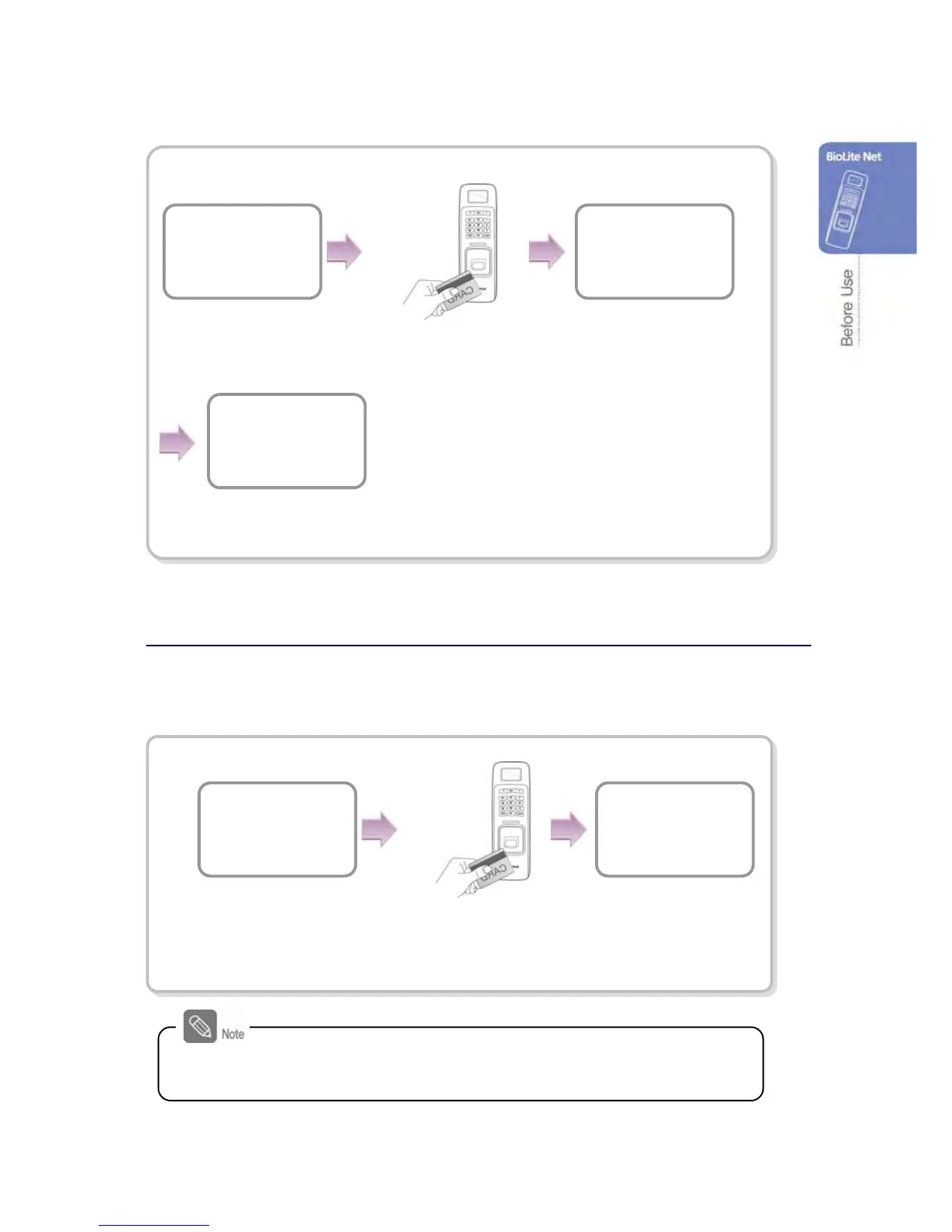
When the user authorization method is set to “Card Only,” you can open the door by
following the instructions below:
Place the user card on the
SUPREMA logo area.
BioLite Net
10:33:02
Access Granted
ID : 2
Place the user card on the
SUPREMA logo area.
Enter Fin
g
er or PIN
****
BioLite Net
10:33:02
For “Card Only,” register the card user on the dedicated PC software
first.
The door is open with the
authentication success message.
The door is open with
the authentication
success message.
Enter the password
of the user and
press OK.
A
ccess Granted
ID : 2

Other manuals for suprema BioLite Net

Related product manuals