45
4.2 In/Out
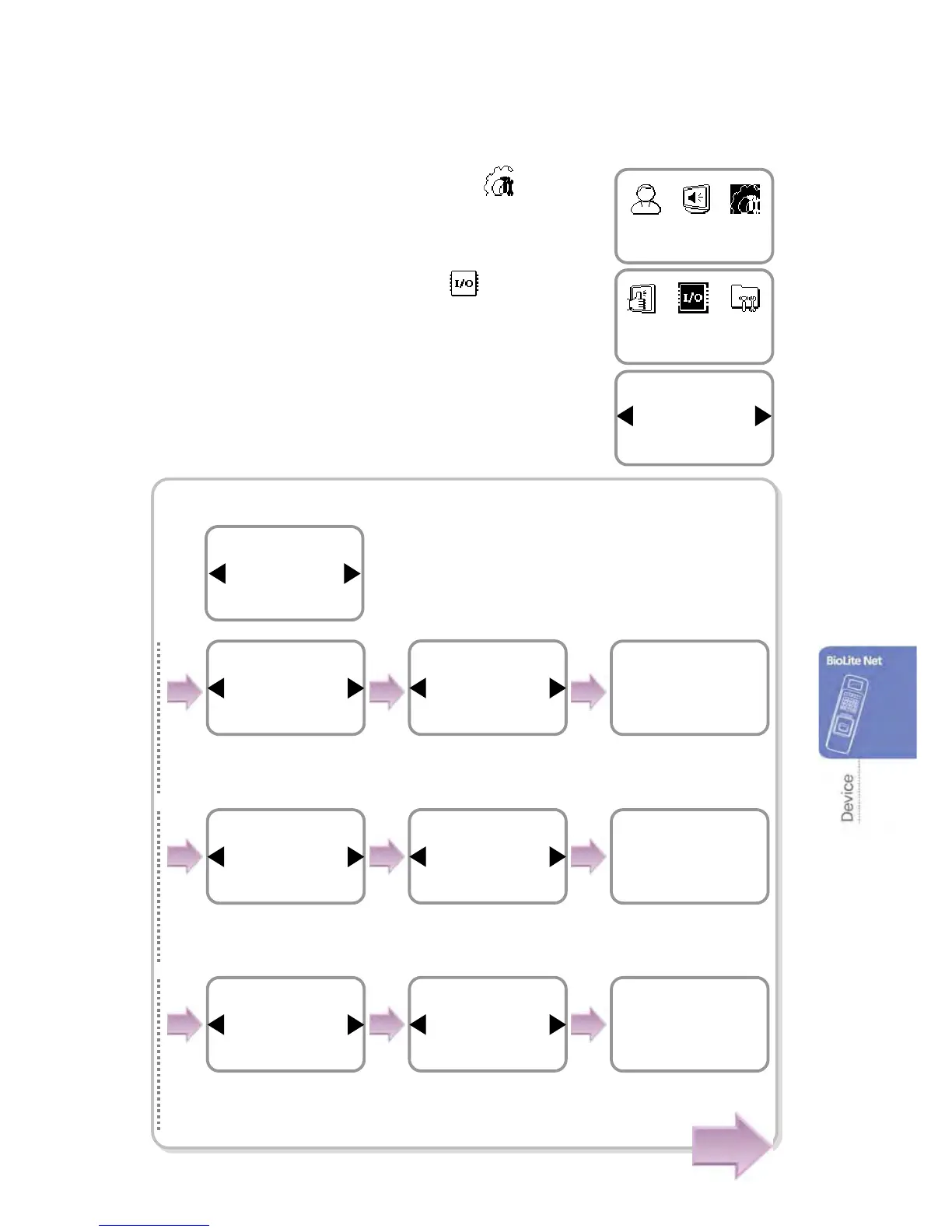
1. Use ◀/▶ buttons to select the Device ( ) icon
and press OK.
2. Use ◀/▶ buttons to select In/Out ( ) icon and
press OK.
3. Use ◀/▶ buttons to select any of Serial Conn.,
Tamper On, Door Wiegand, and TCP/IP and
press OK.
In case of Serial Conn. (selection of connection method)
Use / buttons to◀▶ set
whether or not to use the
termination and press OK.
The completion
message window
appears.
Type
Host
Serial Conn.
Termination
Not Use
Serial Conn.
Completed
Use / buttons to◀▶ set
whether or not to use the
termination and press OK.
The completion
message window
appears.
Type
Slave
Serial Conn.
Termination
Not Use
Serial Conn.
Completed
Use / buttons to ◀▶ set
whether or not to use the
termination and press OK.
The completion
message window
appears.
Type
Ext. Host
Serial Conn.
Termination
Not Use
Serial Conn.
Completed
※Serial Conn.: It is used
for RS485 communication
or direct PC connection.
Device
In/Out
Item
Serial Conn.
In/Out
Item
Serial Conn
.
In/Out
Use ◀/▶ buttons to
select Serial Conn.
and
press
OK.
Cont.
Use ◀/▶ buttons to
select Host
and press
OK.
Use ◀/▶ buttons to
select Slave
and press
O



 To Next Page